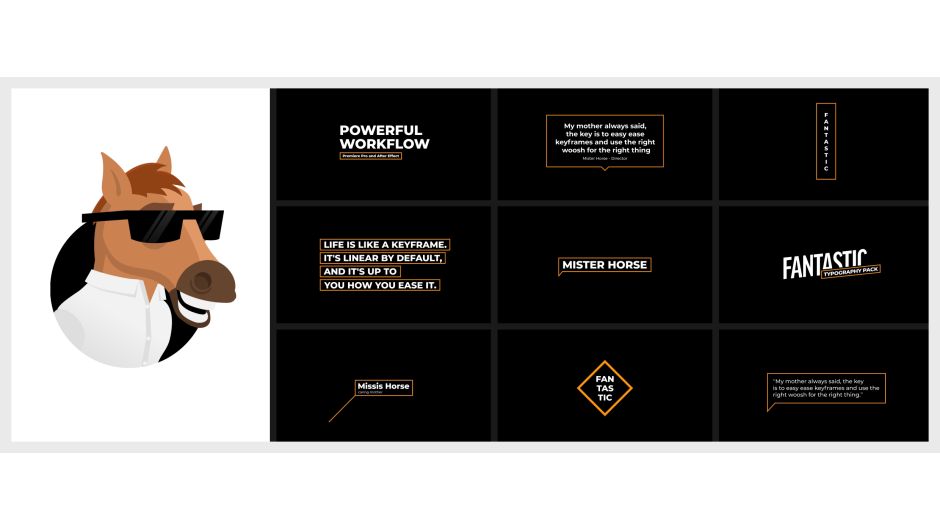
AEJuice Text Effects is a pack of animated title styles, text compositions, and motion elements for video projects. AEJuice describes 14 styles, more than 200 text compositions, and over 100 animated elements; its technical panel lists 335 animations. You can browse and import assets through AEJuice Pack Manager or download project and media files.
Preview and customize text scenes
Preview animations in Pack Manager, import one into a project, then edit its text, colors, and other settings in the Edit tab. Pack Manager remembers changes for each animation and reapplies them when you import that animation into another composition. AEJuice says text scenes support any language and specifically lists right-to-left languages such as Arabic, Hebrew, Persian, and Urdu.
Pack Manager installs fonts for most animations, and AEJuice says you can use your own fonts in most After Effects and Premiere Pro products. Editable text and controls are available in those two editor versions. Some animations are unavailable in Premiere Pro, Final Cut Pro, and Standalone; the plugin shows assets compatible with the selected platform. Standalone includes pre-rendered video and image files, without editable text, fonts, or controls.
Check editor and project compatibility
AEJuice lists Text Effects for After Effects, Premiere Pro, DaVinci Resolve, and Final Cut Pro. Its compatibility section lists Windows 10 or later and Mac OS X 10.14 or later, with M-series support. The Adobe version field lists CC 2015 through CC 2024 or later. It also lists CS6, CC 12, and CC 2014 as supported through After Effects project files without the plugin, provided as-is. The technical information was last updated June 10, 2025, so check the current listing if your host version is newer.
The listed formats are 1920x1080, 1000x1000, and 1080x1080, with horizontal and square orientations. AEJuice marks the pack as not autoresizable and says it has no 4K support. Check these project dimensions against your delivery format before relying on the templates.
Review the license for your team
AEJuice describes the product as single-user, with unlimited videos and clients. Its EULA limits who can access the assets: the Individual license is for one named solo user with less than $500,000 USD in annual revenue or funding. Teams, shared storage, company-assigned licenses, and contractors working within a studio do not qualify for Individual use. Business licensing has separate terms, including a license for each person using the assets. Review AEJuice’s current license terms for your intended use.