BAO Distortion Bundle combines three After Effects plugins for different layer-deformation tasks. BAO Boa bends a layer along a mask path, Layer Sculptor shapes a warp with drawn masks, and BAO Joint connects one layer to two parent layers and distorts it as they move. The bundle suits projects that need more than one of these workflows.
How the plugins differ
BAO Boa: deform layers along a path
Use a mask path to guide a layer’s shape. Boa can rotate or twist the layer along the path, adjust its start and end, scale, and Z position, and use mask vertices for per-segment distortion. Its controls also include partial texture undistortion and 3D spline positioning, rotation, and scale.
BAO Layer Sculptor: shape a warp with masks
Draw masks where you want to control a layer’s deformation, then animate them. The In-betweener tool creates intermediate masks for finer control, and a time selection parameter can create moving morphs. Mesh definition and subsampling provide additional control over the result.
BAO Joint: connect two rig parents
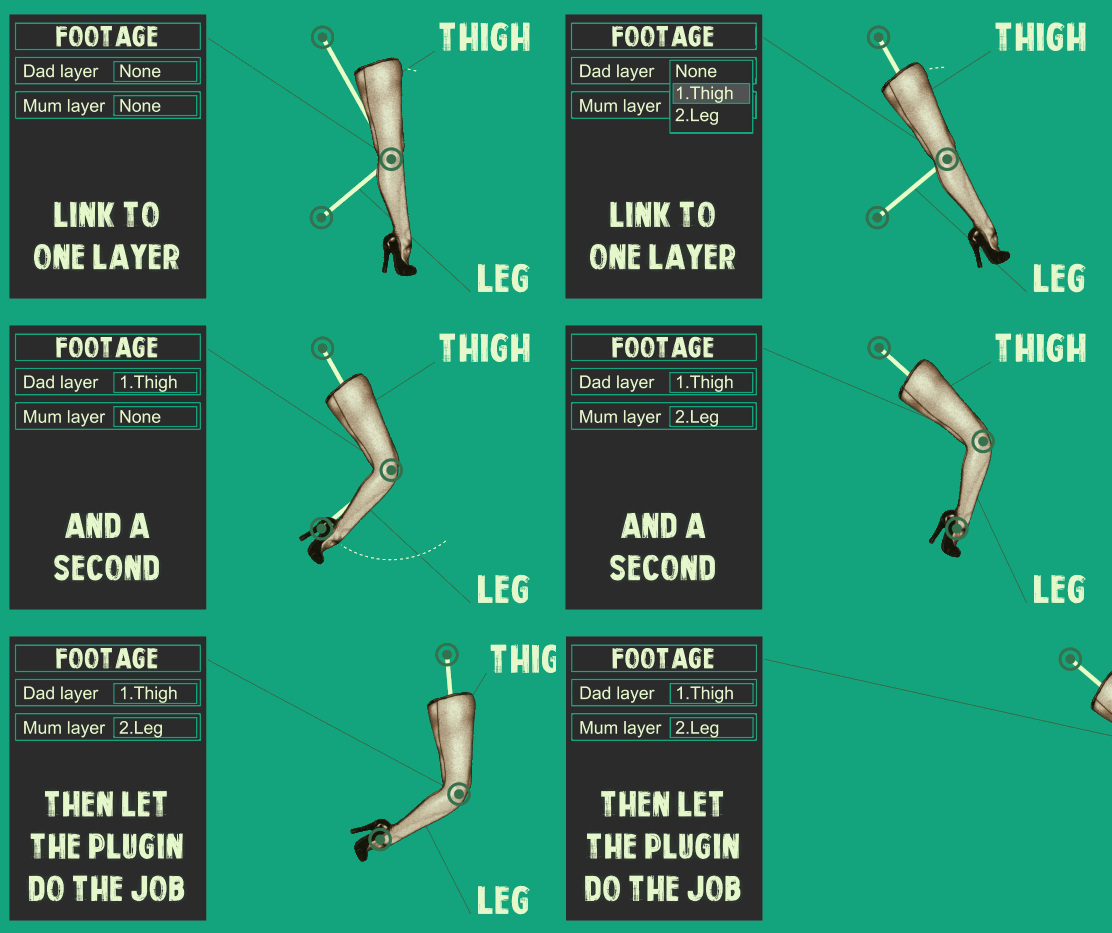
Link one layer to two parents to create a deforming joint. The plugin is suited to IK rigs for parts such as arms and legs. You can set squash-and-stretch strength and Bezier tension and midpoint; motion blur includes the distortion.
Fit, compatibility, and licensing
The bundle is most useful when you need path-based warping, mask-guided sculpting, and two-parent rigging in After Effects. If you only need one of those tasks, the individual product pages offer separate trials for Boa, Layer Sculptor, and Joint.
The three component listings each include After Effects 2026, 2025, and 2024 in their compatibility lists, while the bundle listing shows compatibility through After Effects 2023. Because the official listings differ, confirm support for your After Effects version before buying the bundle.
The bundle is available only with a Single User License. Floating and render-only licenses must be purchased individually.