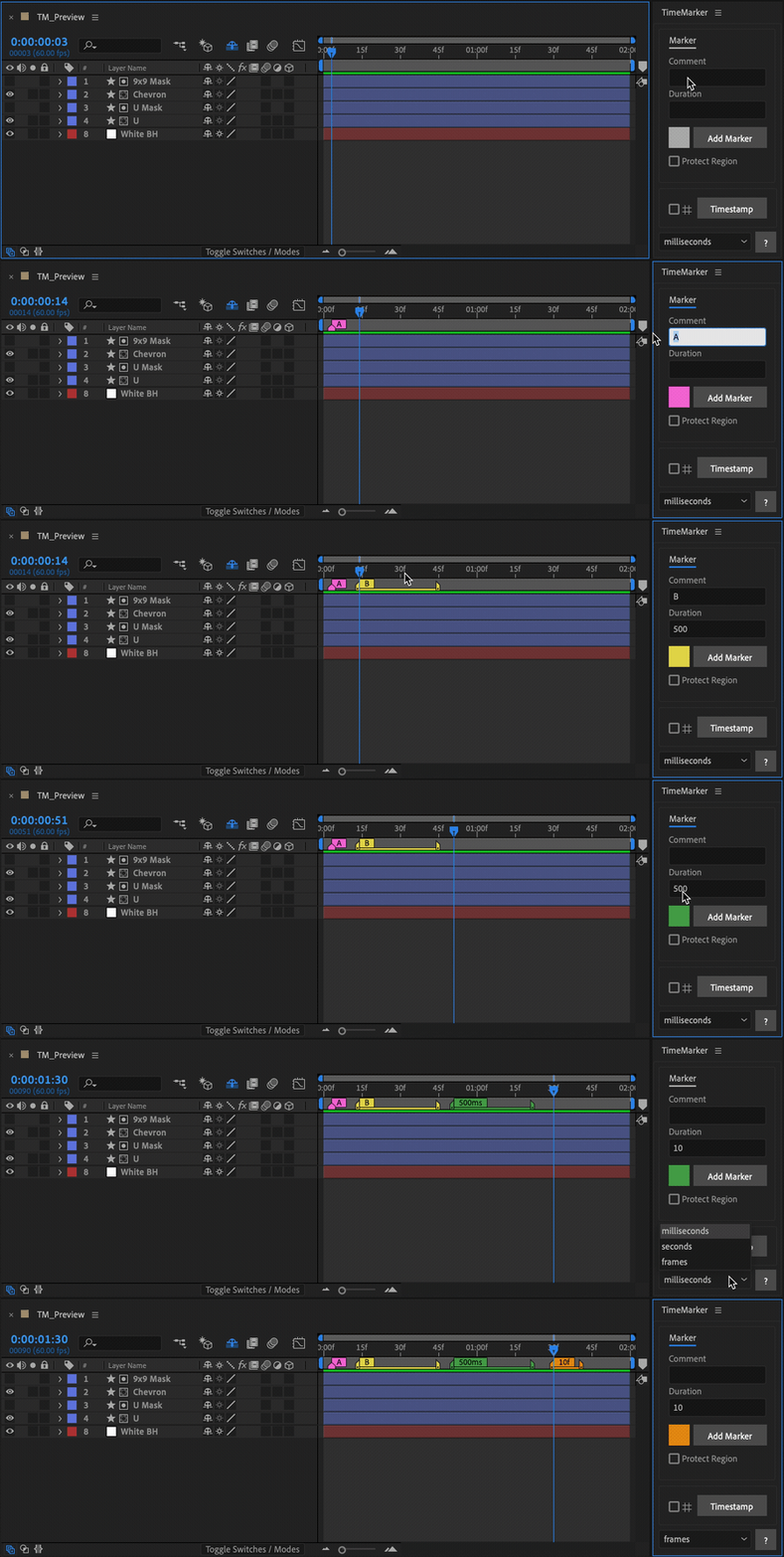
TimeMarker by Motion Methods is an After Effects tool for adding customizable markers to compositions and layers. Set a marker comment, color, and duration in milliseconds, seconds, or frames. You can also use selected keyframes to define a marker’s span, add timestamps to a layer, or protect a keyframe region from time stretching.
Customize markers on compositions and layers
To add a composition marker, open a comp with no layers selected, choose the marker settings in the TimeMarker panel, and click Add Marker. To add layer markers, select the layers first. The markers start at the current time and use the settings selected in the panel.
A duration can be entered directly or set by selecting keyframes.
Use selected keyframes to set a marker span
Selecting keyframes lets TimeMarker calculate a span from their total duration instead of requiring a manually entered value. Add the split marker to the composition to mark that interval. If the marker has no comment, its duration appears as the comment, which makes the marker useful for checking an animation’s length.
To add split markers to the selected keyframe layers, use Command-click on macOS or Ctrl-click on Windows on the Add Marker button. This places the marker on those layers as well as supporting a composition-level timing note.
Protect a keyframe region when timing changes
TimeMarker can create protected region markers for use with After Effects’ Responsive Design – Time feature. Select the keyframes you want to protect, turn on Protect Region, and click Add Marker. When a nested composition is time-stretched, the keyframes inside the marked region are protected from stretching. This can help preserve an intro or outro while adapting the duration of a nested comp.
Add timestamps from a layer’s inpoint
Timestamps count from the layer’s inpoint and can display time in milliseconds, seconds, or frames. Enable the guide layer option when creating a timestamp as a guide layer. The panel can add multiple timestamps, which is useful when you need to inspect timing at several points along a layer.
Compatibility and trial
The product listing reports compatibility with After Effects 2026, 2025, 2024, 2023, 2022, 2021, 2020, and CC 2019. Check the TimeMarker listing for current product details, and use its free trial to review the workflow in your setup.