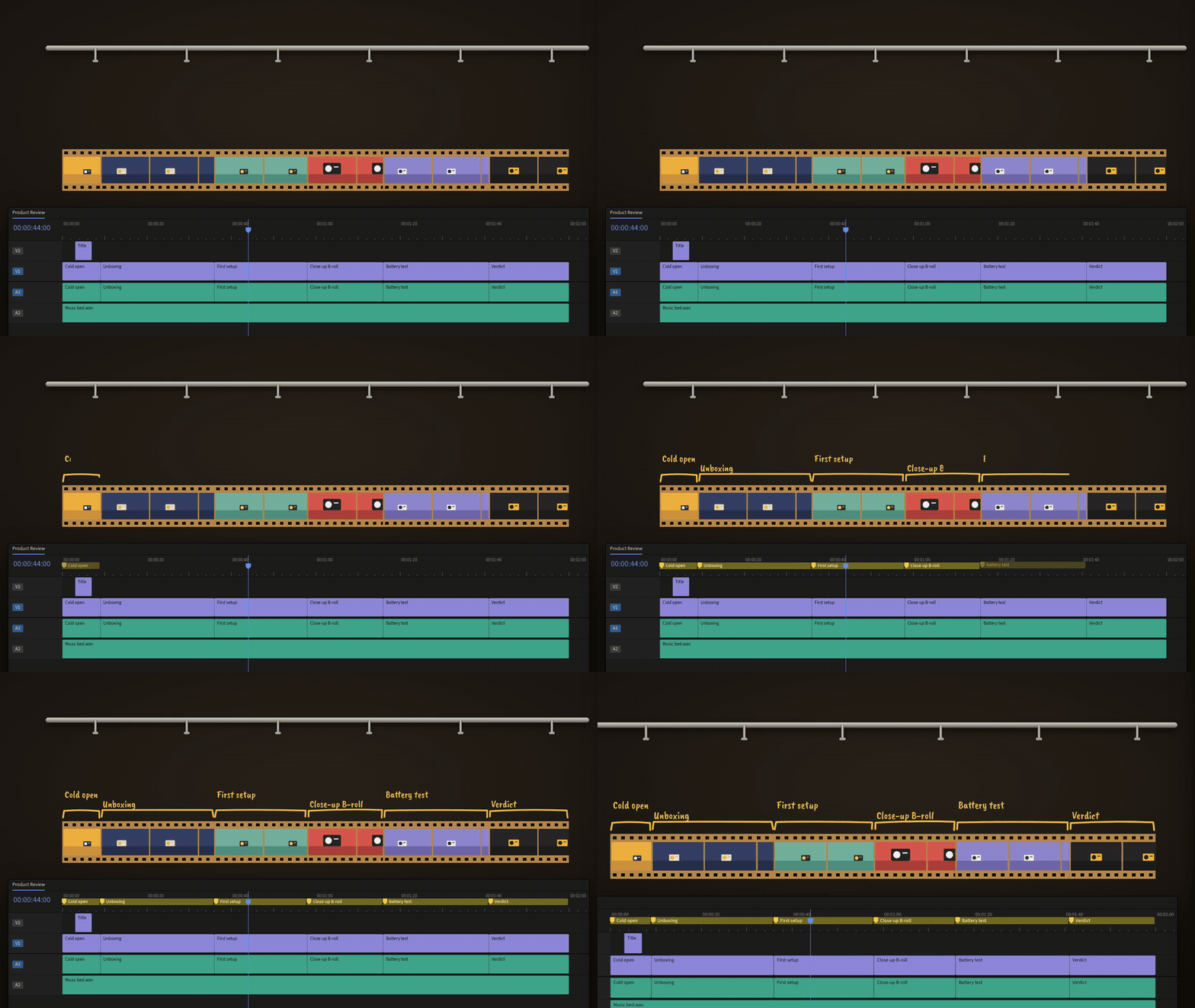
Piecework is a UXP panel for Premiere Pro that turns marked sections of a sequence into separate sequences and rendered files. It can also combine selected sections into a new sequence, giving editors a marker-based way to prepare reels, cutdowns, chapters, and client deliverables from a longer timeline. See the Piecework product listing for compatibility and trial details.
Build segments from markers
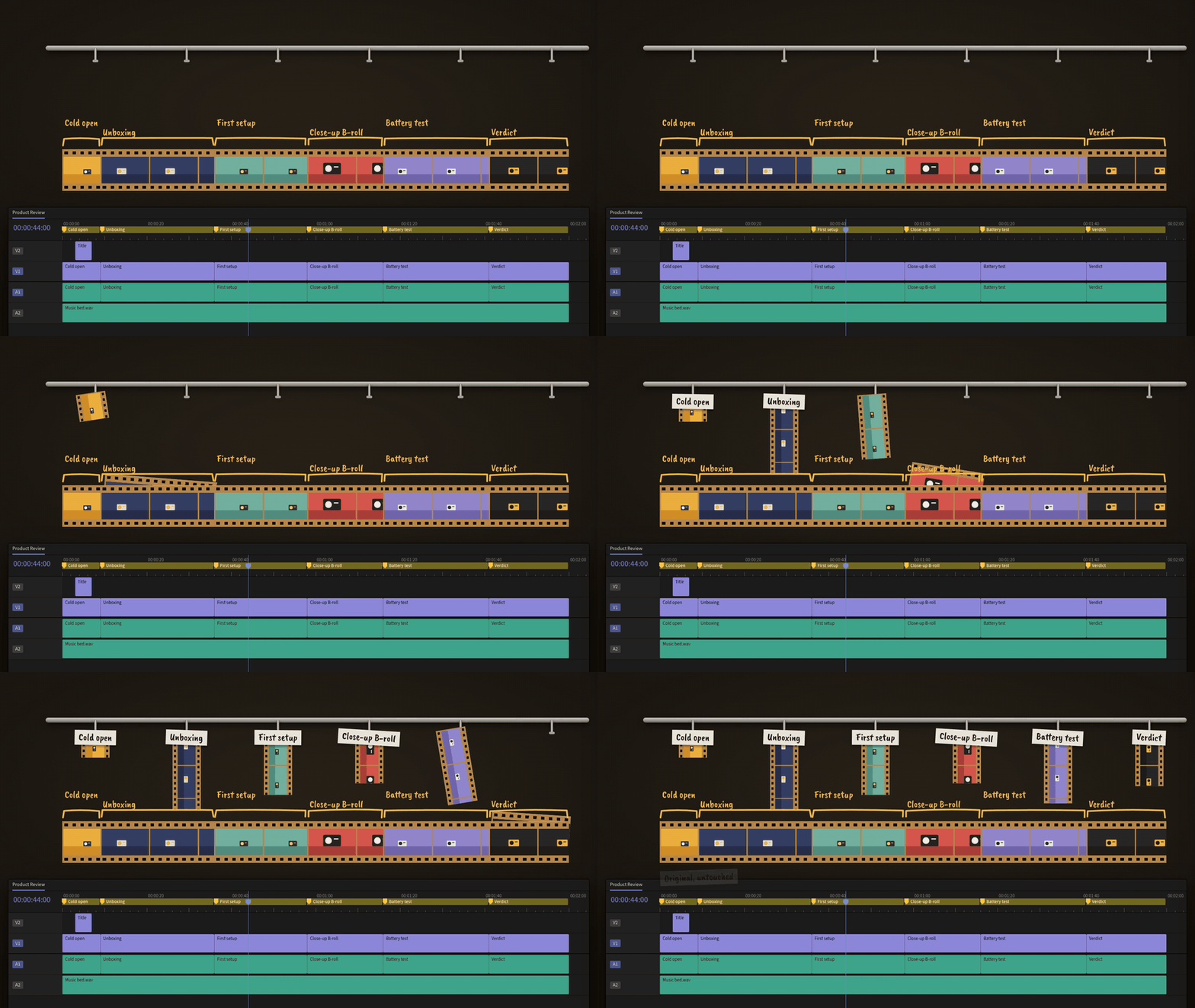
Each marker identifies a section to create as a piece. Add markers by hand, generate them from clips on a track or a selection, place them at the playhead, set regular intervals, or divide a sequence into equal parts. You can also import or export chapter lines, CSV marker lists, and marker EDL files. Markers already in a sequence from another tool can be converted with the Markers tab.
Before creating pieces, Marker Check reports overlaps, zero-length or repeated-name markers, markers beyond the sequence end, and unknown presets. It can fix most of these issues in one click.
Set names, bins, and per-piece options
Piecework cuts each section from a copy into its own sequence in a numbered bin, leaving the original sequence untouched. Choose whether the bin sits beside the source sequence or at the project root, and use a naming template with source names, marker names, indexes, dates, or timecodes. You can also choose which markers stay inside each piece.
A marker comment can set options for that piece, including its name, preset, handles, and output folder. For example, [Piecework] name="Teaser A" preset="Social 9x16" handles=24 assigns a name and preset and adds 24 frames of handles.
Render in Premiere Pro or Media Encoder
Export pieces directly from Premiere Pro or send them to Media Encoder. Media Encoder is optional. Piecework can find Media Encoder .epr presets automatically, including presets in OneDrive folders, and can use multiple presets with each preset’s files in its own folder. Output folder templates and an optional CSV delivery report help organize a delivery. Existing files are not overwritten; a new file gets a suffix such as _2 or _3.
Handles add frames before and after a piece for grading or sound hand-offs. In the Media Encoder workflow, completed pieces leave the queue after their files finish, so Media Encoder does not load the full timeline for every job.
Combine sections into a new sequence
Piecework can combine marker sections or sequences from a Piecework bin into one new sequence, with each part nested as its own clip. Reorder the pieces before combining them if you want a different sequence order. Their markers are copied into the combined sequence.
Check compatibility and RenderSegments markers
Piecework runs as a UXP panel in Premiere Pro 26.5 or later on macOS and Windows. Media Encoder is optional because Premiere Pro can export the pieces itself. Piecework is the successor to RenderSegments; the listing points users with older Premiere Pro versions to RenderSegments. Existing RenderSegments markers are not picked up automatically, so use the Markers tab’s tag tool to convert them.