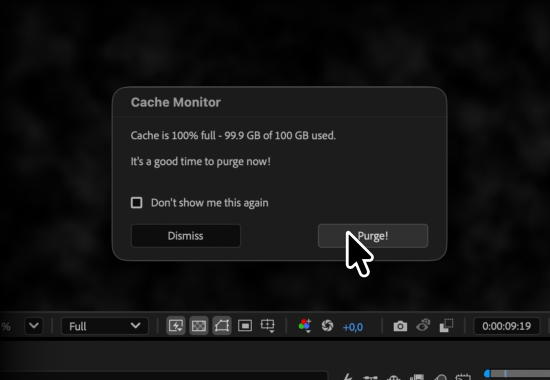
Cache Monitor is an After Effects panel for people who want disk cache usage visible while they work. Its color-coded bar stays in the workspace and can start a purge from the panel when cleanup is needed.
Monitor and customize the panel
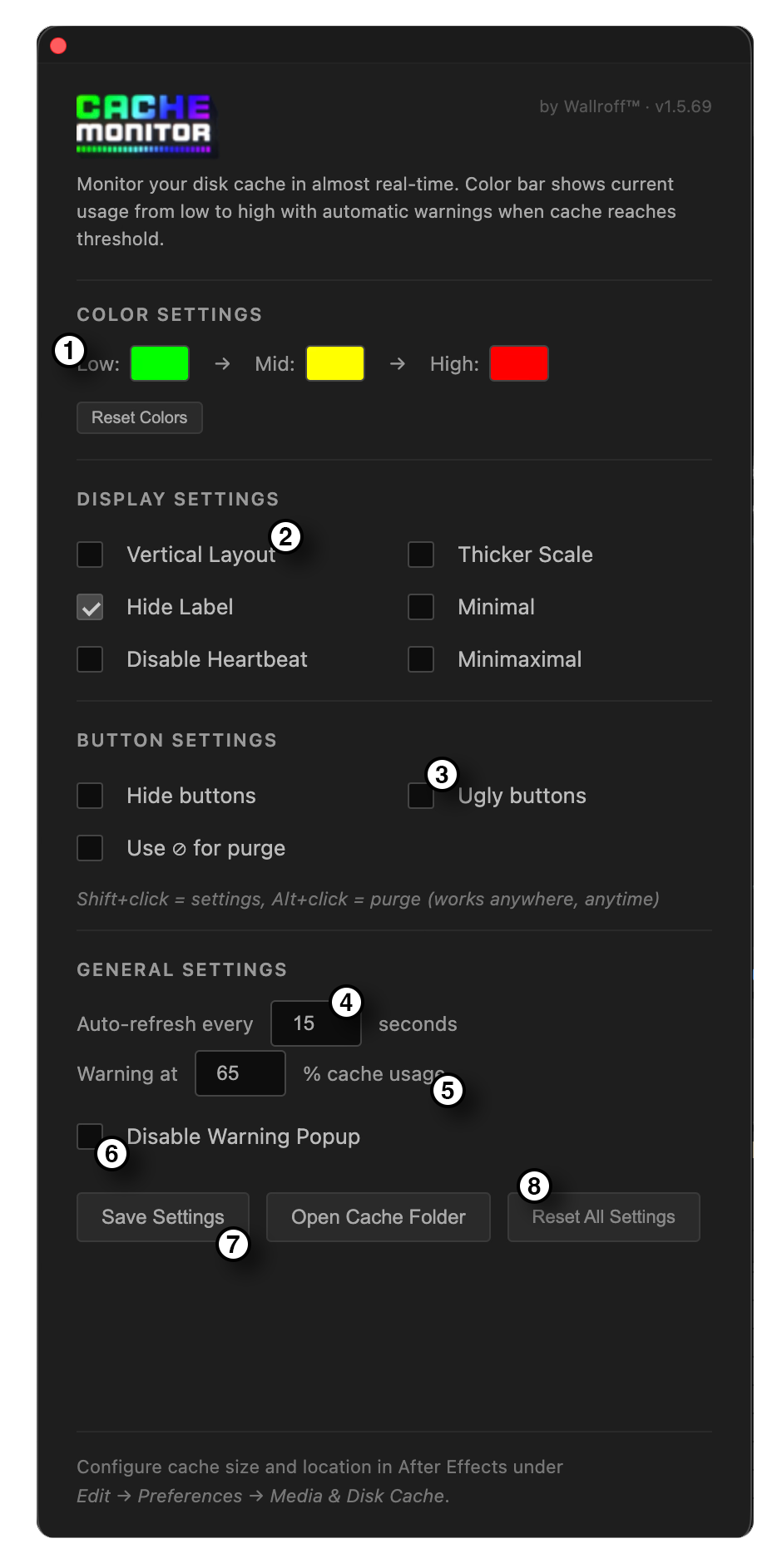
Set the bar to refresh every 10 to 60 seconds. Its warning threshold defaults to 85% and can be adjusted from 50% to 99%; the bar turns red when cache usage crosses it. Choose a standard segmented bar, a thicker scale, a vertical layout, a 10×10-pixel dot, or a solid-color panel. You can also set a three-color gradient, edit colors with RGB sliders or hex values, swap button icons, and hide the label or buttons. Shift-click the panel to open settings. Your saved configuration survives restarts.
Clear the After Effects cache
Alt-click anywhere on the panel to run After Effects' built-in purge and see how much space it freed. A separate Deep Clean command is available. Cache Monitor reads the cache path from After Effects preferences, including custom directories and external drives. Its cleanup is limited to the After Effects cache structure; it leaves sibling folders such as Media Cache Files, Peak Files, and Analyzer Cache Files alone. If you use multiple After Effects versions, enable Current version only to limit a purge to the running version.
Compatibility and licensing
The listing supports After Effects 2022, 2023, 2024, 2025, and 2026, and offers a free trial. The EULA permits one copy on one computer per license. Use across multiple computers or by multiple users requires an appropriate license for each copy and user.