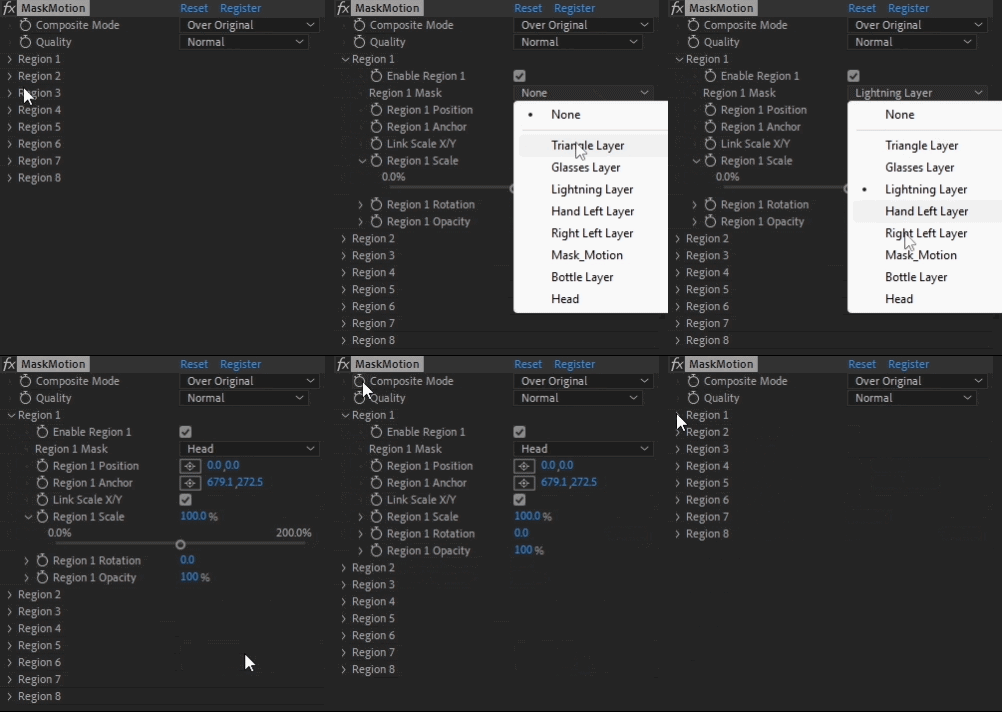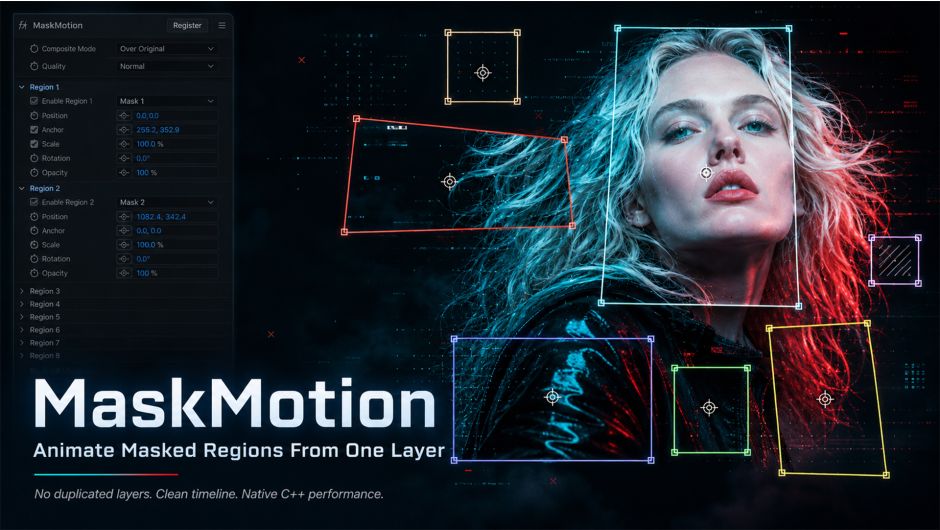
MaskMotion is a native C++ After Effects effect for animating masked parts of one raster layer independently. Each instance maps up to eight regions to masks on the layer, letting you move parts of a character or object without maintaining a duplicate layer for each part.
Set up and animate regions
Draw and name the layer masks, apply MaskMotion, then choose a mask for each region from its dropdown. Mask names populate the dropdowns automatically. If you add or rename masks after applying the effect, close and reopen the Effect Controls panel to refresh them.
Each region has Position, Anchor Offset, Scale, Rotation and Opacity controls, with standard After Effects keyframes. Anchor Offset is measured from the selected mask's center. Scale can stay uniform or use separate X and Y values.
Choose how regions appear
Over Original composites transformed regions over the source layer. Cut Original Region removes the original masked area and replaces it with the transformed region; the listing recommends this mode for character animation. Regions Only shows the transformed regions and hides the original layer. You can disable a region without losing its settings.
Draft uses bilinear sampling for a fast preview while you animate. Normal provides balanced quality, while High uses high-quality sampling for final renders. MaskMotion supports 8-, 16- and 32-bit color, After Effects Multi-Frame Rendering and Smart Render.
Layer and mask limits
The v1.0.0 limitations list says MaskMotion works on raster layers such as footage, solids and precompositions, but not shape or text layers. For more than eight regions, the product instructions suggest precomposing the layer and applying a second MaskMotion instance.
For v1.0.0, transformed-region mask feathering, Mask Expansion and curved masks such as circles or ellipses are listed as unsupported; the page gives no later-version status for those limits.
Requirements, installation and license
The listing specifies After Effects 2022 (22.0) or later, Windows 10 or 11 (64-bit), or macOS 11 Big Sur or later. The macOS plugin is a Universal Binary for Apple silicon and Intel. Install through the aescripts + aeplugins Manager App or copy MaskMotion.aex on Windows or MaskMotion.plugin on macOS into After Effects' Plug-ins folder, then restart After Effects.
The product's EULA grants one copy for use on one computer at a time. Multiple copies or users require an appropriate license for each copy and user.