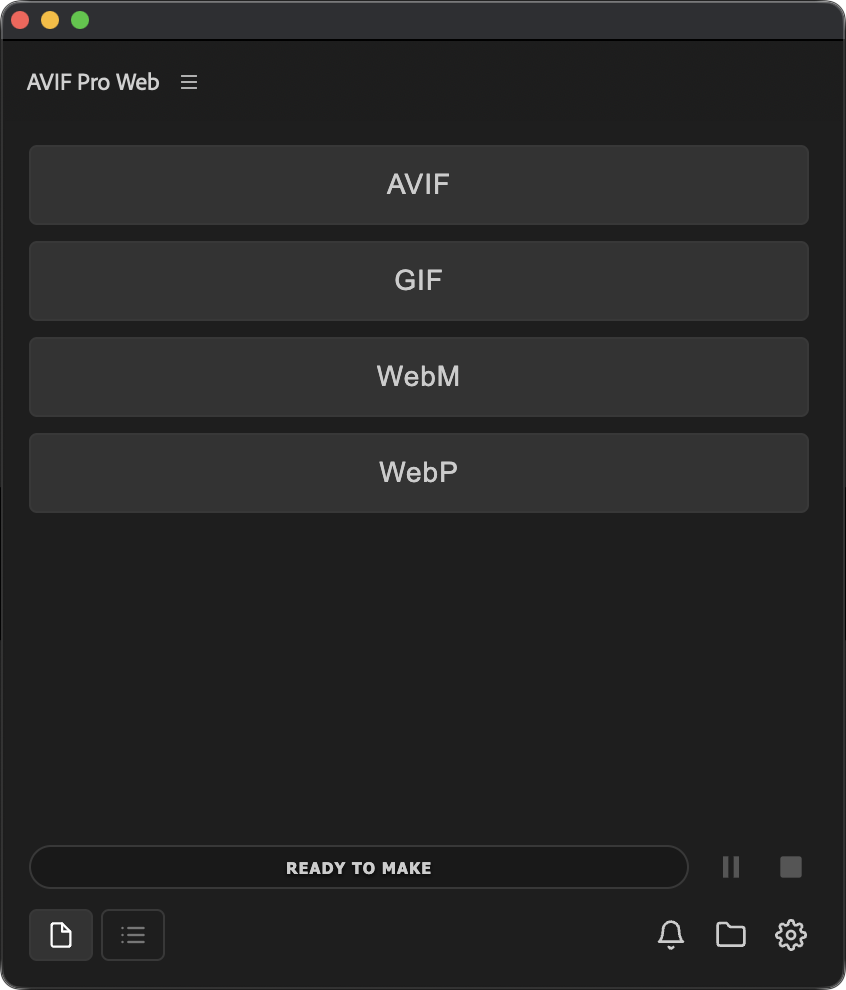
AVIF Pro Web combines an After Effects panel with a standalone desktop app for exporting compositions and converting existing media to AVIF, GIF, WebM, and WebP. It fits motion designers who prepare web assets from compositions or need to batch convert finished videos and image sequences.
Export from After Effects or convert existing media
For a quick export, Single Mode renders the active composition after you choose a format and preset. Queue Mode holds multiple compositions and lets you assign a format and custom preset to each item before rendering.
The desktop app works with existing videos, folders, and numbered image sequences on macOS and Windows. It groups image sequences automatically, lets you apply settings to selected items, and provides a queue you can pause, resume, or stop. Choose the default output folder or another destination, and trim sequence suffixes for cleaner filenames.
Format specific encoding controls
Settings include quality, compression, frame rate, dimensions, alpha, and color space, with additional controls for each format:
- AVIF: alpha, 8 bit or 10 bit pixel formats, and SDR or HDR color space options.
- GIF: palette, dithering, and loop controls, with optional Gifsicle optimization.
- WebM: VP9 or AV1, optional Opus or Vorbis audio, selectable bitrates, and VP9 alpha support.
- WebP: lossy or lossless animated output with presets and loop controls.
Preview and prepare exports
The built in player previews videos, exported formats, and image sequences. Use its transparency grid to check alpha, review loops, switch between fit and fill, and browse outputs in a playlist. You can adjust dimensions and aspect ratio, and choose codec safe even numbered sizing to avoid invalid dimension render failures. FFmpeg and Gifsicle handle encoding, so the listed workflow does not require command line setup.
Compatibility and licensing
The product listing names After Effects 2022-2026 as compatible. It also offers a free trial. The purchase area displays a Floating License Server notice; aescripts' license guide says Single User Licenses do not require that server, while floating licenses do. Check which license type applies to the product before ordering if you do not already run a network license server.