Reuse layer stacks across compositions
Add Sauce saves selected After Effects layers as reusable ingredients. Build a look from adjustment layers, solids or file-based textures, then apply the saved stack in another composition without rebuilding each layer by hand.
Save and apply ingredients
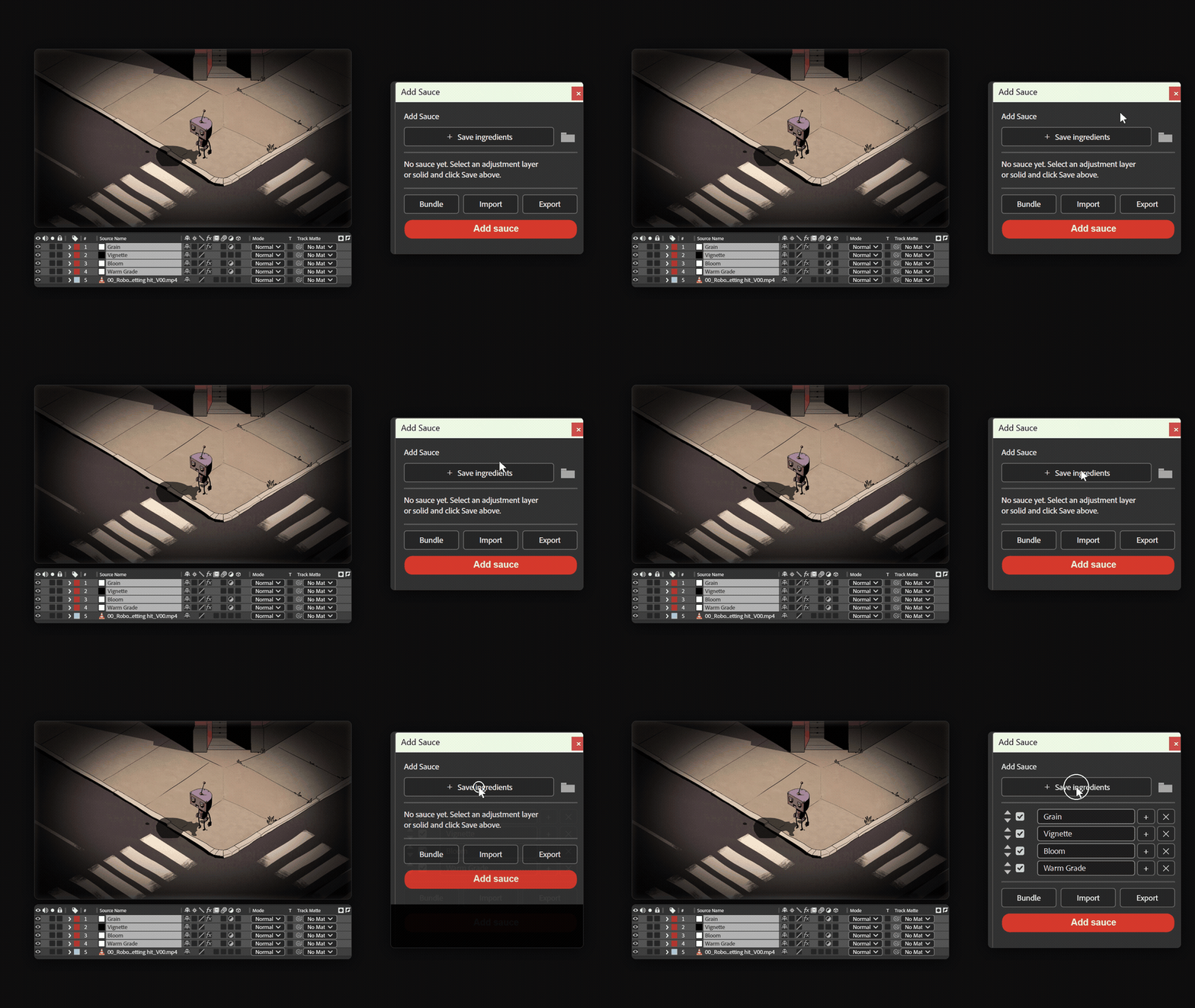
Select layers and choose Save ingredients. In a composition, select the entries to use and choose Add sauce. Add Sauce recreates them in list order as a single undo step. Leave an ingredient unticked to omit it from that build. You can save a complete stack as a named sauce or combine ingredients you have already saved.
What the library preserves
Saved ingredients retain effect values, expressions, masks, blending mode, opacity, adjustment-layer and 3D settings. Mask details include shape, mode, feather, expansion, opacity and inversion. For file-based textures, Add Sauce saves the file path and transform.
The library is stored in one JSON file. Export it to share a look or move the library to another machine.
Compatibility, trial and license
The product listing supports After Effects 2027, 2026, 2025, 2024, 2023, 2022, 2021, 2020 and CC 2019. The 10-day trial starts with an empty library and allows up to three ingredients. Adding, bundling, reordering and texture support work during the trial, without a watermark.
The EULA grants one copy for use on one computer at a time. Multi-user or multi-computer use requires an appropriate license for each user and copy.