Shape It, by Adam Sacks, is an After Effects panel for saving and reusing shape layers and parametric meshes. It keeps recurring shape setups available as buttons, presets, or saved panel layouts.
Reuse shape layers from a panel
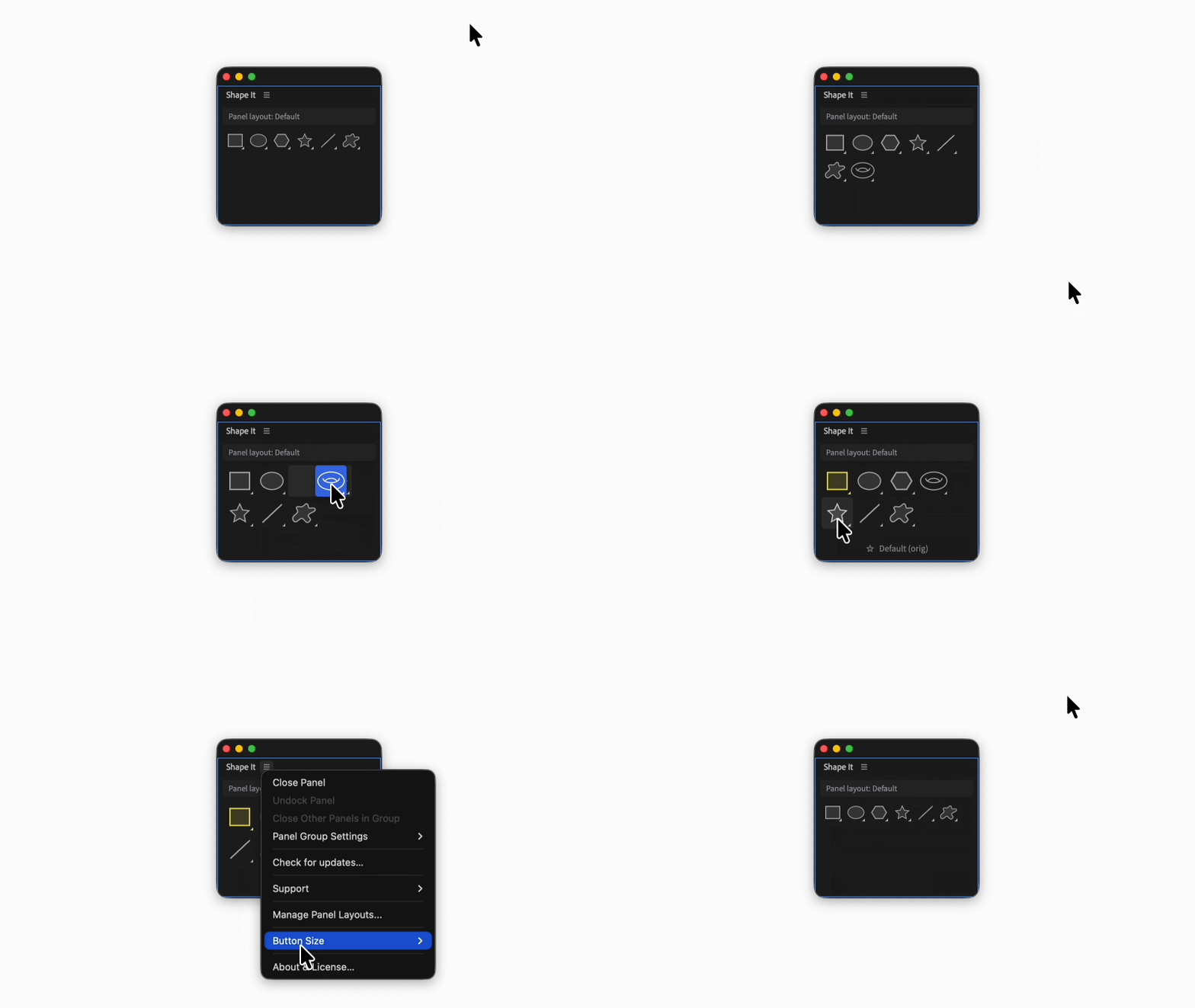
A panel can hold up to 75 buttons, which you can add, move, resize, recolor, remap, or remove. When you save a shape layer to a button, its icon updates to reflect the shape. Each button can also store independent defaults for all 12 shape types.
Saved shape layers retain settings for fills, strokes, gradients, pucker and bloat, trim paths, repeaters, twists, merge paths, 3D geometry, and material options, along with animation on those properties. You can save a layer containing multiple shapes and merge paths to one button.
Save presets and panel layouts
Save shapes and parametric meshes as presets in a library organized by shape, then pull them up for use when needed. Panel layouts store their own buttons, defaults, and presets. You can edit, save, rename, or delete layouts independently, which lets you keep separate button arrangements for different projects or tasks.
Shape presets can be exported, and full panel layouts can be exported with their presets for sharing. This gives you a way to move a prepared setup between users or keep a copy of a particular panel arrangement.
Parametric mesh support
Shape It can save parametric meshes with mesh and bevel settings, compositing options, transform properties, and material-assignment options for the default material, plus any animation on those properties. The listing notes that After Effects ExtendScript support for parametric meshes is limited. Using Shape It with parametric meshes requires After Effects 26.3 or later.
Shape It is suited to After Effects work that reuses shape-layer setups and benefits from saved defaults, presets, or alternate panel arrangements. For the free trial option, see the Shape It product listing.