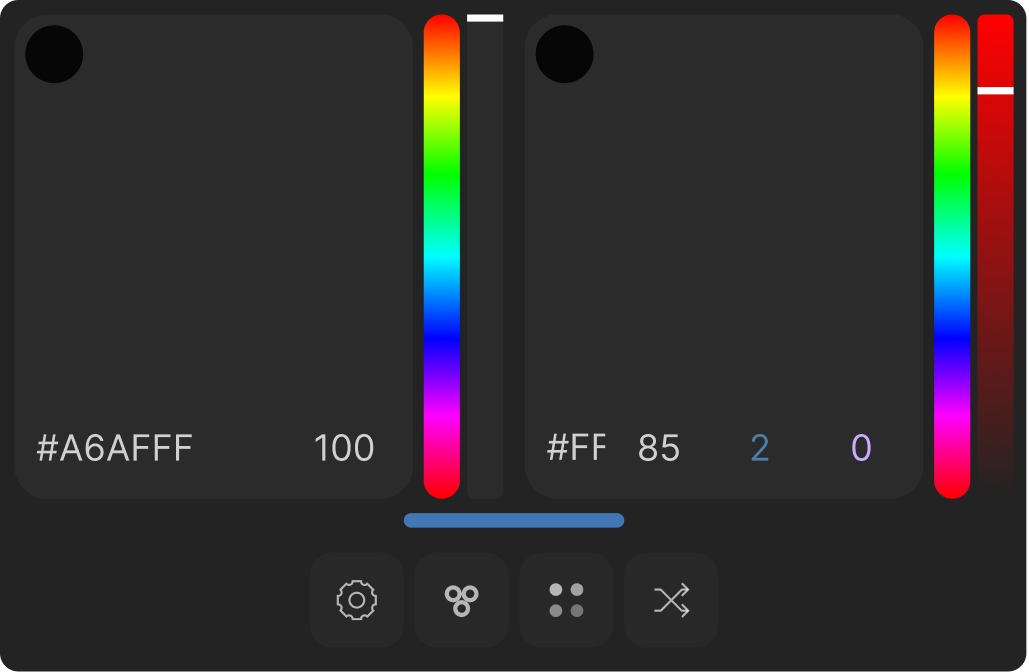
Iridea is a selection-driven panel for color work in After Effects. It puts controls for Fill, Stroke, their opacity, layer Transform opacity, shape roundness, stroke width, and effect colors in one interface that adapts to selected layers, properties, and nested compositions. It suits motion design projects using shape layers, text, and effects.
Adjust colors across a composition
When several layers are selected, Shift-drag changes hue, saturation, or brightness relative to each layer’s starting color. This preserves their existing tonal spread. The color randomizer can target Fill, Stroke, text, and effect colors, using smart variations or stored palettes. Iridea also includes project color scanning, palettes, and presets.
Work with shape paint and animation
Use Shift-click to remove or restore Fill and Stroke paint. Iridea supports these operations in nested Shape Groups and nested compound paths. Ctrl-click a control to add a keyframe, so you can animate supported color and shape adjustments from the panel.
Compatibility and licensing
The product listing specifies After Effects 2021 through 2027. The EULA grants a license to use one copy and restricts use to one computer at a time and one user. Multi-user or multi-computer use requires an appropriate license for each user and copy.