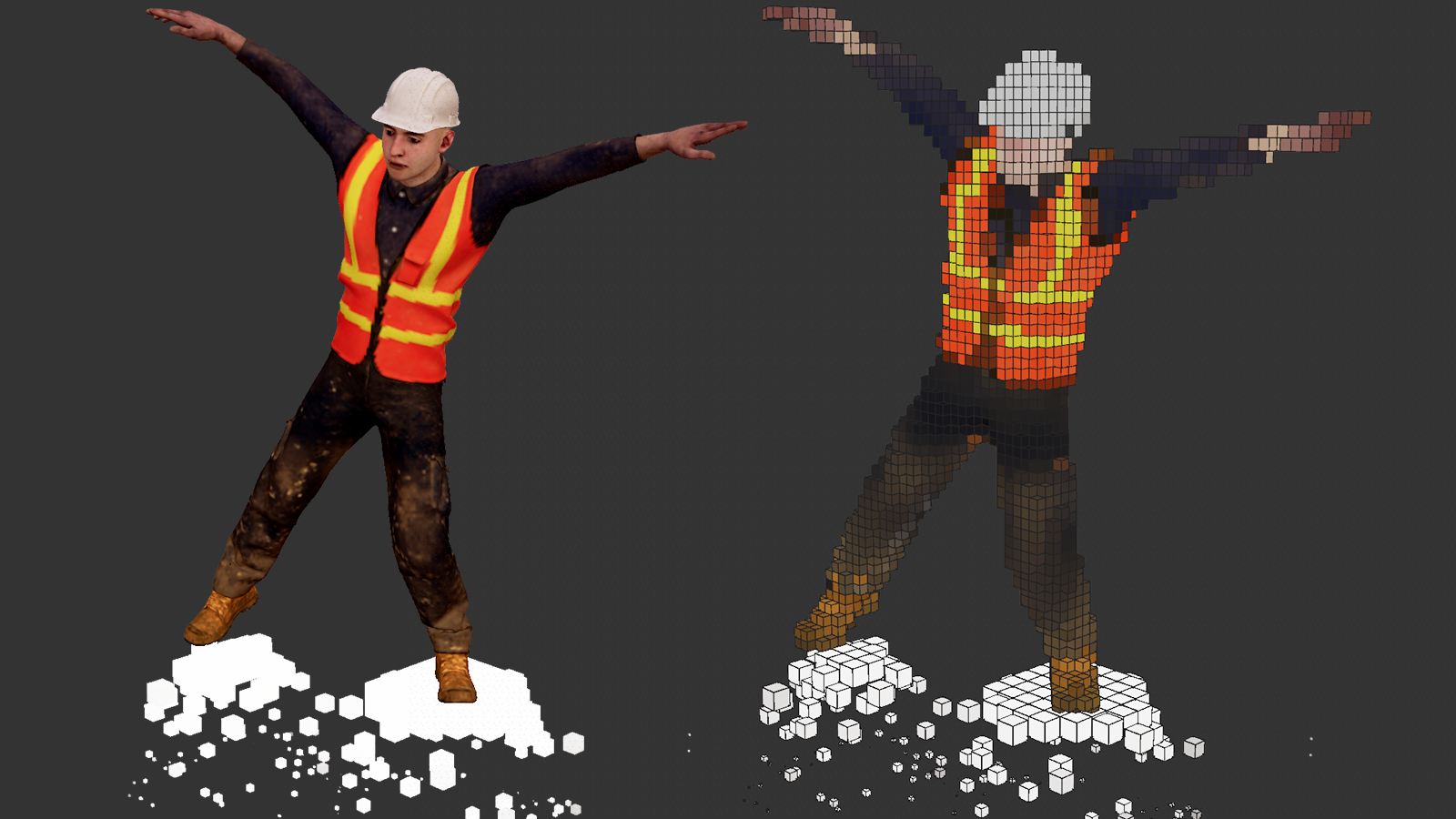
LiDAR C4D is a Cinema 4D plugin by Prizrak_KD that turns scene geometry into camera-driven point clouds. It casts rays from a camera and places points where they hit, so foreground objects can hide what lies behind them. The result is a LiDAR-style scan effect for motion graphics, titles, architectural fly-throughs and other visual effects. The workflow uses a Cinema 4D scene; it does not require scanning hardware. See the LiDAR C4D product listing for the current release details.
Choose Bake or Realtime scanning
Bake mode records scans along a camera move into a persistent point cloud. This suits fly-throughs and progressive reveals where points build up as the camera travels. Realtime mode scans again on each frame and stores no scan, letting the cloud respond to moving objects. The two modes share settings, and the listing says you can switch between them.
Control the scan pattern
Ray generation can be random for a scattered pattern or arranged as a screen grid for regular rows that follow the camera perspective. Distribution options include uniform placement, targeting hard edges, or tracing all polygon edges. Grid snapping and scan-line controls change the pattern, while the product listing says the distribution modes use the same point budget.
LiDAR C4D can color points by camera distance, world height, surface normals, material color or the rendered scene. The listing describes these color choices as adjustable without scanning again. It also includes X-ray controls for rays that pass through surfaces, plus volume scatter for placing points inside geometry. Multiple cameras can contribute to a scan, which can help cover areas hidden from one view.
Animate, render and export the point cloud
Standard MoGraph effectors and fields can move or reshape the generated points. For rendering, the plugin includes a Redshift rig and can output real geometry, a Redshift point cloud or an OBJ sequence for animated scans. The listing also says OBJ export works in the trial version and that point colors can be carried into the exported mesh.
The original scene geometry stays untouched as you adjust point distribution, color, camera movement and effectors in Cinema 4D.
Version and Cinema 4D compatibility
The supplied product listing identifies version 1.4.1, dated November 12, 2026, and lists compatibility with Cinema 4D 2024, 2025, 2026 and 2027. Its version history says 1.4.1 added Cinema 4D 2027 support and addressed a scanning freeze in Cinema 4D 2026. Check the listing for later release or compatibility changes.