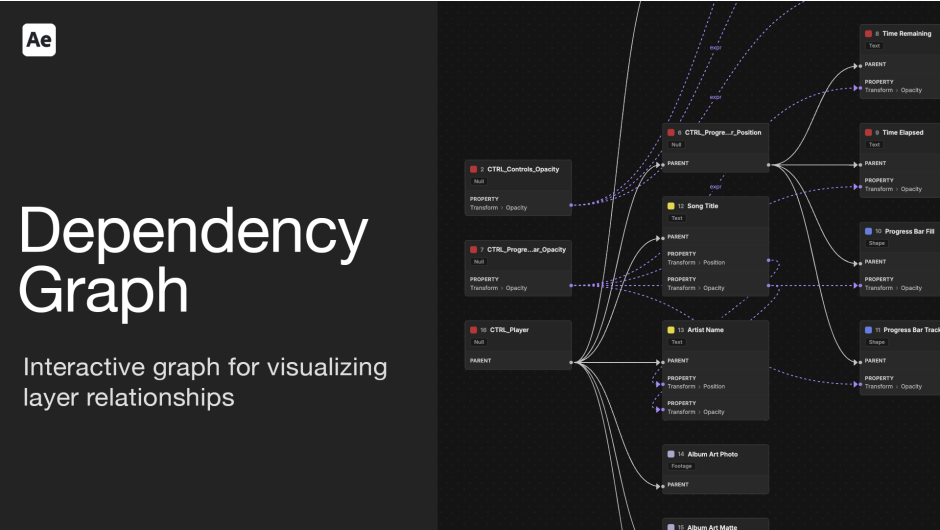
Trace layers and expressions as a graph
Dependency Graph is an After Effects extension for inspecting how a composition is wired. It turns layer parenting and expression references into connections in a node graph, helping you follow dependencies in an inherited or complex comp without searching every layer or reading each expression.
Follow dependencies through a composition
Click a node to highlight its connections, or drag nodes to arrange the graph. The graph includes layout settings and filters, supports layer and node selection, and uses breadcrumbs for precomp navigation. The minimap highlights selected nodes, and a preference controls whether shy layers appear when the Shy switch is enabled.
The product FAQ describes support for short expressions and longer expressions that reference multiple properties. The linked feedback board lists detection of numerical index references as planned. If your project relies on expressions such as thisComp.layer(1), check that case in the trial.
Compatibility and licensing
The listing shows compatibility with After Effects 2024, 2025, and 2026 on macOS and Windows. A free trial is available for trying the graph on your own project.
The posted EULA grants one copy and requires appropriate licensing for multi-copy or multi-user use. It also restricts use on shared or multi-user setups. The product page's checkout notice says a Floating License Server is required for Dependency Graph when you neither own one nor have one in your cart; check the selected License Type and its terms against your setup before purchase.