OctaneNodeKit is a plugin toolkit for managing Octane workflows in Cinema 4D. It groups tools for connecting nodes, editing materials, handling texture maps, preparing render passes and IDs, and checking scenes.
Tools for common Octane tasks
Connect nodes and build materials
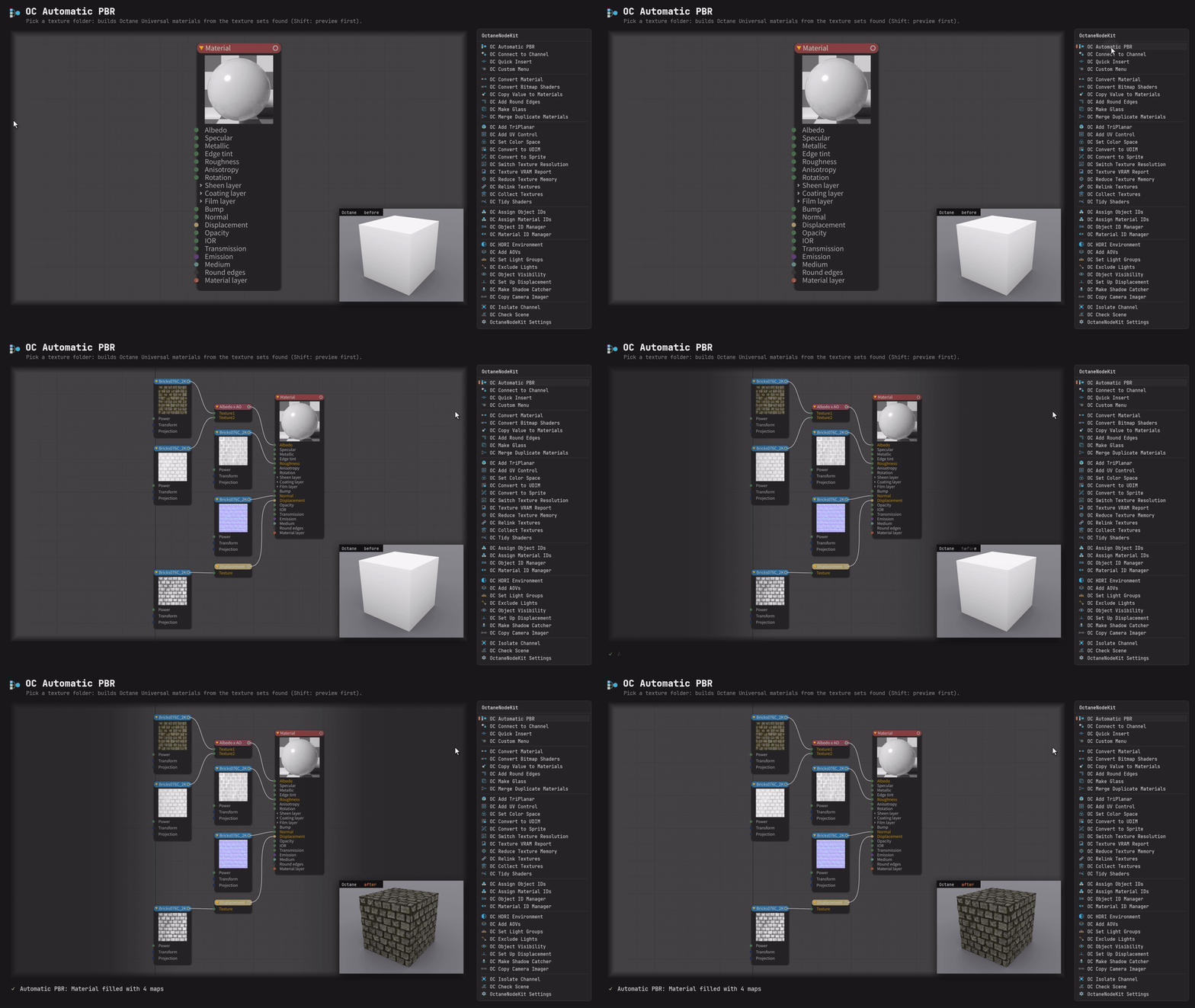
Automatic PBR builds a material from a folder of texture maps. Connect to Channel routes selected nodes to an input, while Quick Insert and Custom Menu keep frequently used nodes close at hand.
Edit materials and textures
For materials, OctaneNodeKit can copy a value across related surfaces, convert existing materials and merge duplicates. Texture controls include TriPlanar and UV mapping, color space and UDIM options, plus tools to relink or collect maps and switch to lower texture resolutions.
Prepare IDs and render passes
Object and Material ID tools help organize render masks, with managers for reviewing shared IDs and updating assignments. Add AOVs creates groups of render passes from presets. The toolkit also includes Light Groups, displacement and Shadow Catcher controls for compositing setups.
Inspect and tidy a scene
Isolate Channel lets you inspect a texture or part of a node graph. Tidy Shaders cleans up a node layout, and Check Scene reviews common setup problems before rendering.
Compatibility and trial
The product listing specifies Cinema 4D 2026 and above, with 2026 and 2027 named in its compatibility section. It lists Windows and macOS. The product details do not state an Octane version requirement, so check the OctaneNodeKit product listing or contact the author if your setup depends on a particular Octane build. The listing also includes a Free Trial link; check it for current trial terms, pricing and release information.