PINr is a dockable After Effects panel by Mehdi Fazzat. It keeps selected layers at the top or bottom of the active composition's layer stack as the comp grows. This helps keep adjustment layers, gradients, logos or backgrounds at the edge where they belong. The PINr product listing says it works with shape, text, solid, adjustment, camera, light, null and other layer types.
Pin layers to the top or bottom
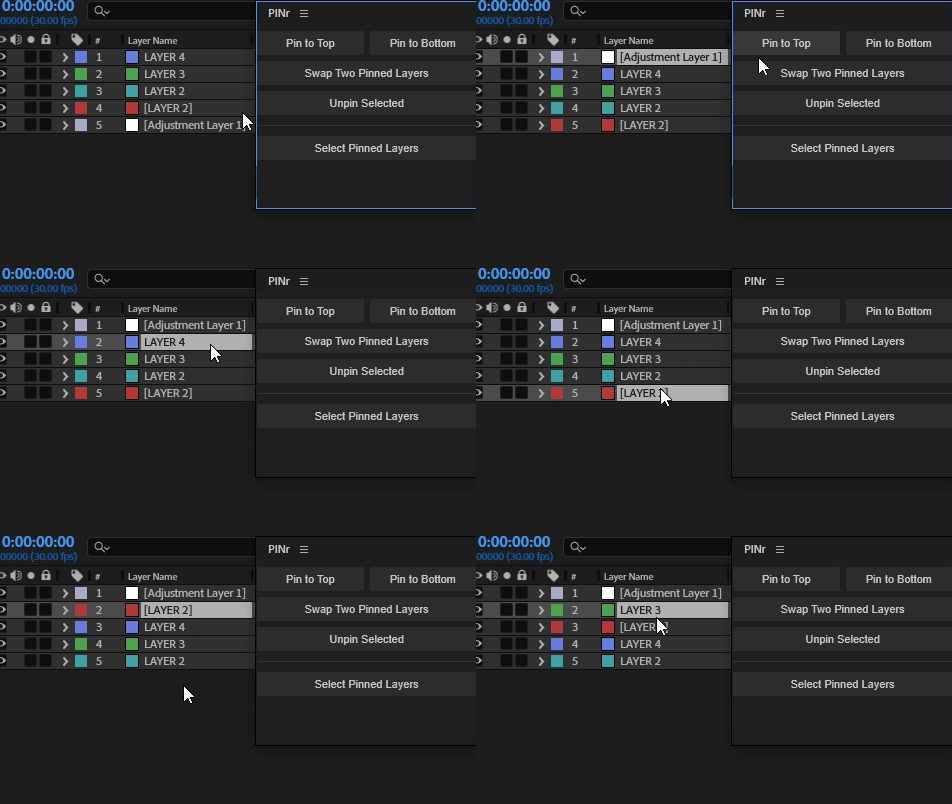
Select one or more layers and use Pin to Top. PINr moves them to the top. If you pin another layer later, the existing pins move down one position and keep their order. New, pasted, duplicated and imported layers land below the top-pinned layers.
Use Pin to Bottom to keep a background at the bottom of the stack. A layer can be pinned to one side at a time; pinning it to the other side moves it there. Swap Two Pinned Layers changes the order of two pins, including pins at opposite ends. Unpin Selected releases a layer, while Select Pinned Layers selects the pins in a long timeline.
Project and panel behavior
PINr stores pin markers in each layer's Comment field and preserves your own comment text. The pins remain after you save and reopen the project. Automatic layer movement runs while the panel is open; closing the panel pauses it, and reopening the panel resumes it. For a locked pinned layer, PINr unlocks it briefly to move it, then locks it again.
PINr reorders layers; it does not render or export the composition. It acts on the composition open in After Effects.
Install and compatibility
Install PINr through the aescripts + aeplugins Manager App, restart After Effects, then open it from Window > Extensions > PINr. The product listing specifies After Effects 2022 and above.