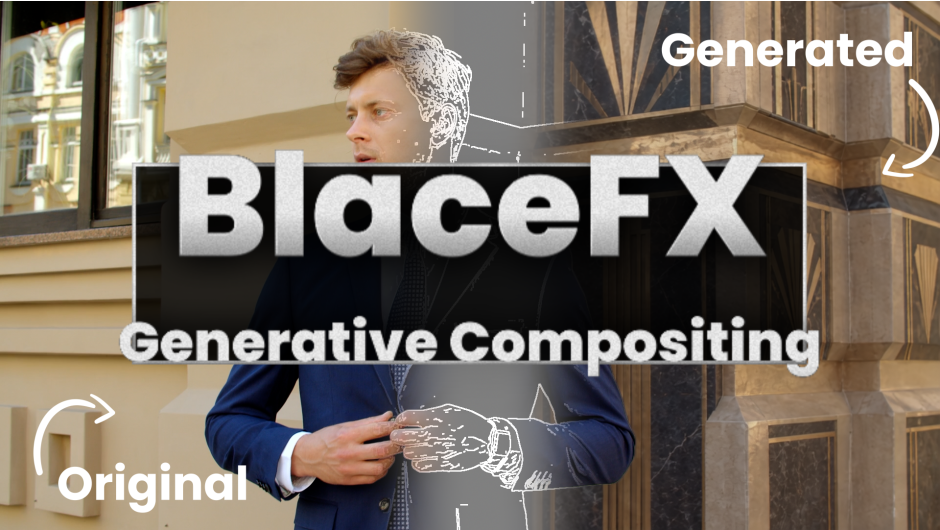
BlaceFX is a generative video compositing plugin for Adobe After Effects. It sends selected footage to cloud-hosted video models and returns the result to the composition as an uncompressed PNG sequence. It suits compositors working on short shots who want to change a scene or remove or replace objects while guiding the result with the source footage's motion.
Choose a task
- Composite: Combine source footage with a mask, reference image, structure layer and prompts to transform a shot while guiding its motion and composition.
- Inpainting / Removal: Use a mask to select regions for editing, replacement or removal. White areas can be generated and black areas are kept. A reference image and prompts are optional; without them, the model uses surrounding image content to guide the fill.
- Helper: Generate structure inputs such as Canny edges or Face Pose output. Structure layers can also use depth maps or tracked points to guide spatial relationships and motion.
Prepare and render a shot
Choose a source clip and set the BlaceFX layer to the part of the composition you want to render. Use a mask to mark the areas that can change. Add a reference image to guide appearance, then use a simple structure layer, such as edges on a grey background, when the result needs more guidance about motion or composition. Prompts can refine the result; the manual recommends keeping the positive prompt consistent with the reference image.
After setup, click Render on the BlaceFX layer. The footage is encoded locally before the job runs in the cloud. Use Check State / Import Result to update the displayed processing status; when it reads Ready for Import, select the control again to add the generated sequence to the composition. The job runs mostly in the background, so you can continue working in After Effects while it processes. See the BlaceFX manual and the product page for the sample project and setup details.
Limits, credits and compatibility
The product page currently limits clips to 2-5 seconds and 1280 pixels on the longest side. BlaceFX does not relight pixels excluded from generation, so objects that need to change must be included in the generated mask area. You can composite original elements back over the result when you need to preserve them.
Rendering uses cloud processing. BlaceFX offers a free trial; cloud renders require a Blace Plugins account and API key. Generating a key adds 200 credits once, and the monthly aescripts subscription includes 1,500 credits. The product page estimates about 10 credits per second for 720p, 16:9 video, with cost varying by resolution and clip length; the linked manual lists 20 credits per generation during public beta, regardless of video length or resolution. Check which rate currently applies before budgeting repeated renders.
The marketplace lists After Effects 2025, 2026 and 2027 as compatible. Its hardware table lists Windows systems with an NVIDIA GPU of at least 4 GB, Windows systems with a non-NVIDIA GPU of at least 8 GB, and Apple Silicon on macOS Sequoia or newer with at least 16 GB of RAM; it marks other macOS systems unsupported. The linked manual instead specifies a Windows NVIDIA GPU with at least 12 GB of VRAM. Since the vendor's sources differ on Windows requirements, confirm the current minimum for your system before purchase.
The EULA grants use of one copy on one computer at a time. Multiple copies or users require an appropriate license for each user and copy.