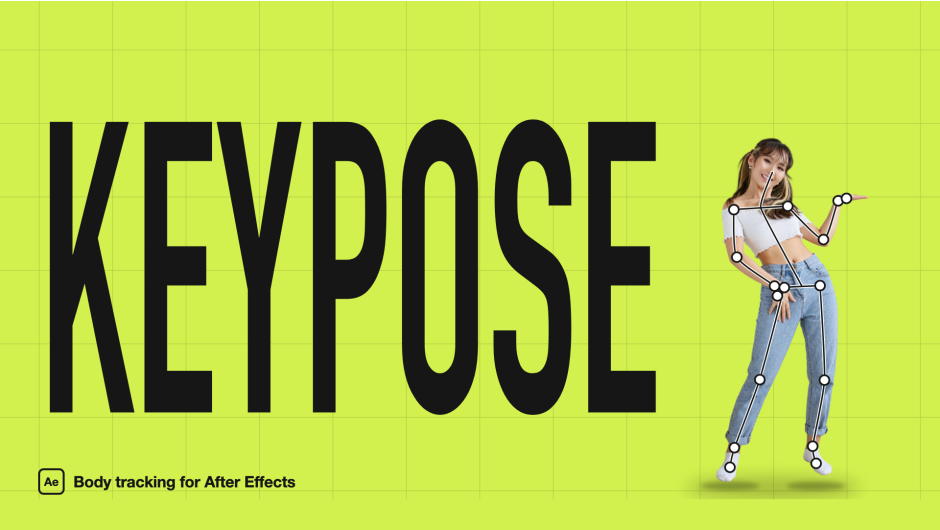
Keypose tracks a person’s body and joints in After Effects footage. Select a footage layer, click the person in the panel, choose the points to follow and run Track Work Area. Keypose creates a named null layer for each selected point, with keyframes on every frame. You can attach text, shapes, footage or precompositions to a tracked point. The nulls are standard After Effects layers, so a project can still be used on a computer without Keypose.
Track body points, multiple people and reframe footage
Keypose can track 27 body points. The main controls include the head, chest, hands and feet; More points opens options such as eyes, ears, nose, mouth, shoulders, elbows, wrists, fingertips, hips, knees and ankles. Use the point nulls to keep artwork attached to a moving person. Shift-click to include more people in one tracking pass. Each person gets separate nulls, even when they walk past one another. You do not need to draw masks or place tracking points manually.
Camera lock can follow a person or just their head to keep the subject near the center of the frame. This can help reframe wide footage for a vertical 9:16 composition. If you change the selected points or turn on camera lock, run Track again to update the nulls already in the composition.
Review uncertain frames
Keypose flags frames where it is unsure, so you can check those frames instead of stepping through the entire shot. For difficult movement, the product page recommends switching to High quality; it lists spins, flips and handstands as supported examples. Tracking follows what the camera can see. When a limb is hidden behind the person or another subject, Keypose estimates its position, so check shots where limbs overlap or cross.
Compatibility and setup
Keypose is listed as compatible with After Effects 2023 through 2027. It runs on Apple silicon Macs with macOS 14 or later, or on 64-bit Windows 10 or 11. Intel Macs are unsupported. Allow about 3 GB of disk space. The first launch downloads a tracking engine of about 680 MB; after setup, tracking runs on your computer, footage is not uploaded and the tool works offline. Convert variable-frame-rate footage, such as phone or screen recordings, to a constant frame rate before tracking.
Trial and license
The 10-day trial has no features withheld. The posted EULA grants use of one copy on one computer at a time. It says additional copies or users require an appropriate license for each.