Falloff is a variable-radius blur for After Effects. It calculates blur radius pixel by pixel from a selected source, so the transition can follow a mask, matte, or image detail instead of fading between sharp and blurred copies. Falloff blurs in linear light by default. This suits compositing and motion graphics where focus, haze, or edge softness needs to change across a shot.
Shape where the blur falls
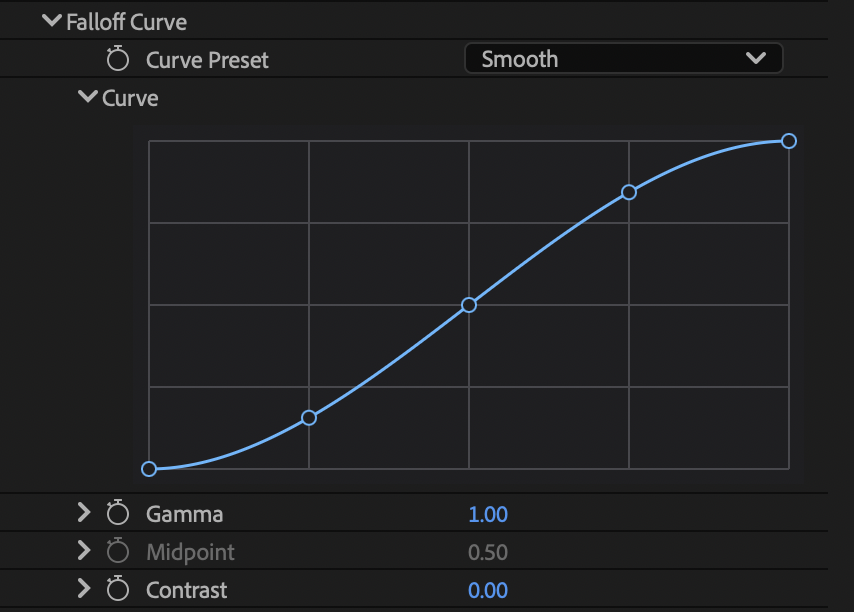
Use a layer mask, a separate matte, the layer's luma or alpha, or distance from an edge as the falloff source. Presets and an editable curve control how that source maps to blur strength. Show Falloff can display the map over the shot or on its own while you adjust it.
In version 1.1, Max Radius sets blur strength without changing the falloff shape. Version 1.0 projects with a high Max Radius may render with a sharper falloff edge. A mask with no feather keeps a hard edge; add mask feather or use Falloff Blur, called Pre-Blur in version 1.0, to soften it.
Choose a blur style or animate a path
Falloff includes Gaussian, Box, Directional, Radial, and Field blur. Radial blur includes Spin and Zoom. Field Blur has four pins, each with its own strength. Directional blur includes Bend, Jitter, Wave, and Dispersion controls. Grain, Spray, and Coverage add noise that scales with the blur.
Version 1.1 adds path blur to Falloff: set Source to Path and select a mask as the Blur Path to create a blurred band or streak along a shape. Width, Width Softness, and Taper Curve shape the band. Path Start and Path End position it; Start Fade and End Fade soften its ends, while a fade of zero creates a hard end. Animate Path Travel to move the band along the path. A value of 100% makes one full looping trip.
Check host and license requirements
The listing marks After Effects 2026 and 2027 as compatible and states a requirement of After Effects 2024 or later. It supports macOS 12 or later on Apple Silicon and Intel, and Windows x64. Falloff supports 8-, 16-, and 32-bit-per-channel projects. Version 1.1 adds CUDA rendering on NVIDIA cards on Windows. Its notes specify GPU rendering for Edge Distance with an Edge Layer and Matte Layer on both Mac (Metal) and Windows (CUDA); version 1.0 rendered on the CPU on Windows.
Unless a product states otherwise, the Nov 5, 2026 License Type FAQ allows an individual user's Single User License (SUL) on up to two user accounts or computers that are not used at the same time. Falloff's product-specific EULA, updated Oct 21, 2025, covers one copy, bars installation on more than one computer at a time, and requires an appropriate licensing agreement for each user and copy for multiple-copy use or installation. The FAQ's general guidance requires additional SULs or a Floating License for installations on more than two computers or user accounts. Floating Licenses can be installed on computers on the same network, but each license can be used by one user at a time and requires the vendor's server; remote users need VPN access to that network.