Steereo 3D is a stereoscopic video plugin for After Effects and Premiere Pro. It aligns left- and right-eye footage, adjusts convergence and previews the pair in different viewing modes. The Steereo 3D product listing describes its features and host requirements.
Adjust the stereo pair
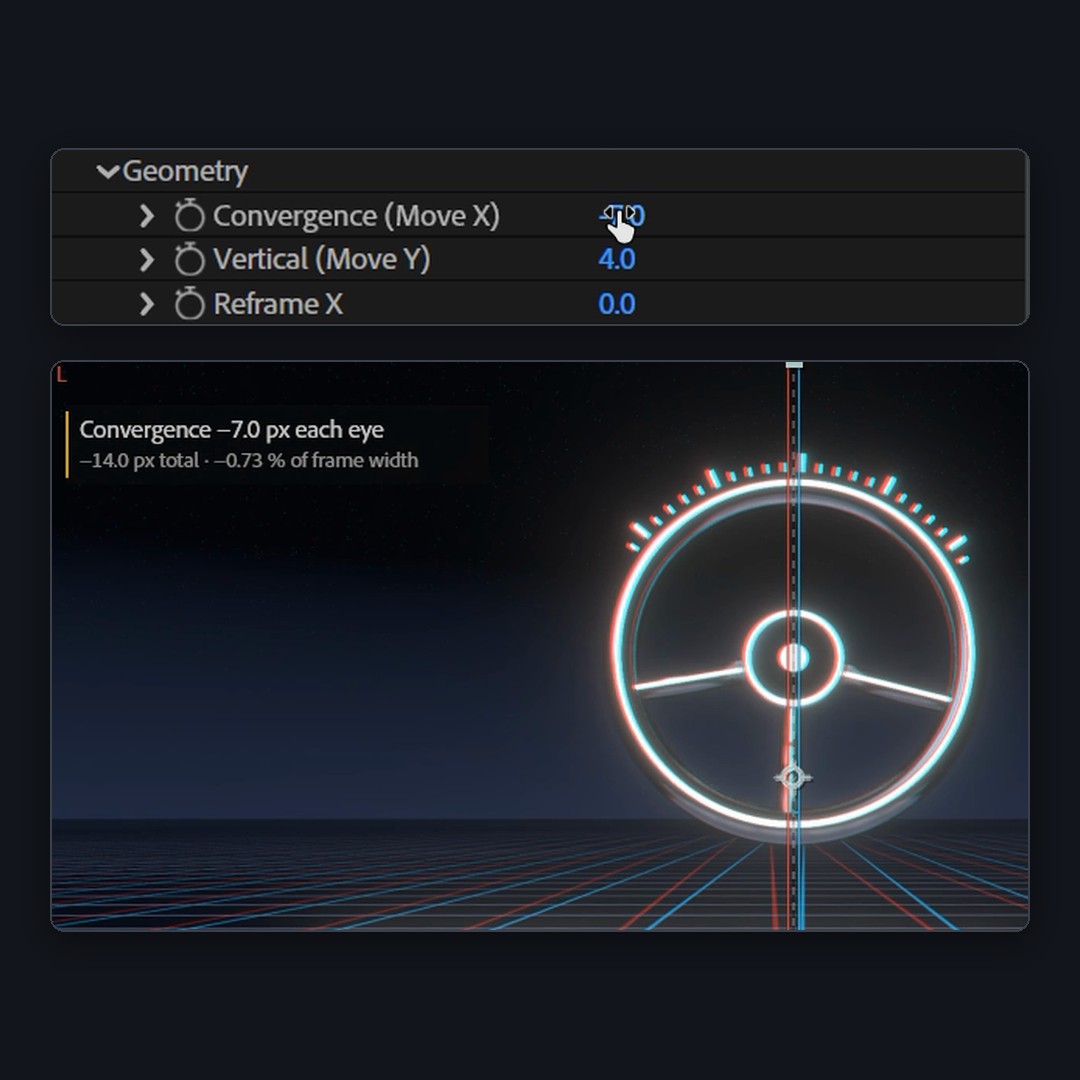
Convergence shifts the eyes horizontally to set where depth appears relative to the screen. An on-screen readout shows the shift for each eye, total parallax and parallax as a percentage of frame width. Pixel values use one eye at full resolution, so the readout remains useful when preview resolution changes.
Vertical offset and roll controls help level the shot. Automatic Scale covers empty edges, while Reframe X/Y and Master Scale adjust the composition’s position and size. If either eye runs out of picture, both eyes share the crop.
Preview and inspect output
Choose red-cyan or gray anaglyph, Side by Side, Difference, One Eye / 2D or Superimpose. Side-by-side output supports full- or half-width layouts. Difference view turns matching areas black, which helps when checking vertical alignment and roll.
Eye boundaries, pixel readouts and adjustable parallax lines appear as overlays in the host viewer. They are not included in exported frames or in video sent to an external 3D display. In Premiere Pro, select the Steereo 3D heading in Effect Controls to show the guides.
Set up a stereo source
Use a full- or half-side-by-side clip, or work with separate left- and right-eye media. In After Effects, select the right-eye layer; in Premiere Pro, select the right-eye track. The Global setting lets clips follow a shared output choice. The Steereo user guide explains the project-wide workflow and an adjustment-layer alternative.
The product listing specifies native GPU rendering, Smart Render and Multi-Frame Rendering. It supports 8-, 16- and 32-bit-per-channel projects.
Host and system requirements
Steereo 3D lists support for After Effects 2024 and later and Premiere Pro 2026 and later. On macOS, it requires version 10.15 or later and supports Apple Silicon and Intel. On Windows, it requires Windows 10 or 11, 64-bit, with a Direct3D 12 GPU.