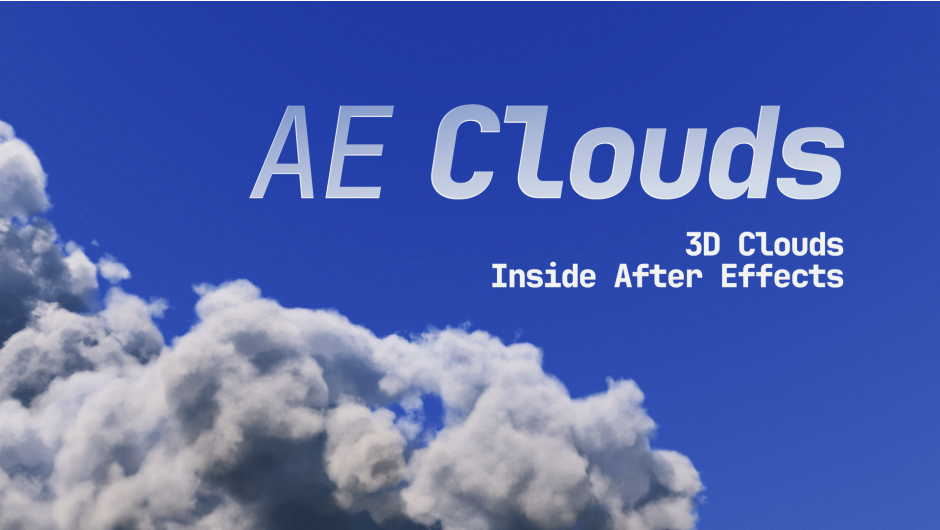
AE Clouds renders volumetric 3D clouds and ground fog inside After Effects. Because the clouds are 3D volumes, the composition camera can orbit around them, push in or fly past. The effect is aimed at tasks such as sky replacement, matte paintings, fog over footage, fly-throughs and anime backgrounds.
Place and shape clouds in the composition
Apply the effect to a comp-sized solid and choose from eight presets: Cumulus, Towering Cumulus, Stratocumulus, Cumulus Trio, Anime Clouds, Anime Cel, Ground Fog and Low Mist. A preset places the cloud in front of the camera and sets its initial look; its values remain editable. A layer can contain up to eight clouds or one ground fog bank.
Place clouds in metres and adjust Coverage, Density, Scale, Detail and Edge Softness to change the volume. Random Seed creates a different cloud. Radius enlarges or reduces the same cloud while keeping its puffs in place and its evolution at the same pace. Base Flatness controls the underside: 100 gives it a level base, while 0 rounds it out.
AE Clouds reads the composition camera's movement, rotation, zoom and keyframes. Create Camera and Create Null add layers for animation. Groups also support Copy and Paste, and Option-click linking.
Light, style and composite the result
Set the sun's direction and color, then tint shadows with two shadow colors. Keyframe Sun Elevation to change the lighting over a shot. Shading Steps and Flat Colors create a cel look from the same cloud controls; animating Shading Steps can transition a cloud from photographic shading to cel bands.
Choose Sky + Clouds, Clouds Only with alpha, or Composite on Original. The effect supports 8, 16 and 32 bpc, wind, evolution and 3D motion blur. AE Clouds Sky Match is included as a separate effect; it reads a plate's sky, sun and camera for matching the cloud to the shot.
Compatibility and rendering
AE Clouds is a native effect plug-in for After Effects 2025 and later. It runs on macOS 12 or later with Metal, and on Windows with NVIDIA CUDA. Other graphics cards use the slower CPU fallback. Each frame is rendered like a 3D render. The product listing reports under a second per 1080p frame on a GPU and recommends working at Draft quality, then rendering at High or Ultra.
License terms
The EULA grants use of one copy on one computer at a time. Multiple copies or use by additional users require an appropriate license for each copy and user.