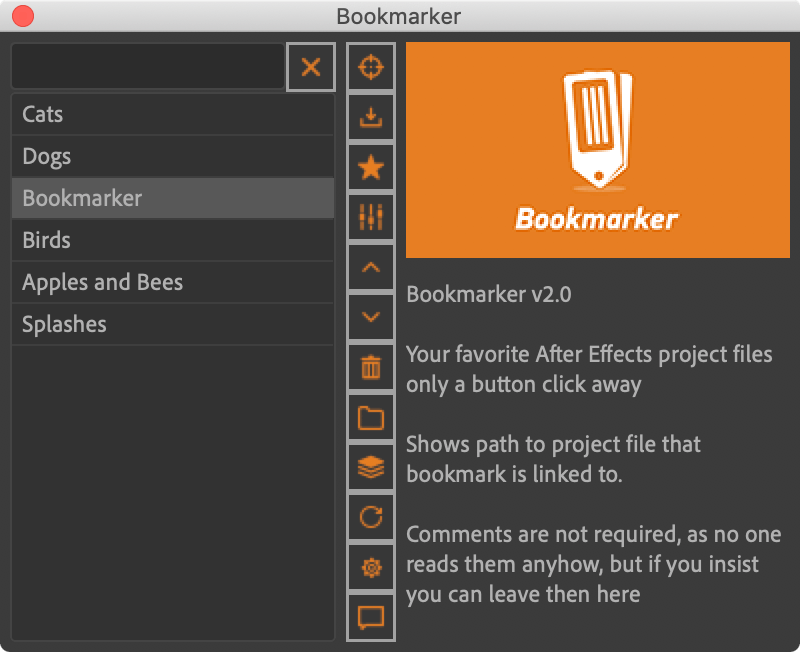
Bookmarker is a toolbar for After Effects that keeps frequently opened project files in a bookmark list. It suits workflows where you return to the same projects and want to open them without browsing through folders each time.
Build and use the bookmark list
Open an After Effects project and save it as a bookmark. You can attach a screenshot captured at the current composition time or upload a custom image, then add a comment. Later, rename the bookmark, change its screenshot, or edit the comment.
To start with an existing collection, import multiple After Effects project files as bookmarks. Live search filters the list; you can reorder entries and double-click a bookmark to open its project. The tool can also reveal a selected project's file in the system file browser and remove dead bookmarks on startup.
Share bookmarks across computers
Bookmarker can read and write the same bookmark file from multiple machines. Set each installation to use that file from a custom location to share the list. The shared-file instructions do not specify how simultaneous edits or differing project-file paths behave; treat those cases as unconfirmed.
Compatibility and licensing
The product page lists After Effects versions through 2021, including earlier Creative Cloud releases and CS3. It does not list compatibility with newer After Effects versions, so confirm support for your installed version before relying on it.
The listed trial lasts seven days and is limited to five bookmarks. The EULA permits one copy on one computer at a time; installations for multiple users or computers require an appropriate license for each user and copy. The shared bookmark file feature does not grant additional software licenses.