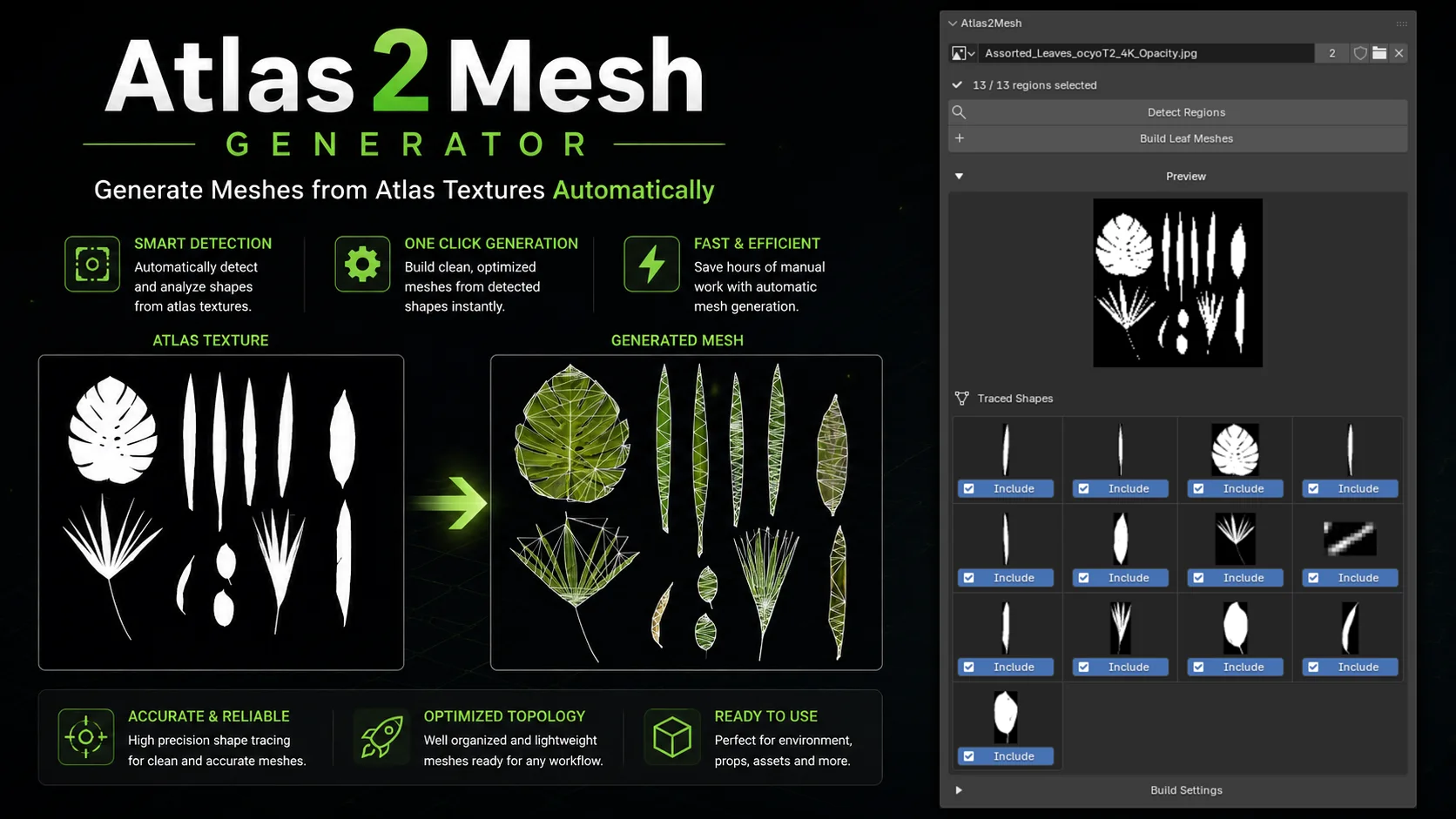
Atlas2Mesh converts shapes in a texture atlas into separate mesh cards in Blender. It detects opaque regions in a PNG alpha channel or uses the brightness of a black-and-white JPG as opacity. You can inspect the detected shapes in a thumbnail grid, select which ones to build, and get geometry traced to each silhouette instead of a rectangular card.
How Atlas2Mesh builds meshes
The add-on uses connected-component analysis to detect regions in the opacity mask. Its listing says shapes with overlapping bounding boxes remain isolated during detection. After you choose regions, Atlas2Mesh creates one triangulated mesh per selected shape, maps UVs back to the atlas, and lays the mesh flat with its normals facing up.
You can place meshes at their relative positions from the atlas or arrange them in a grid. A single Pixels Per Unit setting controls their scale, while preserving size differences between shapes. The generated meshes go into a collection you name; Atlas2Mesh creates that collection if it does not already exist.
Atlas input and material
Use a PNG with transparency or a black-and-white JPG opacity texture. The add-on creates a shared material automatically and connects the atlas Color output to Alpha for cutout transparency. Its material name is filled from the texture filename and remains editable. The add-on can strip resolution or map-type suffixes such as _4K_Opacity from the suggested name.
Outline and placement controls
- Outline Simplify (px) reduces the number of traced outline vertices. Raising it produces a simpler outline.
- Edge Offset (px) moves the traced silhouette inward with a positive value or outward with a negative value.
- Pixels Per Unit sets how many atlas pixels correspond to one Blender unit.
- Position As In Atlas keeps each mesh at its relative location on the source sheet; turn it off to use a grid layout.
Shape limits to consider
The tracing method assumes each horizontal scanline crosses one interval of opaque pixels for a shape. A concave notch that splits a row into separate spans will not be carved out as expected. Detection also uses fixed internal thresholds, with no user-facing threshold controls. Check the thumbnail grid and inspect the resulting geometry when an atlas includes shapes with that kind of concavity.
Version and installation
The Blender Extensions listing identifies Atlas2Mesh version 1.1.0 and Blender 4.2.0 as the minimum version. It is licensed under GNU GPL v3.0 or later. You can get the add-on from the listing and follow Blender's Install from Disk instructions. The listing links to the developer repository for source and issue reporting.