DeluxMeasure is a Revit measurement add-in from CyberStudioApps. The Autodesk Marketplace listing describes point-to-point measurements, coordinates and one-touch length unit styles. The listing shows a price of $15.00; check it for current purchase details.
Measure two points in Revit
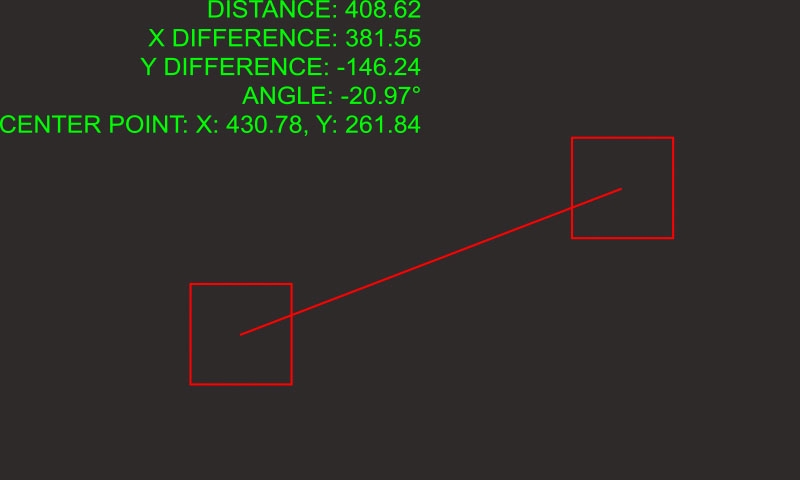
Select two points to see geometrical distances and angles between them, along with coordinates for each point. Choose two measurement units for all reported values; distances can be shown as model or view measurements. The listing recommends assigning a keyboard shortcut and uses DX as its example.
The “Measure 3D in a 2D view” option can return 3D measurements in some orthogonal views, including floor plans and sections. It does not apply to every 2D view.
Switch length unit styles
DeluxMeasure lets you configure preferred length unit styles and apply a style with one button press. The listing describes family creation as one use case: applying a preferred style can avoid repeatedly adjusting length unit settings when starting a family.
Check point selection carefully
Revit can snap to hidden geometry, which may affect the selected point. For 3D views, Revit picks on the active workplane, and DeluxMeasure searches for the intended point. The search usually finds it, but a nearby incorrect point can sometimes produce wrong 3D measurements. Check the selected points and results when nearby or hidden geometry could affect a pick.
The included help PDF has further operating notes on point selection, view rotations, how views affect measurements, and the difference between view and model distances.