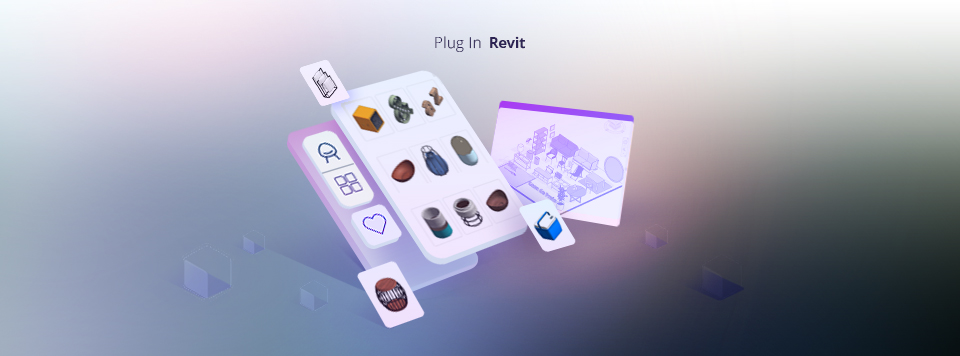
The plugin is a parametric family library for architecture and interior design. The plugin lets Revit users search for families and add a selected family to a project with one click. Its library includes furniture, lighting, appliances, and decor, with new families and themed collections added weekly, according to the Autodesk Marketplace listing.
Browse and add Revit families
Use the search bar to find families, then select an available item to place it in a Revit project. You can bookmark frequently used families for quick access. The listing also describes products from national and international manufacturers and says the plugin is available in English, Portuguese, and Spanish.
Free access and locked items
Although the marketplace labels the offer as a trial, the listing says its free version does not expire and does not require credit card details. Families without a lock icon can be downloaded; the listing says some are supplied as .rfa sample files. Other families can be browsed but require purchase before they can be downloaded.
Compatibility and setup
The Marketplace description lists Revit 2020.2.6 or later as the requirement, while its compatibility field lists Revit 2022 through 2027. Blocks' support FAQ says the plugin is compatible with Revit 2020 through 2027, but some families are available only in Revit 2023 or later. The Marketplace listing also requires Windows and an internet connection to view families. Confirm support for your release and the families you need in the current marketplace listing or with Blocks support. Autodesk notes that Blocks uses a custom installer rather than the standard App Store installer.
Troubleshooting and support
If the plugin screen is blank, families fail to load, family images are missing, or the plugin reports a “JavaScriptAlert” error, the listing suggests checking Revit updates, your network connection, and firewall settings, then running Revit as administrator. If the Blocks window does not open from Revit's Add-ins tab, restart Revit and check for updates. For the message “The requested dockable pane has not been created yet. Parameter name: id,” the listing recommends restarting Revit.
For schema conflicts in Revit 2024, the listing recommends updating to Revit 2025 or consulting Autodesk's linked support article. Blocks lists support by email at [email protected], Monday through Saturday, 9 AM to 6 PM Brasília time (GMT-3). Its support FAQ has further product information.