Exporting from After Effects
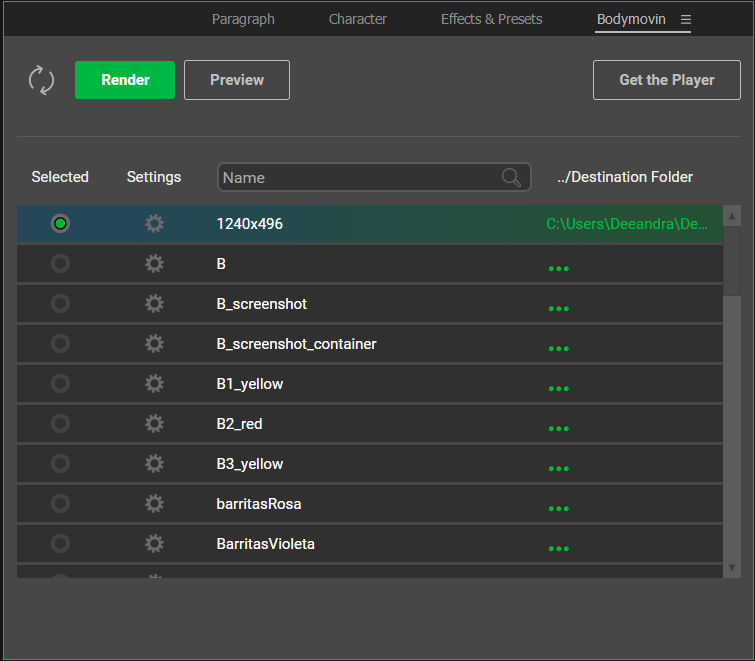
Bodymovin is an After Effects extension that exports compositions as Lottie JSON, with PNGs when image assets are needed. For browser playback, the listing describes loading the bodymovin player from the extension panel. Web rendering can use SVG, Canvas or HTML, while Lottie also supports native playback on iOS and Android. This workflow suits teams creating motion in After Effects for websites or mobile apps.
What transfers
- Shapes and transforms: Paths, ellipses, stars, rectangles, fills, strokes, gradients, dashes, rounded corners and transform properties are supported. Trim paths have partial support.
- Layers and text: Solids, images, compositions, nulls and text can be exported. Most fonts are supported. Text can be exported as shapes or as text; for live text, the browser must load the font. Small caps and Vertical Scale decorations are unsupported.
- Masks and effects: Additive masks are supported, along with some difference, inverted and subtractive cases. Luma and alpha masks require the SVG renderer. The listed effects, including fill, Pro Levels, drop shadow, tint and tritone, are supported with SVG or HTML rendering.
Camera and expression support is partial, so check expression-driven parts of a composition against the intended output. Audio layers require After Effects 2019 or later. The listing describes track matte masking as web-only, so do not assume that feature is available in native mobile playback.
Compatibility and licensing
The aescripts listing names After Effects versions from CC 2014 through 2025. It does not establish compatibility with later releases, so check the listing if you use a newer version.
The product EULA is MIT. The aescripts listing also states that individual users may pay any amount under its Name Your Own Price terms, while businesses and teams must pay the suggested price to receive a valid license. See the full Name Your Own Price terms alongside the EULA before deciding what to pay.