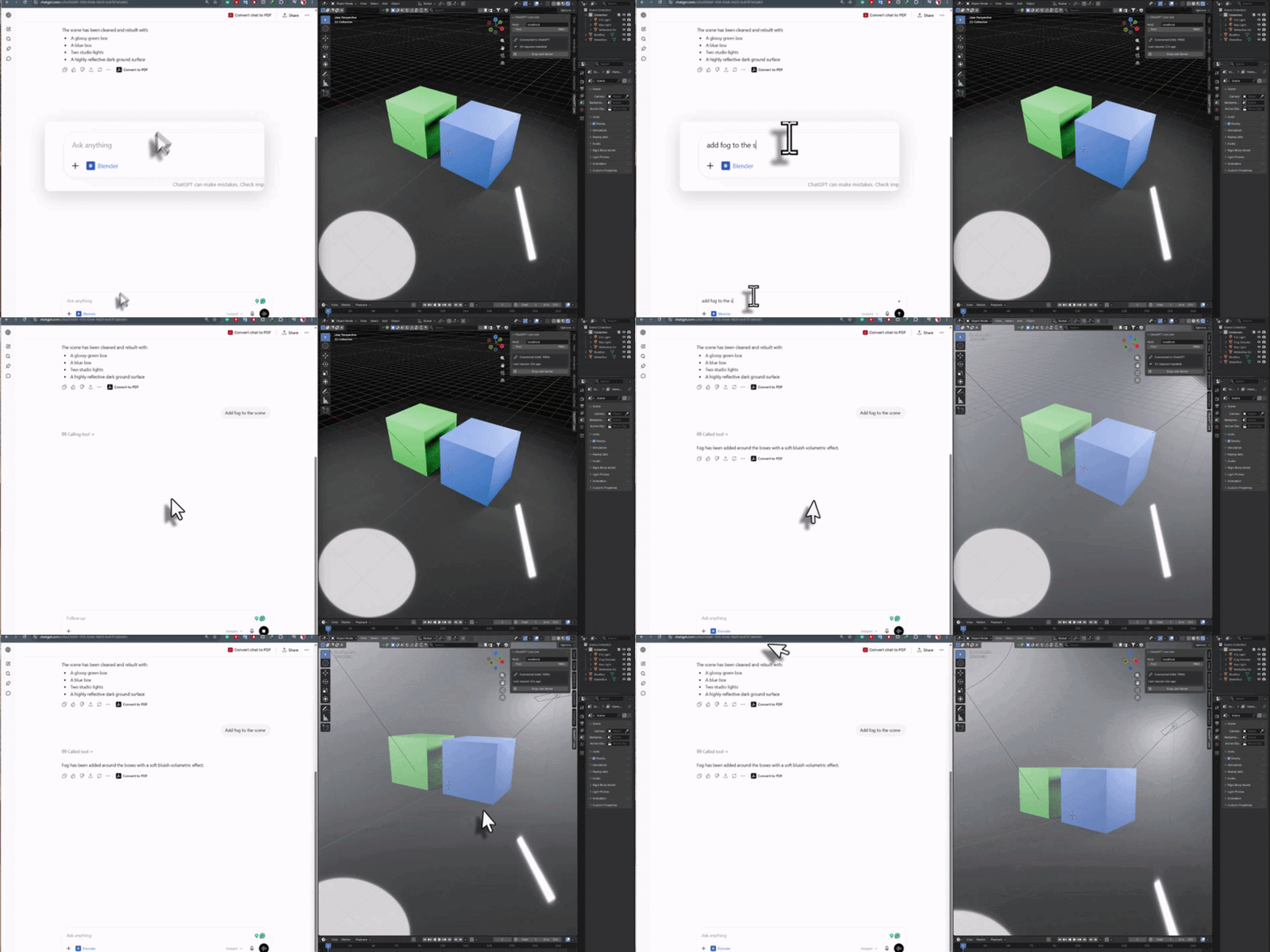
ChatGPT to Blender Live Link connects ChatGPT with an open Blender scene through an add-on and connector. Start the server from Blender's N-panel, connect ChatGPT, then describe a change in plain language. Supported actions appear in the live scene and viewport. The developer's Superhive listing describes the setup, Blender compatibility and security controls.
What you can do in a scene
The add-on can read scene information, including object details and dimensions, to help carry out requests in context. The developer describes using it to:
- Set up three-point, rim or product lighting, and adjust light color, temperature and intensity.
- Add atmospheric fog, volumetric haze or mist.
- Create animation keyframes and set timing and interpolation for described movement.
- Create or edit objects and assign materials through structured actions.
- Capture viewport screenshots to review changes and refine the result.
The exact actions depend on the available connector controls and whether custom code execution is enabled.
How the live link works
- Launch the live link server from the add-on in Blender's N-panel.
- Use the included connector setup to connect ChatGPT to the scene.
- Describe the change you want and review it in the Blender viewport.
The package includes the Blender add-on, connector files and a step-by-step setup guide. The developer's listing identifies the license as GPL.
Security controls
The developer's version 2 security update adds a unique secret token to the connection URL. Requests without the exact link are rejected, and the secondary unauthenticated endpoint has been removed. Keep the private link to yourself.
Custom Python execution is off by default. In that state, ChatGPT can use the add-on's safe structured actions, such as reading the scene, creating or editing objects, and assigning materials. The add-on panel has an Allow code execution setting for users who choose to enable custom Python.
Blender compatibility
The developer's overview says Blender 4.2+ and mentions Blender 5.0. The details panel lists Blender 4.2 through 5.2. Check the current listing for the release you use, especially if it is newer than 5.2.