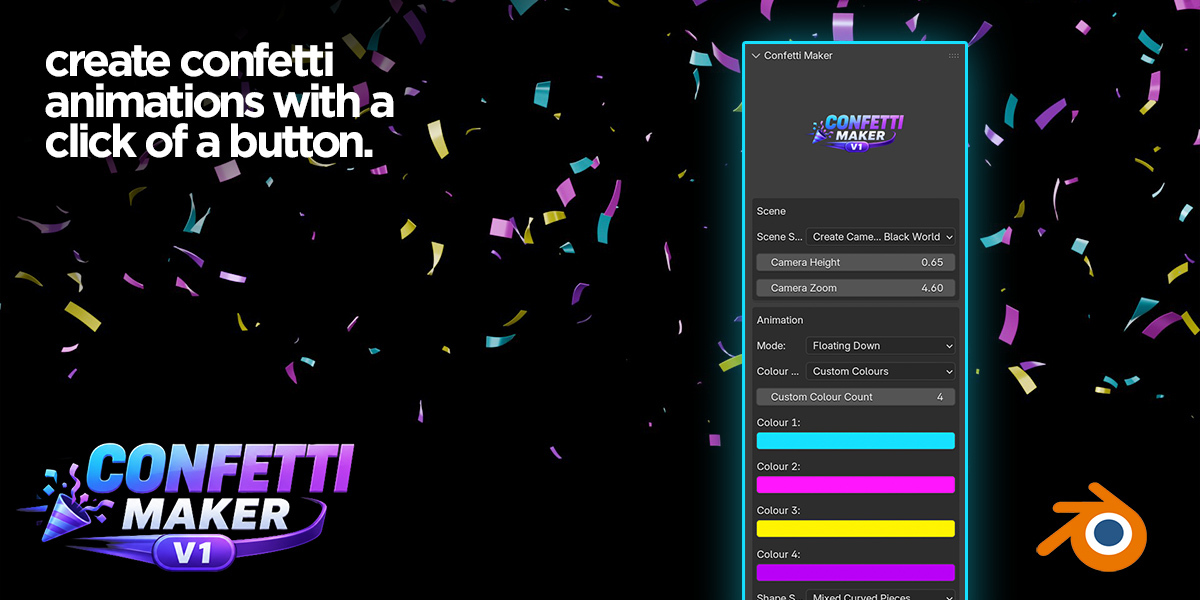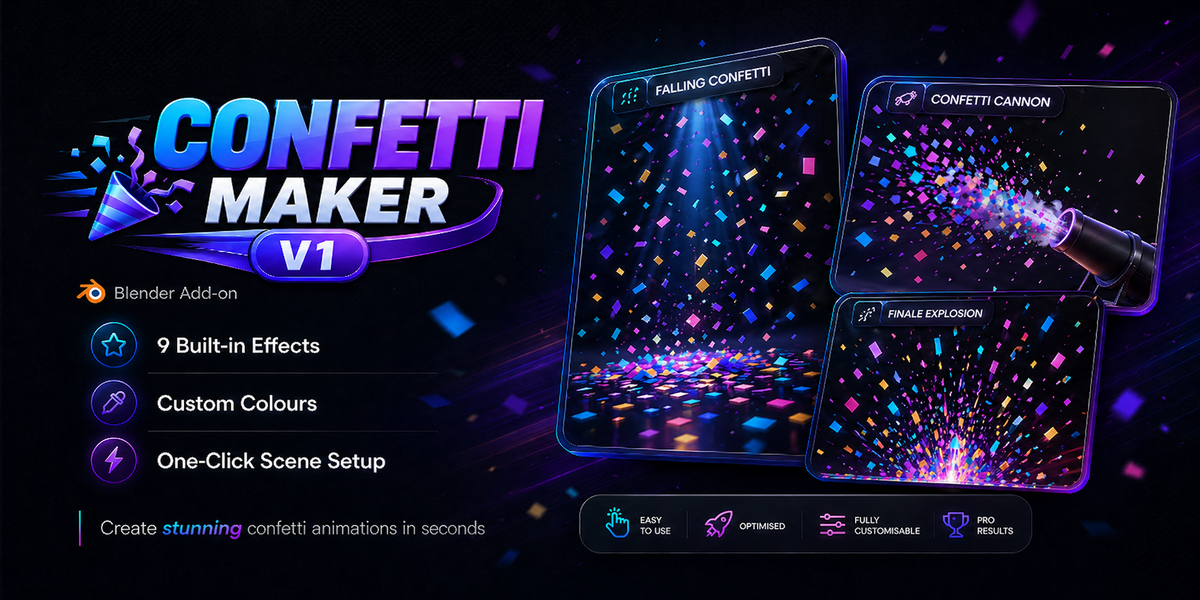
Confetti Maker Addon Tool is Layerform’s V1 Blender add-on for creating confetti animations. Choose one of nine built-in effects, then build a scene with the confetti system, camera, lighting and background set up for you. It is aimed at celebration-style motion graphics, including logo reveals, product promos, social videos, YouTube intros, awards and countdowns.
Choose from nine confetti effects
The effects cover different kinds of movement, from falling pieces to bursts, spirals and streamers. The list includes:
- Floating Down
- Bottom Explosion
- Side Cannon Burst
- Double Cannon Celebration
- Spiral Celebration
- Golden Award Rain
- Pop Burst
- Streamer Burst Line
- Finale Explosion
For example, Floating Down is suited to a gentle fall, while the cannon and explosion effects create more energetic bursts. Golden Award Rain gives you an award-style option, and Streamer Burst Line offers a different shape of celebration.
Build a scene, then adjust its look
One-click setup creates the confetti system, a straight-on orthographic camera, lighting and an automatic black world background. The scene is set up across 350 frames, and a reset or cleanup button lets you clear the setup and create another effect.
After building, customise the result from the Confetti Maker controls in Blender’s 3D View sidebar. You can choose colours or a preset palette, adjust confetti size, and change material roughness and metallic values. The pieces can be curved, with smoother geometry available for close-up views. Check the timeline against your shot before using the 350-frame scene in a project with different timing.
Compatibility and installation
The product listing identifies Confetti Maker V1 as a Blender add-on that is Blender Extension compatible. It lists Blender versions 4.0 through 5.1, the GPL license, and Cycles and Eevee under Render Engine Used. AnyPlugins says the add-on works with both. Check the listing for current compatibility details if you use a version outside that range.
To install it, open Blender and go to Edit > Preferences > Add-ons, choose Install, and select the downloaded ZIP file. Enable Confetti Maker, then open its tab in the 3D View sidebar. The installation guide has the documented steps; the product FAQ also describes opening the sidebar with N, choosing an effect and selecting Build.
Who it suits
Confetti Maker is for Blender creators who need a ready-made starting scene for a celebration animation. Its presets and scene setup can save the manual work of assembling the confetti system, camera, lighting and background. The controls let you adapt colour, size and material appearance to a logo reveal, title screen, promo or other short motion-graphics shot.
AnyPlugins' page, updated July 15, 2026, lists the add-on as free, while the Superhive listing shows $7.99. The linked product listing provides the version, compatibility, license and render-engine details; check it before downloading for the latest product information.