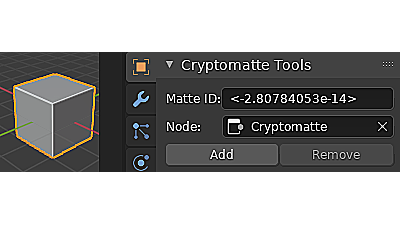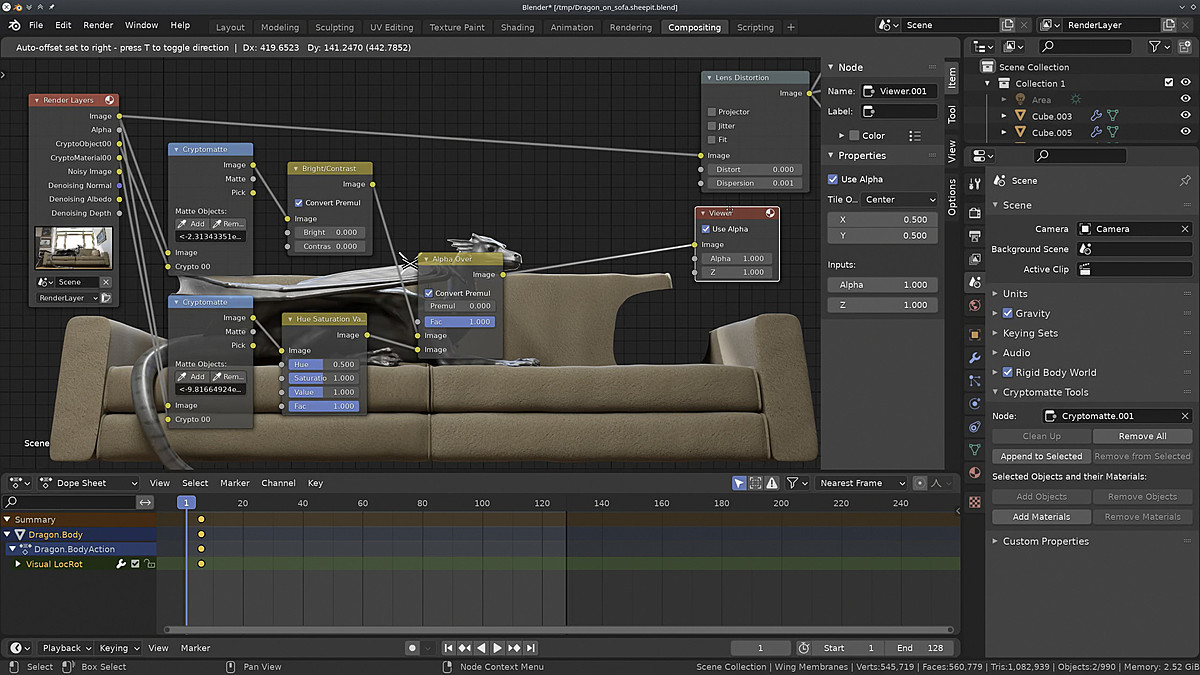
Cryptomatte Tools is a Blender add-on from Dragon.Studio for managing object and material IDs in Cryptomatte compositor nodes. It also helps render Color ID maps, supports Python workflows and can export mattes as separate images.
Manage object and material selections
With a Cryptomatte node active, the add-on can add or remove objects and materials, including items that are not visible in the current frame. If you select a node directly in the Compositor and it is connected to a Render Layers node's CryptoObject slot, only Add Objects is available. When name tracking is enabled, renaming an object or material updates its Cryptomatte ID in nodes that use it. The add-on can refresh the Render Result as entries change, even when the Compositor is closed. You can also append the objects listed in a node to Blender's current selection to inspect them in the scene.
Enable a Cryptomatte type in View Layer Properties, turn on Use Nodes in the Compositor and create a Cryptomatte node. The Cryptomatte Tools panel then appears in Scene Properties. See the product documentation for the full workflow.
Render Color ID passes
The add-on assigns pass indices to objects or materials and can apply an override material for a Color ID render. The For All Objects and For All Materials options assign indices to objects or materials, including new ones, while enabled. The one-time generation buttons affect selected items; with nothing selected, they affect all objects or materials. Color ID rendering supports shader transparency for partially transparent materials that use an alpha channel. Use Eevee when the render needs alpha; in Cycles, an alpha-textured object may render as a solid shape.
Python automation and image export
The Python API includes methods for retrieving Cryptomatte IDs and adding, removing or setting IDs on nodes. The export workflow creates Cryptomatte nodes and File Output slots for selected objects or materials; rendering the scene then produces separate image files for programs that use object or material images instead of Cryptomatte data.
Compatibility and limitations
The marketplace listing names Blender 2.83, 2.9, 2.91, 2.92, 2.93 and 3.0 and does not confirm later releases. Cryptomatte for Eevee requires Blender 2.92 or newer. The license is GPL.
The product FAQ says name tracking is not supported in the newer Cryptomatte V2 node in Blender 2.93 and later. It also notes that Blender disables autosave when an add-on uses a modal operator. Cryptomatte Tools uses one for rename tracking; its FAQ says disabling tracking in the add-on preferences and restarting Blender should restore autosave. Check the product FAQ and documentation for current compatibility and behavior before relying on these features.