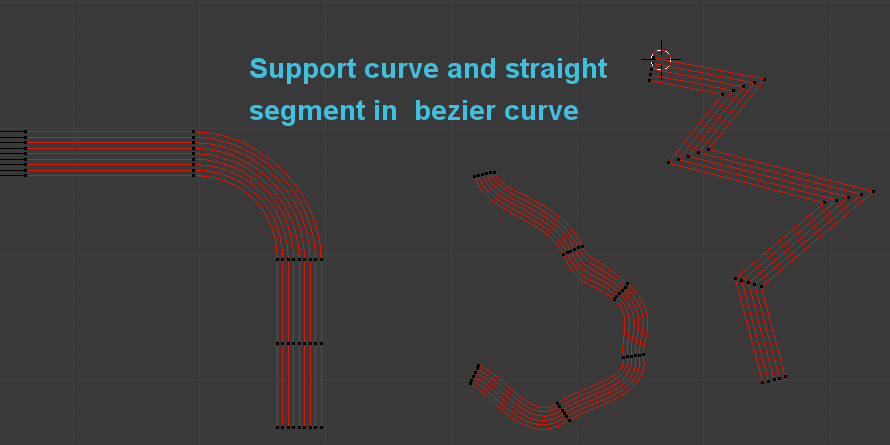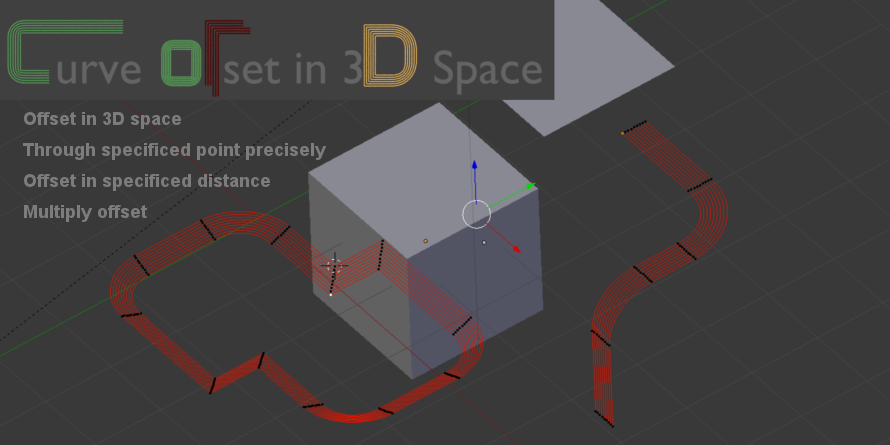
Curve Offset In 3D Space is a Blender add-on for offsetting a selected Bézier spline in curve edit mode. The product listing identifies Blender 2.7x and says it supports Bézier splines only.
Offset a curve in 3D
Use the 3D cursor as a reference, choose an offset through the cursor point, or set a distance. The steps option applies multiple offsets in one operation. The precise through-point option is limited to straight segments.
Install and use the add-on
- Place the add-on's Python file in Blender's
scripts/addons/directory and press F8 to refresh Blender. - Open the user preferences window, go to the add-ons tab, and enable the tool under the add curve category.
- In curve edit mode, select a Bézier spline by selecting any point on it.
- Open the W-key menu and choose Bezier curve offset, or use Ctrl+R. Set the distance and steps for the operation.
Compatibility and license
The Superhive product listing specifies Blender 2.7x compatibility and a GPL license. It does not establish compatibility with newer Blender releases, so check the developer's listing before using it in a newer setup.