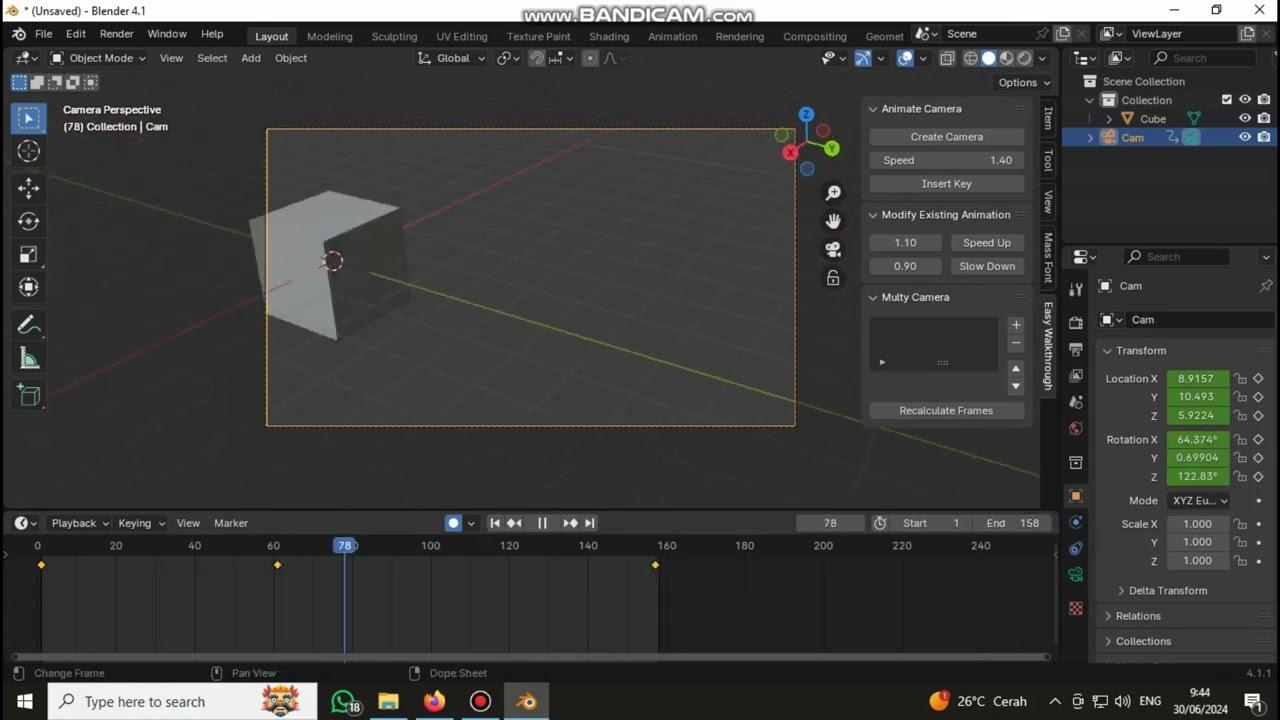
Easy Walkthrough Camera is a Blender add-on by Douripo for creating camera walkthrough animations. It can add a camera at a screen position and build a walkthrough with one click, calculating motion for constant movement.
Create and adjust walkthrough motion
The add-on handles key placement for the walkthrough, so you do not have to place keys along the timeline yourself. To change the pace, scale an existing animation to make it faster or slower.
Manage multiple cameras
You can add, remove, and reorder cameras in a list before rendering. This helps organize a scene that uses more than one camera. The product page also links to a demo video showing the add-on.
Camera and navigation shortcuts
- Press Numpad 0 to select a camera and enter camera view.
- Press Shift + F to orbit through cameras while in camera view mode.
- Use navigation buttons such as Q, W, E, A, S, and D to move objects, then right-click with the mouse.
- Press F to insert a key.
Blender compatibility and license
The product listing names Blender versions 3.0 through 4.2: 3.0 to 3.6, plus 4.0, 4.1, and 4.2. It lists the license as GPL. The supplied details do not identify an add-on release version or compatibility with later Blender releases, so check the current product listing before installing.