What Fade It! does
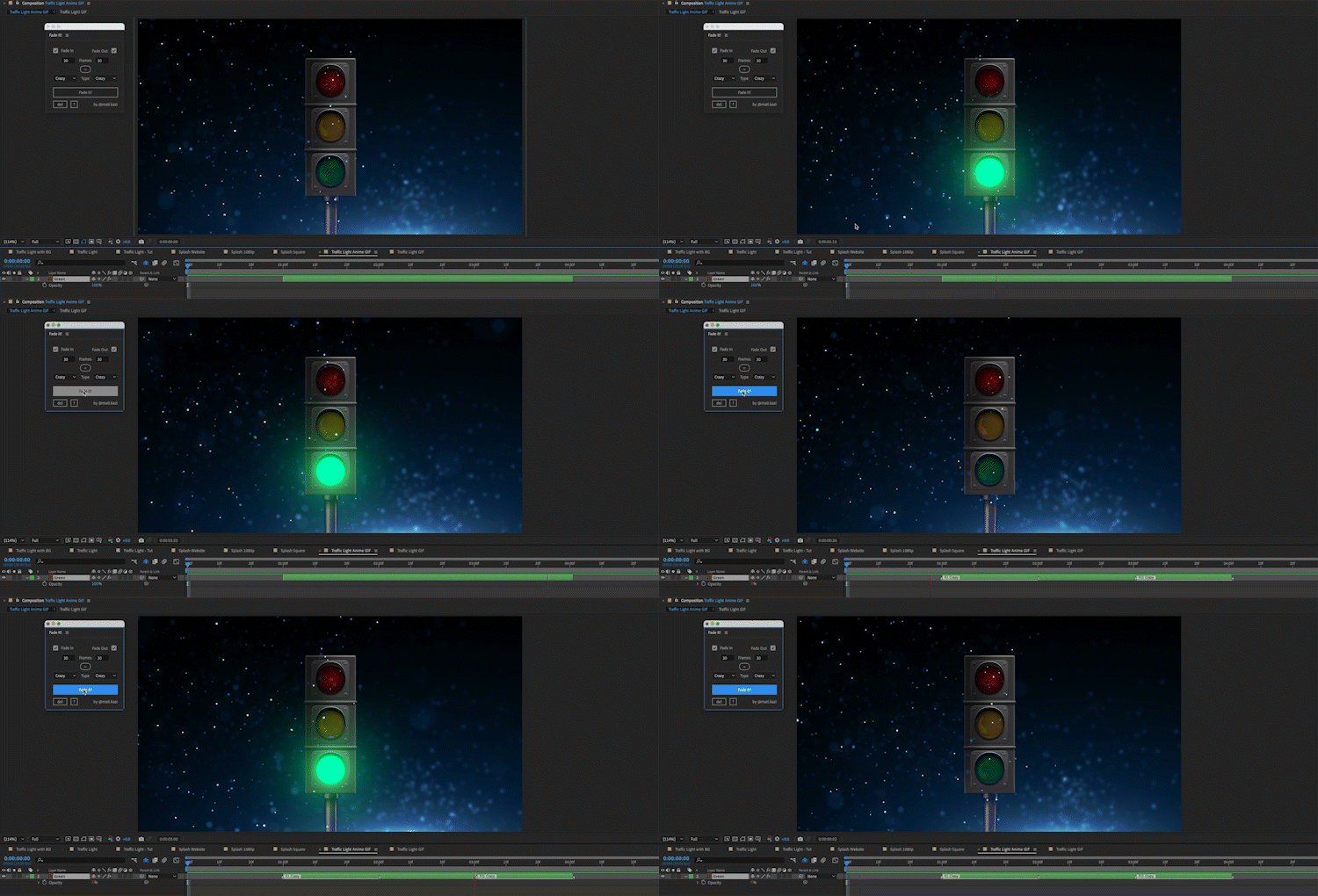
Fade It! applies fade-in and fade-out transitions to selected layers in Adobe After Effects. It replaces the repeated task of manually keyframing opacity with a one-click workflow.
Applying fade transitions
Select the layers, choose a fade type, then apply it. Fade It! offers linear, ease, blink and crazy styles. Markers added to the layers let you adjust transition duration.
The developer lists courses, tutorials and demos as use cases for Fade It!'s layer fades. The listing includes a free trial.
Compatibility and licensing
The listing names After Effects 2020, 2021, 2022, 2023, 2024 and 2025 as compatible versions.
The EULA grants one copy for installation and use, plus one archival copy stored on media other than a hard drive and used only for reinstallation. It limits use to one user and installation to one computer at a time, and bars use on systems that allow shared application access or multiple users. Additional copies or users require appropriate licensing.