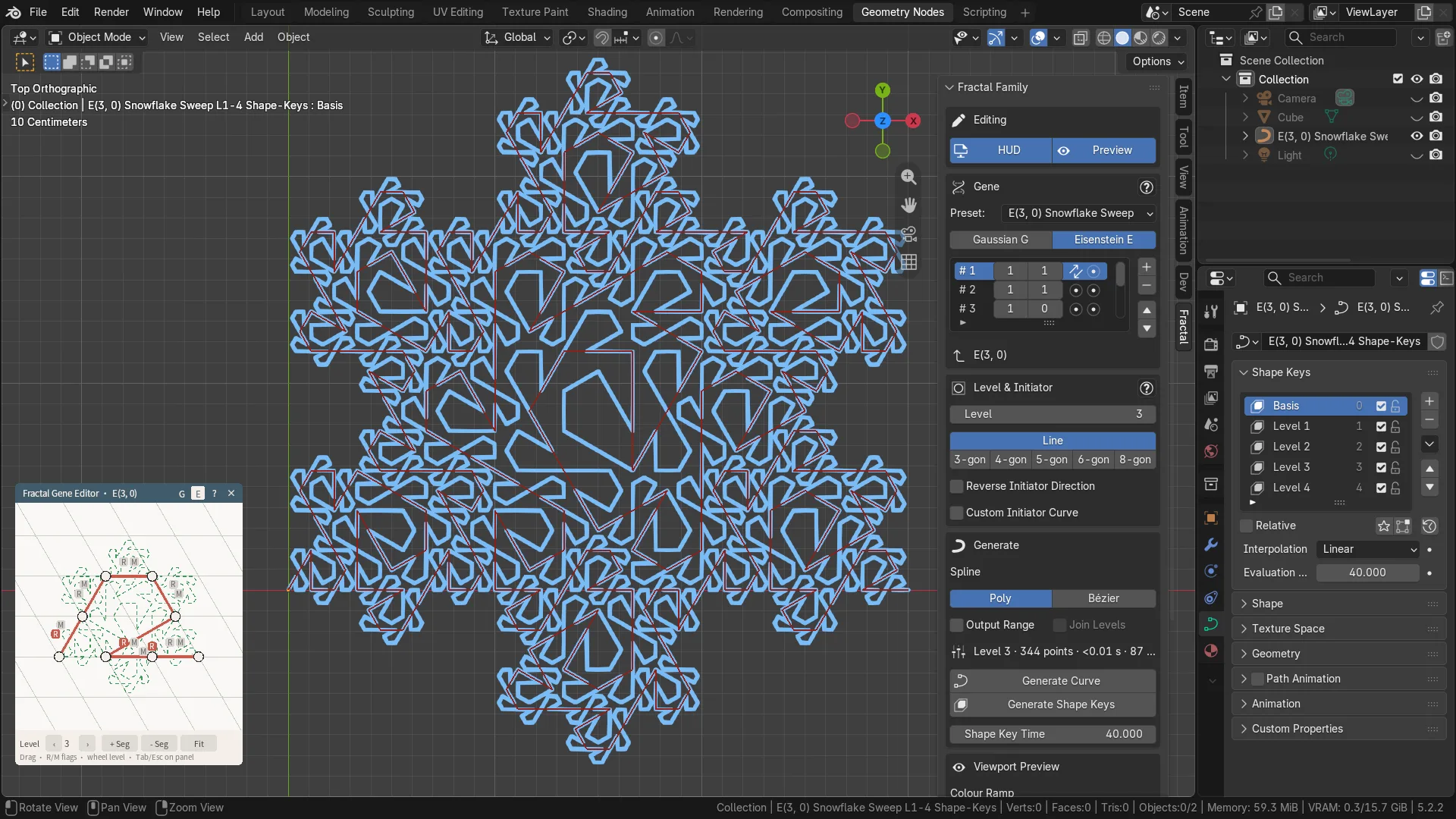
Fractal Family creates recursive curves in Blender by repeatedly replacing segments according to a short sequence of complex integers called a gene. It supports Gaussian square and Eisenstein triangular lattices, with flags that can reverse or mirror the previous level on each segment. The add-on works on the XY plane and includes designs such as Dragon curves and Gosper Island.
Edit a gene in the viewport
Open the Fractal tab in the 3D Viewport sidebar by pressing N. Choose a preset, set the level, or edit the gene in the sidebar or viewport HUD. With Preview enabled, the viewport draws the current curve as you edit without creating scene objects. A Top View (Numpad 7) is useful because generated curves lie on the XY plane.
Generate curves or animate their growth
Generate Curve creates Blender curve geometry at the selected level. With Output Range on, the add-on can create separate objects for each level or, with Join Levels, one object with a spline for each level. The resulting curves can be rendered, extruded, converted to meshes, or used as paths. Generate Shape Keys creates one curve object with the initiator as its base shape and a shape key for each level above it; animating its Evaluation Time shows the fractal growing.
Scope and limits
Fractal Family handles edge-replacement fractals on complex-integer lattices. It does not create L-systems or node-replacement fractals such as the standard Hilbert curve. The viewport preview does not appear in renders, so generate a curve object for a render. High levels can produce many points. Dense genes can make the viewport preview stop below the requested level, and the add-on shows estimated memory use and build time before generation. A custom initiator uses its curve object's first spline and ignores the object's transform.
Blender compatibility
The Blender Extensions API lists version 2.0.0 with Blender 4.2.0 as its minimum version; the developer guide specifies Blender 4.2 LTS or newer. The add-on is licensed under GPL-3.0-or-later. See the project README for the controls and limitations, and the Blender Extensions listing for package details.