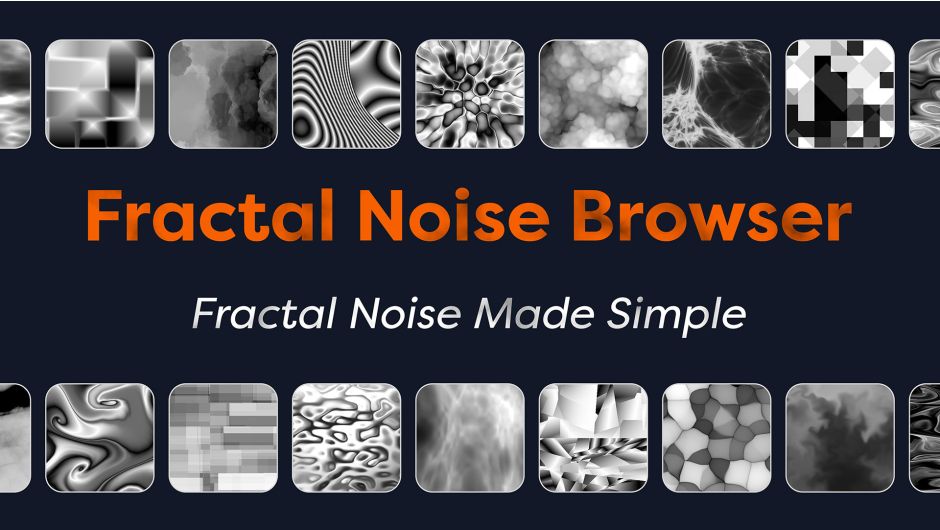
Fractal Noise Browser is a dockable After Effects panel for browsing and applying presets for the native Fractal Noise, Turbulent Noise, and Curl Noise effects. Its library has more than 300 presets with thumbnails and animated previews, including organic textures, atmospheric looks, grunge, and glitch. It suits projects where you want a starting texture on a layer that you can still adjust or combine with other After Effects effects.
Browse and animate presets
Open the panel through Window > Extensions > Fractal Noise Browser. Double-click a preset to apply it, or select it and click Apply. Leave Randomize Seed off for a consistent result, or enable it to generate variations. The animation options can leave noise still, add an expression that animates Evolution at a chosen speed, or create a seamless loop with keyframes. Looping is available for Fractal Noise and Curl Noise, but not Turbulent Noise. For Curl Noise loops, the panel sets Speed and Turbulence Speed to zero.
Choose how noise effects are applied
Badges identify which effect a preset uses. Some presets support both Fractal Noise and Turbulent Noise; those use Fractal Noise by default, and you can change the preferred effect in Application Settings. If the layer already has a noise effect, the default Replace existing noise effect mode replaces the last noise effect in its stack; if it has none, applying a preset adds that effect. Add new unless effect is selected lets you add another noise effect, or replace a specific one after selecting it. Replacing one noise type with another keeps the effect in its existing stack position.
Save and organize user presets
Select a noise effect and click + Save Preset to save it as an After Effects .ffx preset in the Fractal Noise Browser folder inside that After Effects version's User Presets folder. The panel stores the noise settings without animation, then its animation controls can be used when applying the preset. You can arrange presets in folders with up to two levels of nesting. Optional thumbnail and video files need the same base name and folder as the .ffx file; use Reload to show newly added presets. After Effects .ffx files are version-specific; after upgrading After Effects, copy the Fractal Noise Browser folder into the new version's User Presets folder.
The browser reads the effect type from each .ffx file. It ignores keyframes, expressions, and other effects saved in the file, and loads only the last Fractal Noise or Turbulent Noise effect when a file contains several. Use After Effects' Animation > Apply Animation Preset command to apply the full .ffx file. For background on the underlying native effects, see Adobe's Noise and Grain documentation.
Compatibility, trial, and license
aescripts lists compatibility with After Effects 2022 through 2027. Curl Noise requires After Effects 26.3 or later. The free trial includes the first seven presets in each category. The posted EULA licenses one copy for use on one computer at a time; use by multiple users or on multiple computers requires appropriate licensing for each.