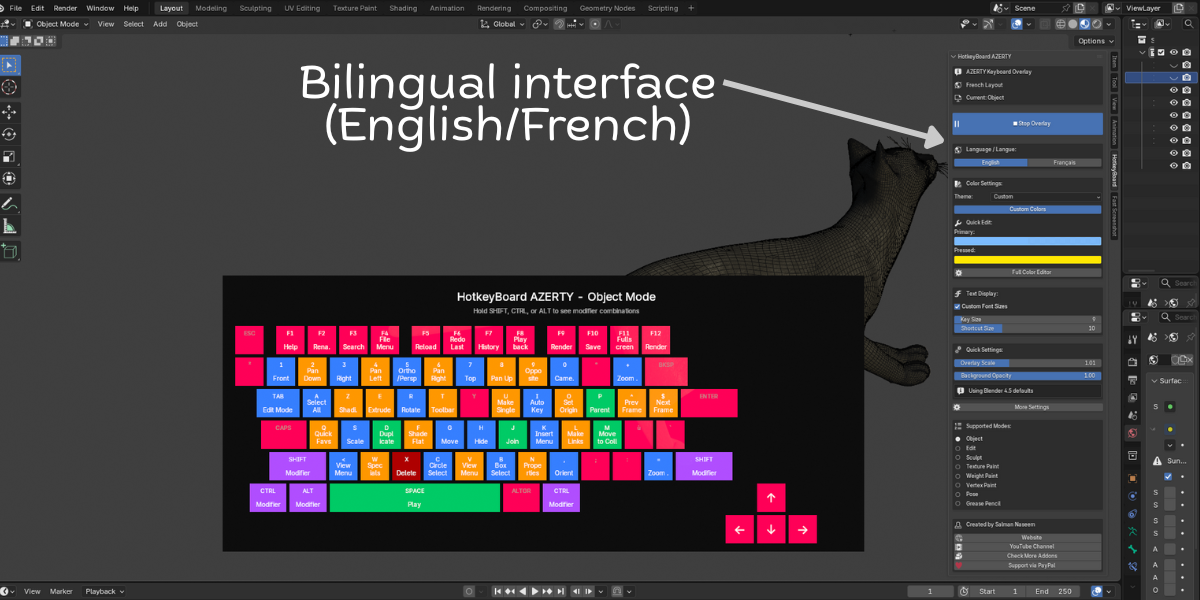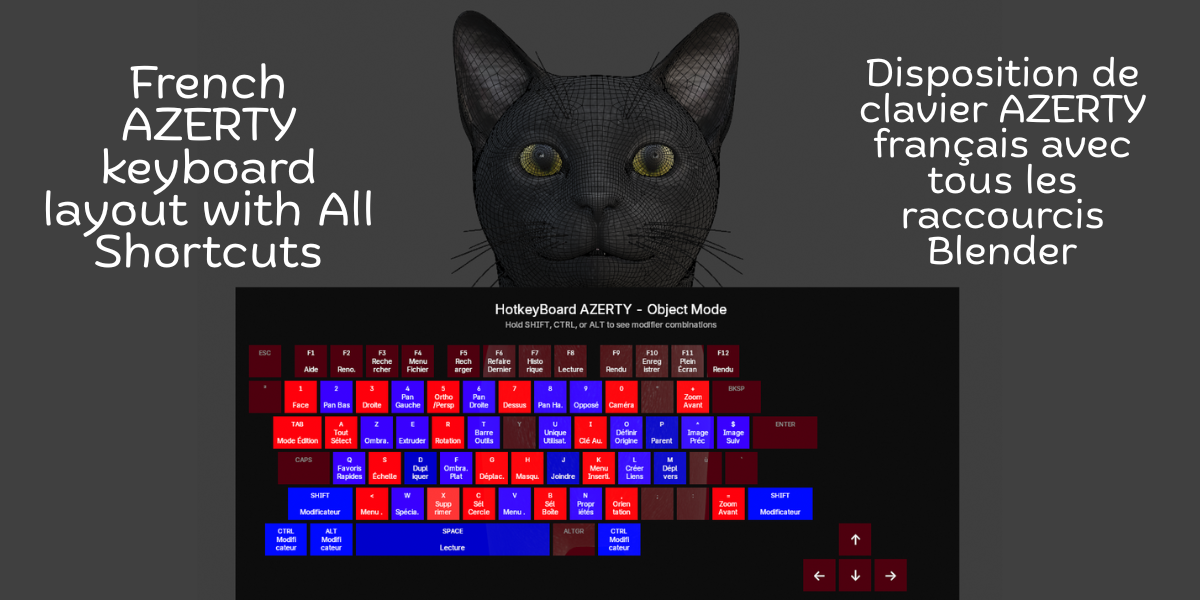
Hotkeyboard AZERTY is a Blender add-on that displays more than 500 shortcuts on an interactive AZERTY keyboard overlay. It covers Object, Edit, Sculpt and Paint workflows, giving AZERTY users a shortcut reference in their own keyboard layout while they work.
See shortcuts on an AZERTY layout
The overlay color-codes shortcuts by importance. The product listing identifies blue for essential shortcuts, green for common ones and orange for advanced ones, with six colors used for importance and seven colors for customization. It also displays Shift, Ctrl and Alt combinations. When you press a key, that key lights up yellow and the highlight fades after 250 milliseconds.
This layout can help when a Blender tutorial or shortcut list assumes a different keyboard arrangement. The overlay keeps the reference in Blender, where you can check a key or modifier combination as you work.
Switch between French and English
The interface supports English and French labels. A language control in Blender's N panel switches the displayed terms, including more than 150 French shortcuts. For example, French labels include “Déplacer” for “Move” and “Rotation” for “Rotate.”
Adjust the overlay to your workspace
You can set the overlay scale from 50% to 150% and its opacity from 0% to 100%. The add-on also supports custom colors and font sizes, and wraps longer shortcuts across multiple lines. Its settings persist between Blender sessions.
Compatibility to check
The listing describes AZERTY layouts for Mac and Windows and automatic platform detection. It lists macOS 11 or later, Windows 10 and 11, and Linux distributions including Ubuntu, Fedora, Debian and Arch. Blender version information on the same listing is inconsistent: the product copy names versions 4.2, 4.3, 4.4 and 5.0+, while the compatibility details field says 4.0–5.0. Check the current creator listing for your Blender release before installing.
Hotkeyboard AZERTY is aimed at Blender users who want an on-screen shortcut reference for an AZERTY keyboard, with either French or English labels. See the creator's Superhive listing for product details and the catalog entry for an additional summary.