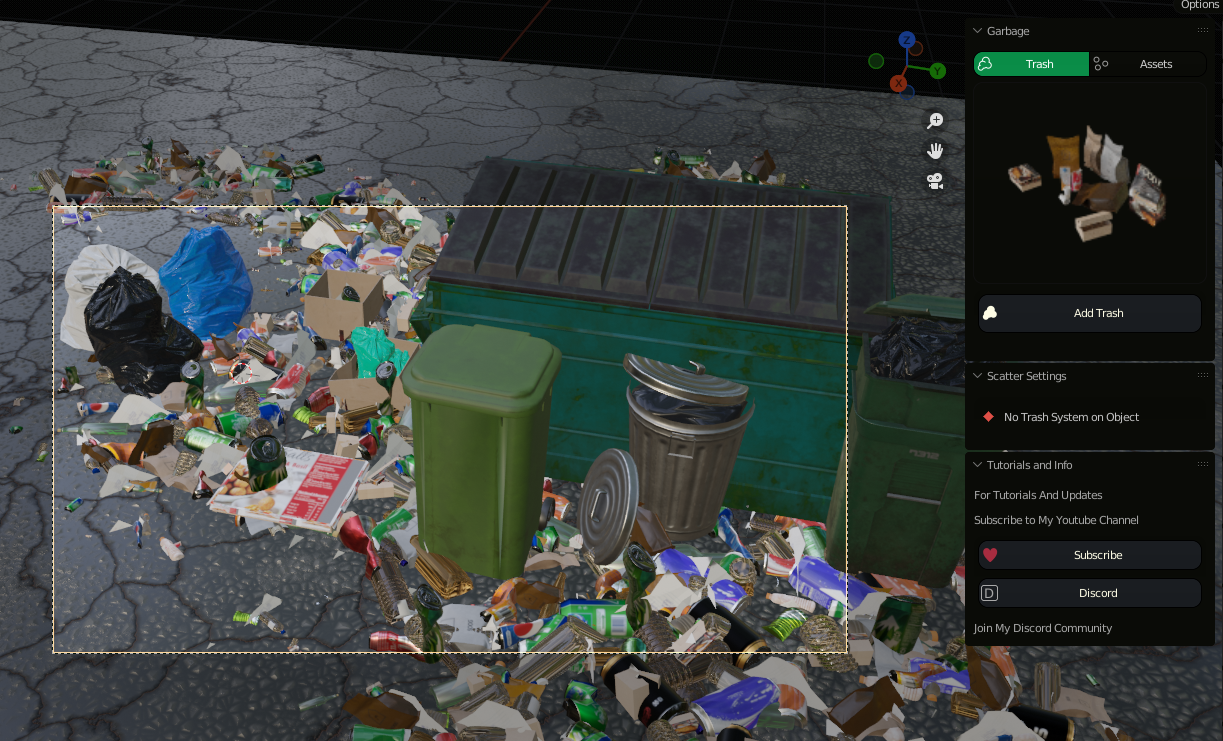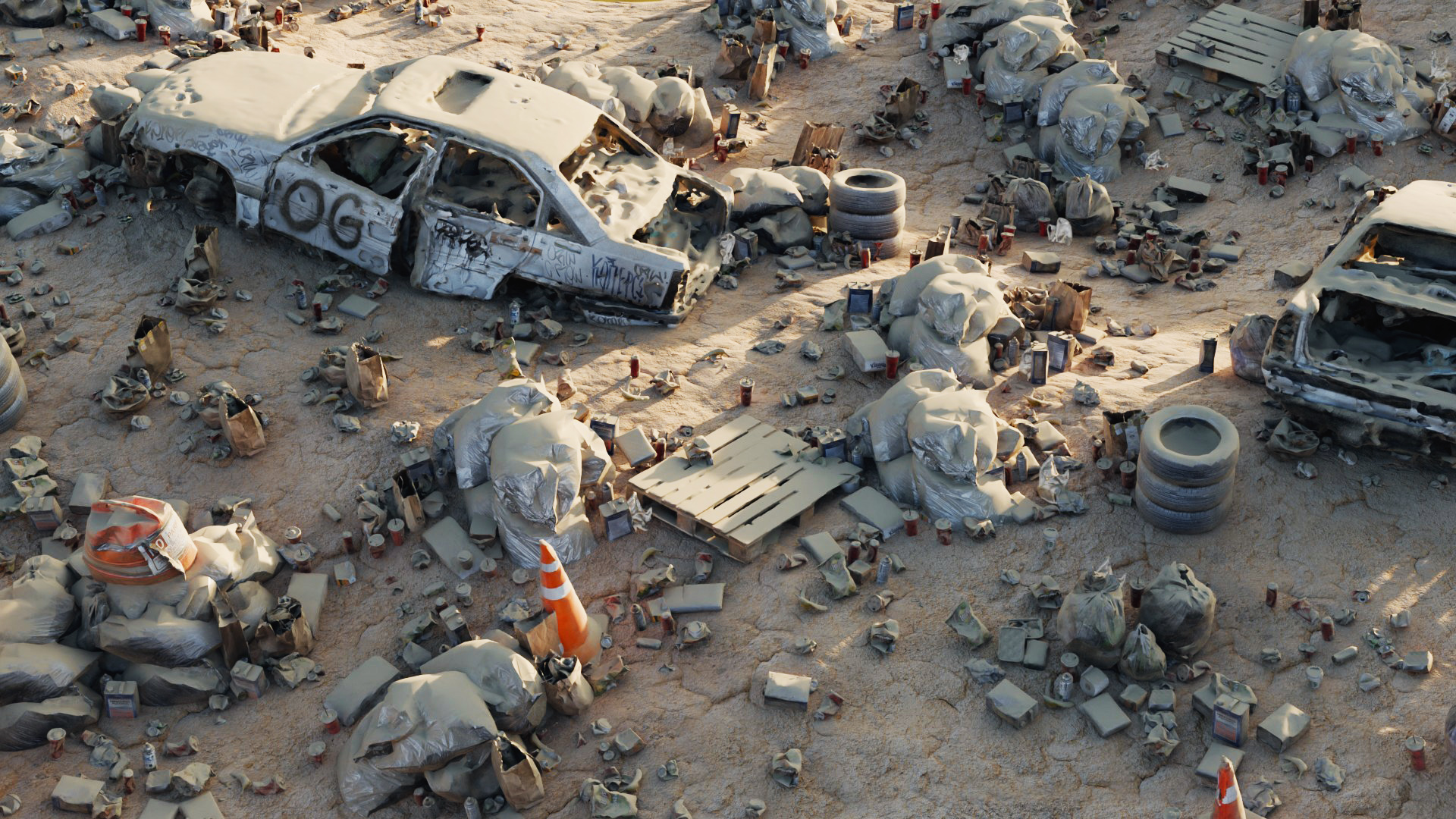
G Trash is a Blender product for adding modeled trash and surface wear to 3D scenes. Its listing describes more than 280 photoscanned assets, 4K textures, placement controls and automatic dust, moss and grunge effects. These tools help artists add debris and a lived-in look to environment scenes. View the G Trash listing on Superhive.
Trash models and scene controls
The asset library includes models such as bottles, cans, food waste and paper. A density slider adjusts how many particles or objects fill a scene, while weight painting lets you map where the debris appears.
Dust, moss and grunge effects
G Trash can apply material effects to all materials in the scene at once. Grunge gives materials a distressed, aged look; moss adds a mossy texture; and dust adds a dusty effect. These are Blender material effects.
Ready-made sets and Blender versions
The product also includes ready-made sets named Container Big, Container, Trash Big, Trash and Trash Small. The listing says these sets are usable in any 3D package and are optimized for a manageable polygon count. The Blender versions named on the listing are 3.6, 4.0, 4.1 and 4.2.
Installing the add-on
The G Trash documentation gives this installation sequence:
- Open Edit > Preferences and choose Install.
- Select the downloaded add-on and wait for installation to finish.
- Click the check mark. The add-on should then appear in the sidebar.
License
Superhive identifies G Trash as royalty-free. Check the marketplace license terms for the permissions that apply to your use.