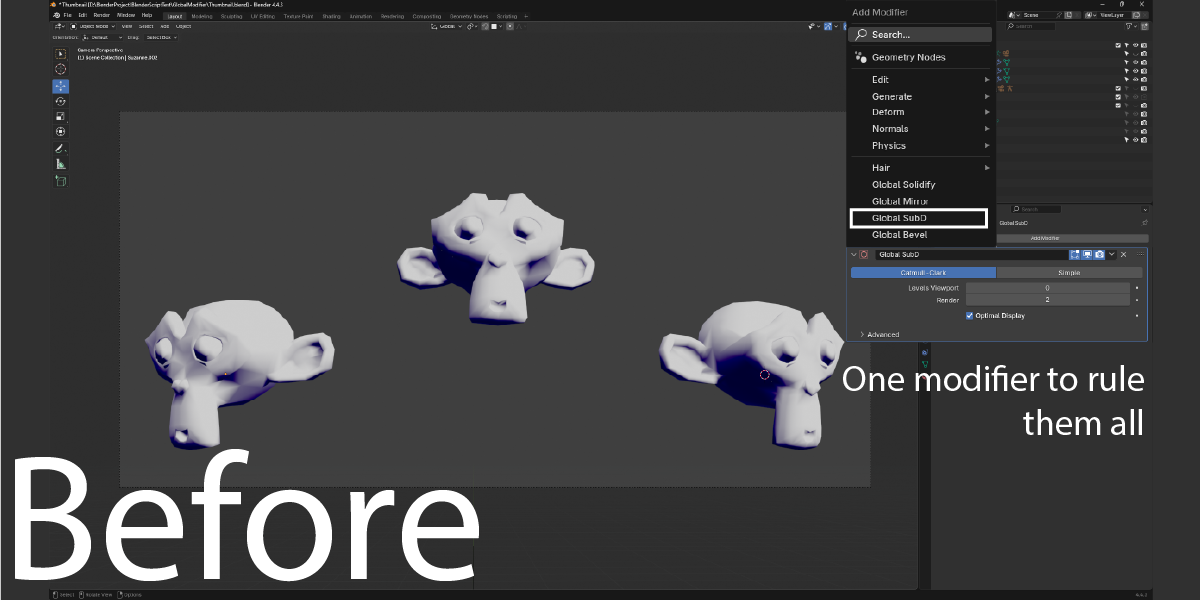
Global Subdivision is a Blender add-on that adds a Global SubD modifier. Add it to multiple objects, then change a core subdivision setting on any one of them to update the others. This helps keep related parts consistent without editing each modifier separately.
How modifier syncing works
There is no master modifier. Any Global SubD modifier can be the source of a change, and the other Global SubD modifiers in the scene follow. The product listing names Levels Viewport, Render Levels, Quality, UV Smooth, Boundary Smooth, and Use Creases among the synced subdivision settings. The developer documentation describes Global SubD as working like a traditional modifier while syncing its properties across objects that use it.
Controls that stay local
Visibility remains adjustable on each object, so you can hide a modifier where it is not needed while keeping its core subdivision settings in sync. These controls stay independent:
- Show in Viewport
- Show in Render
- Show in Edit Mode
- Show on Cage
You can also rename the modifier, provided its name still starts with “Global SubD.”
Adding Global SubD to objects
- Select a mesh object and open Modifier Properties.
- Choose Add Modifier, then select Global SubD under Generate.
- Add the modifier to other objects you want included, then adjust a synced setting on any of those objects.
The add-on integrates into Blender’s existing Add Modifier menu, with no separate setup panel described in the listing.
Compatibility and intended use
The Superhive listing specifies Blender 3.0 through 4.5 and a GPL license. It presents Global Subdivision for scenes with multiple subdivided parts, such as character clothing and accessories, hard-surface components, and environment props. Check the current product listing for compatibility and license details before installing.