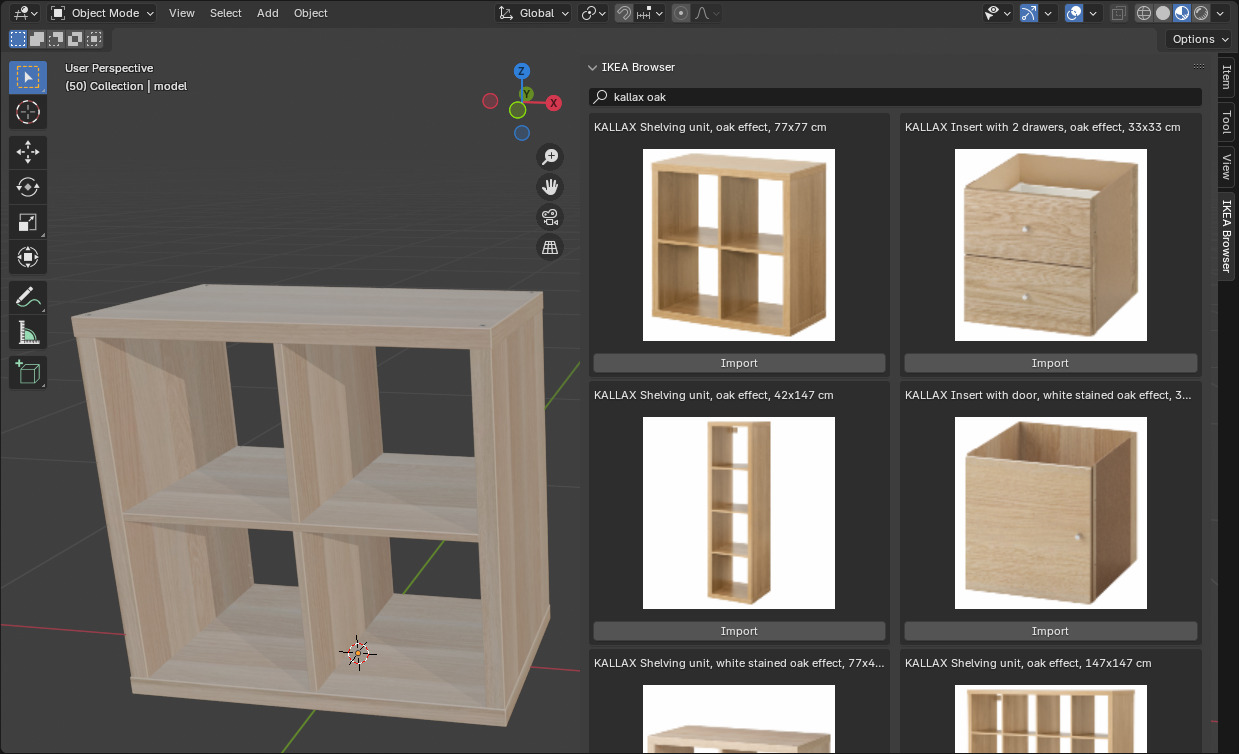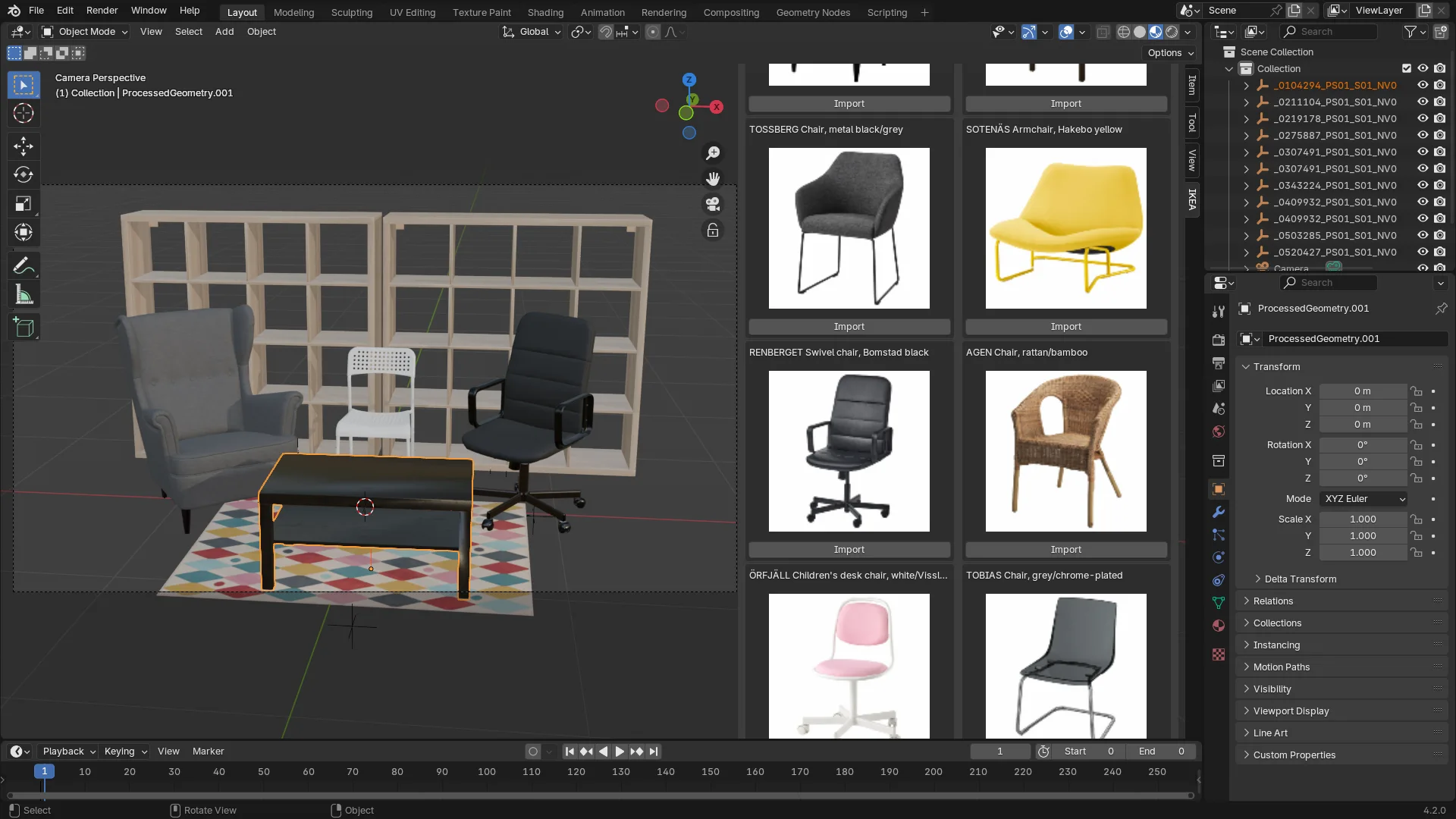
IKEA Browser is a Blender add-on by Shish for searching IKEA's furniture catalog and importing available product models into a scene. The repository manifest lists version 0.4.0, Blender 4.2.0 as the minimum version, and a GPL-3.0-or-later license for the add-on. It declares network access to download models from ikea.com and file access to store them locally.
Set the catalog region and language
After installation, open the add-on preferences and enter a country code and a language code. The developer gives examples such as ie for Ireland, fr for France, and en for English. IKEA Browser displays the selected region and language in its panel, where you can check the settings before browsing.
Import availability depends on the product
IKEA Browser can import a product only when a 3D model is available for it. An IKEA catalog listing does not guarantee that a model exists; an import attempt may return a 404 when the asset is unavailable. The add-on downloads models over the network, so a connection problem can also interrupt a request.
Installation and model rights
The developer's README documents manual installation by choosing Edit > Preferences > Add-ons > Install from Disk and selecting the downloaded ZIP file. The README describes IKEA Browser as an early proof of concept and says IKEA retains copyright in its models. The add-on's GPL license applies to the add-on; it does not grant rights to the IKEA assets. Check IKEA's permissions before using or redistributing imported models in commercial work.