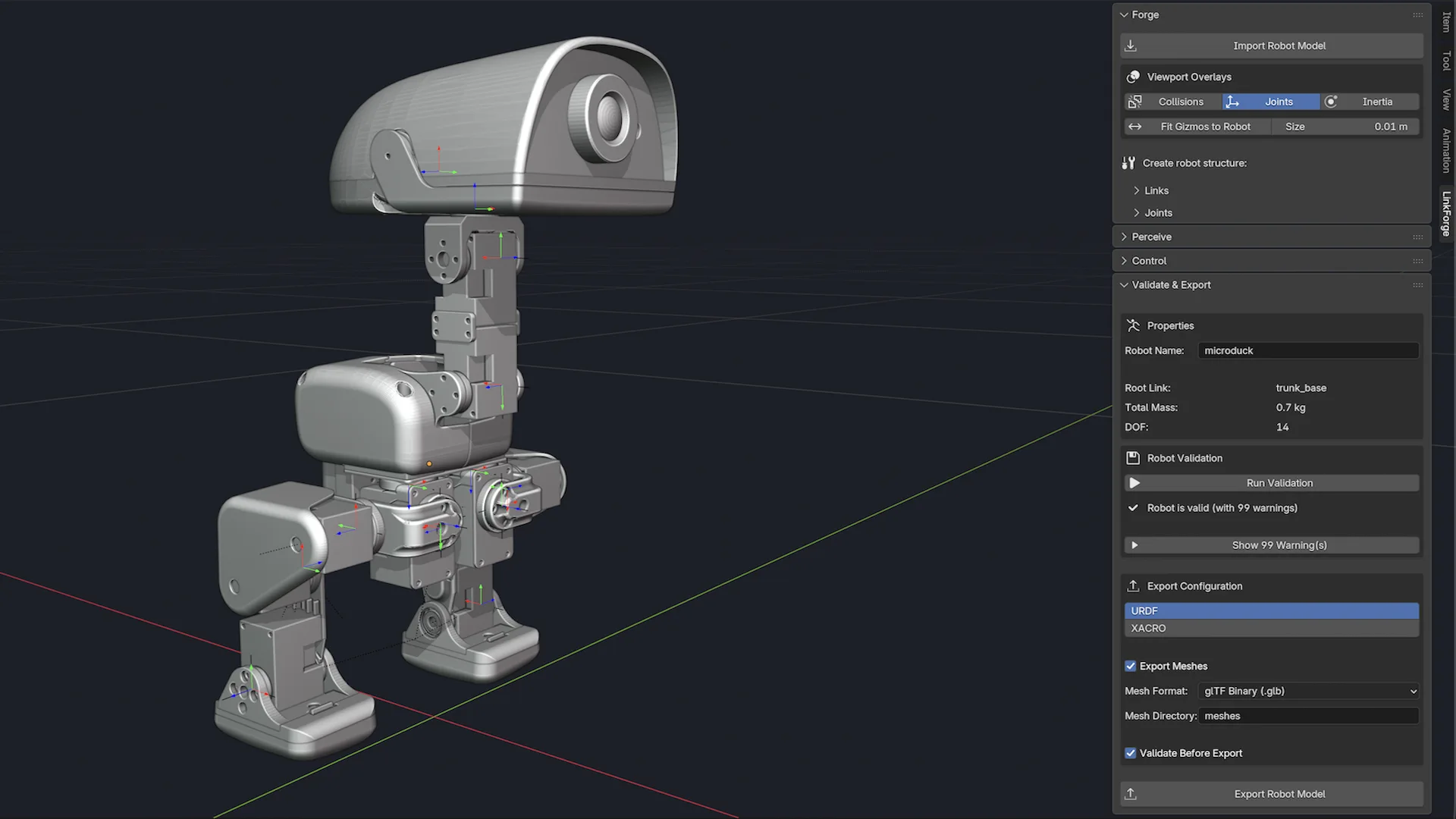
LinkForge is a Blender extension for robot-description work in ROS and simulation workflows. Its official Blender Extensions listing describes it as a visual robotics IDE, and the LinkForge documentation describes a workflow for creating robot components, validating a model, and exporting supported formats.
Build and edit robot models in Blender
In Blender, LinkForge lets you create links from selected meshes and connect them with joints. You can set joint constraints, add sensors, configure ROS 2 control interfaces, and define MoveIt 2 planning groups. Together, these controls let you edit the robot structure alongside its Blender geometry.
LinkForge can import existing URDF or XACRO files into Blender for editing and validation before export. Export options include URDF and XACRO, with an optional SRDF file for semantic robot data.
Validation and supported formats
LinkForge includes physics calculations and validation checks. For example, the validator can flag disconnected links and non-physical inertias before export. A successful check is useful during authoring; verify the exported model in the simulator and project where you intend to use it.
The official Blender Extensions API listing identifies LinkForge version 1.6.0, Blender 4.2.0 as the minimum version, and file access for importing and exporting URDF or XACRO files. It lists packages for Windows x64, macOS Intel, macOS Apple Silicon, and Linux x64. The extension is licensed under GPL-3.0-or-later.
Installation and requirements
Install LinkForge through Blender's Get Extensions preferences or from a platform-specific ZIP. Check that your Blender version and system match the package you choose.
The separate Python library, linkforge-core, requires Python 3.11 or later. The Blender extension requires Blender 4.2 or later.
Who might use LinkForge?
The Blender extension is for robotics developers and 3D modelers who want to author robot descriptions visually for ROS and simulation.