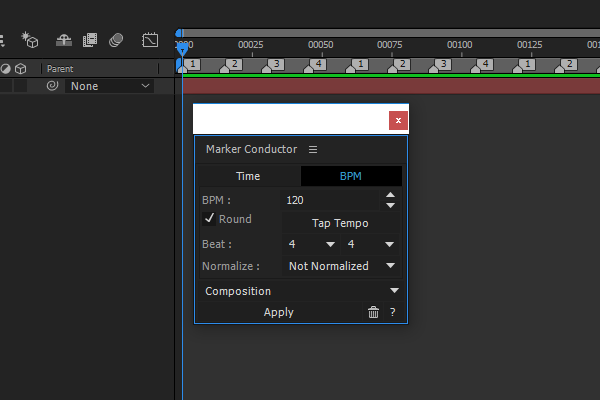
Marker Conductor 3 creates After Effects markers at specified time intervals or from a BPM setting. It suits motion designers who need a marker grid to plan animation timing or set markers to a BPM-based rhythm in a composition without adding every marker by hand.
Choose a timing method
Use the Time tab to place markers at specified time intervals. In the BPM tab, enter a tempo numerically or use Tap Tempo. Both tabs include a Duration field.
Choose what markers say
Marker comments can show a count, a time, a time with its unit, or no comment. The Setting tab also supports a custom comment template with the tokens {count}, {time}, {frame}, {bpm}, and {beat}. For composition markers, the available time comment formats include Time(Comp) and Time+Unit(Comp).
Compatibility and licensing
The listing names After Effects 2026, 2025, 2024, 2023, 2022, 2021, 2020, CC 2019, CC 2018, and CC 2017 as compatible versions. It states that composition markers are supported in CC 2017 and later. A free trial is listed. The posted EULA grants use of one copy on one computer at a time; shared or multi-user use requires an appropriate license for each user and copy. It also permits one archival copy on storage media other than a hard drive.