Mask Prompter 3 creates object mattes in Adobe After Effects and Premiere Pro from points, rectangles or text descriptions, with model and host limits: SAM3 uses positive-concept rectangles instead of point prompts, and Premiere Pro does not support rectangle masks. The results can appear as an overlay, a black-and-white matte or a keyed image with alpha, for isolating an object in a composite or another effect.
Choose a prompt for the object
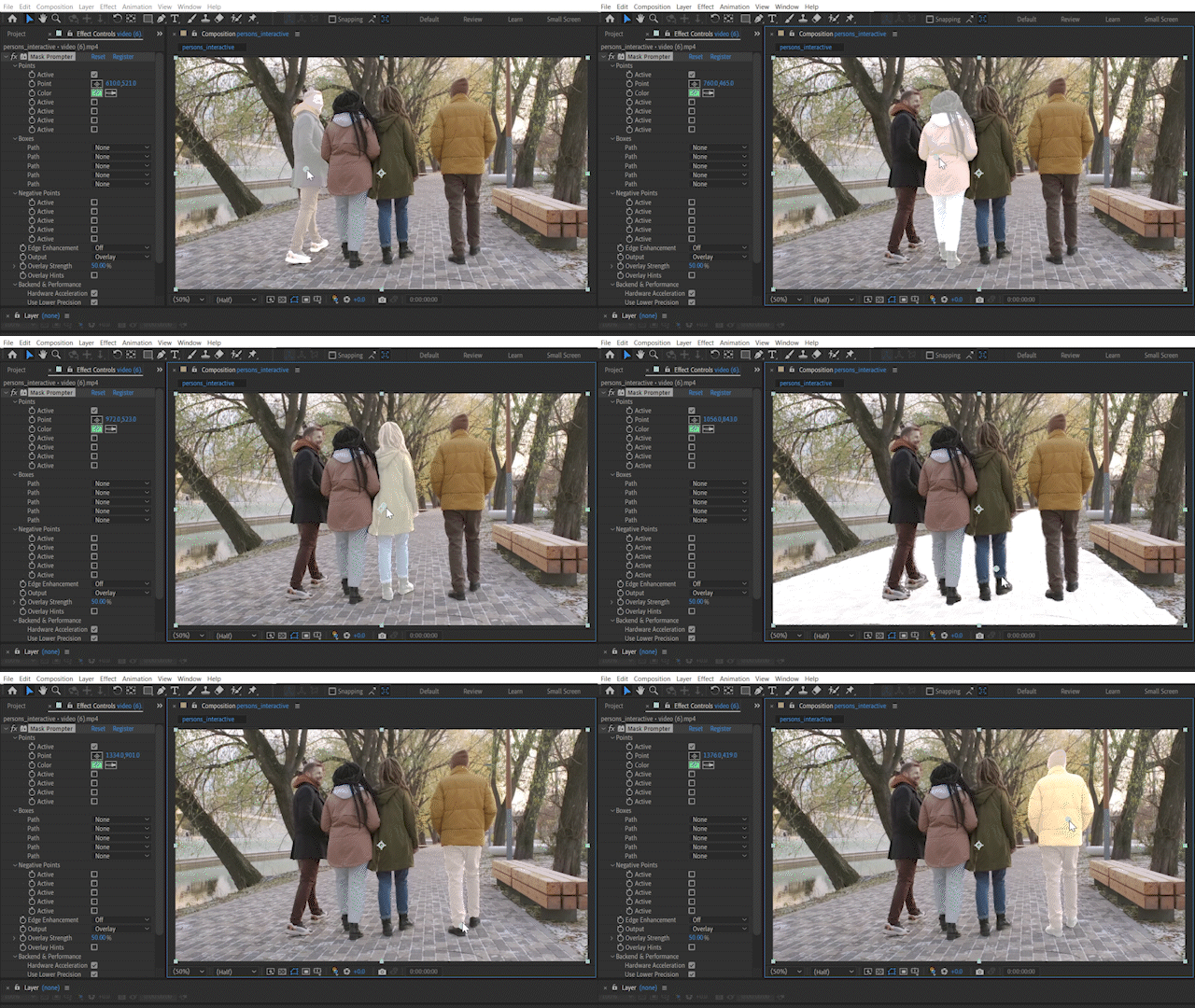
For models other than SAM3, place a point on the subject and keyframe its coordinates to follow the object across frames. With those models, create a box prompt by adding a rectangle around the object and assigning it to a slot. SAM3 uses positive-concept rectangles to select an object and similar-looking instances. In After Effects, add a text input, rename its mask with a description such as “a horse,” and link the mask layer to a slot. Blace notes that text prompting can take some trial and error. Exclude points mark areas to leave out of the matte.
With models other than SAM3, separate phrases with periods to request multiple object types. The Multiple setting can return all matching objects instead of only the highest-similarity match. For SAM3, use separate text inputs for multiple phrases. Lowering the detection threshold finds more objects but can add false positives.
Refine and use the matte
Choose a model, then adjust the matte refinement and filter width for edge corrections. High Resolution runs edge refinement at a higher resolution and uses more VRAM. Overlay output helps inspect the selection, Matte produces a black-and-white result, and On Transparent returns the keyed object with alpha. Detection Boxes and Detection Boxes On Transparent show detection boxes from text prompts without producing mattes. In After Effects, the On Transparent result can be processed further with the built-in Refine Soft Matte effect.
Host and hardware considerations
The product listing names After Effects 2023 through 2026 and Premiere Pro 2025 through 2026. In Premiere Pro, rectangle masks are unavailable; use points with models other than SAM3 or text prompts, which are entered through the prompt input dialog. Blace's general Mask Prompter guide describes a Premiere Pro Deactivate Prerendering option that skips effect rendering during preview playback and renders stopped frames; the Mask Prompter 3 guide does not confirm whether version 3 includes it.
Hardware needs depend on the model and settings. Blace recommends at least 8 GB of VRAM for NVIDIA GPU acceleration for most of its plugins. Acceleration on other Windows GPUs depends on model support, and an unsupported model may fall back to the CPU. Blace’s product listing shows Apple Silicon on macOS Sequoia or newer with 16 GB RAM, while its general hardware guide lists 32 GB RAM for accelerated Apple Silicon Macs. Those figures differ, so confirm the current requirements for your setup before buying. High-resolution refinement also uses more VRAM.
Blace says processing runs locally and project data stays on your machine. Its installation guide describes downloading several gigabytes during installation, and models may also need to be downloaded. The product page’s EULA grants one copy for use on one computer at a time; multi-user or multi-computer use requires an appropriate licensing agreement for each user and each copy.