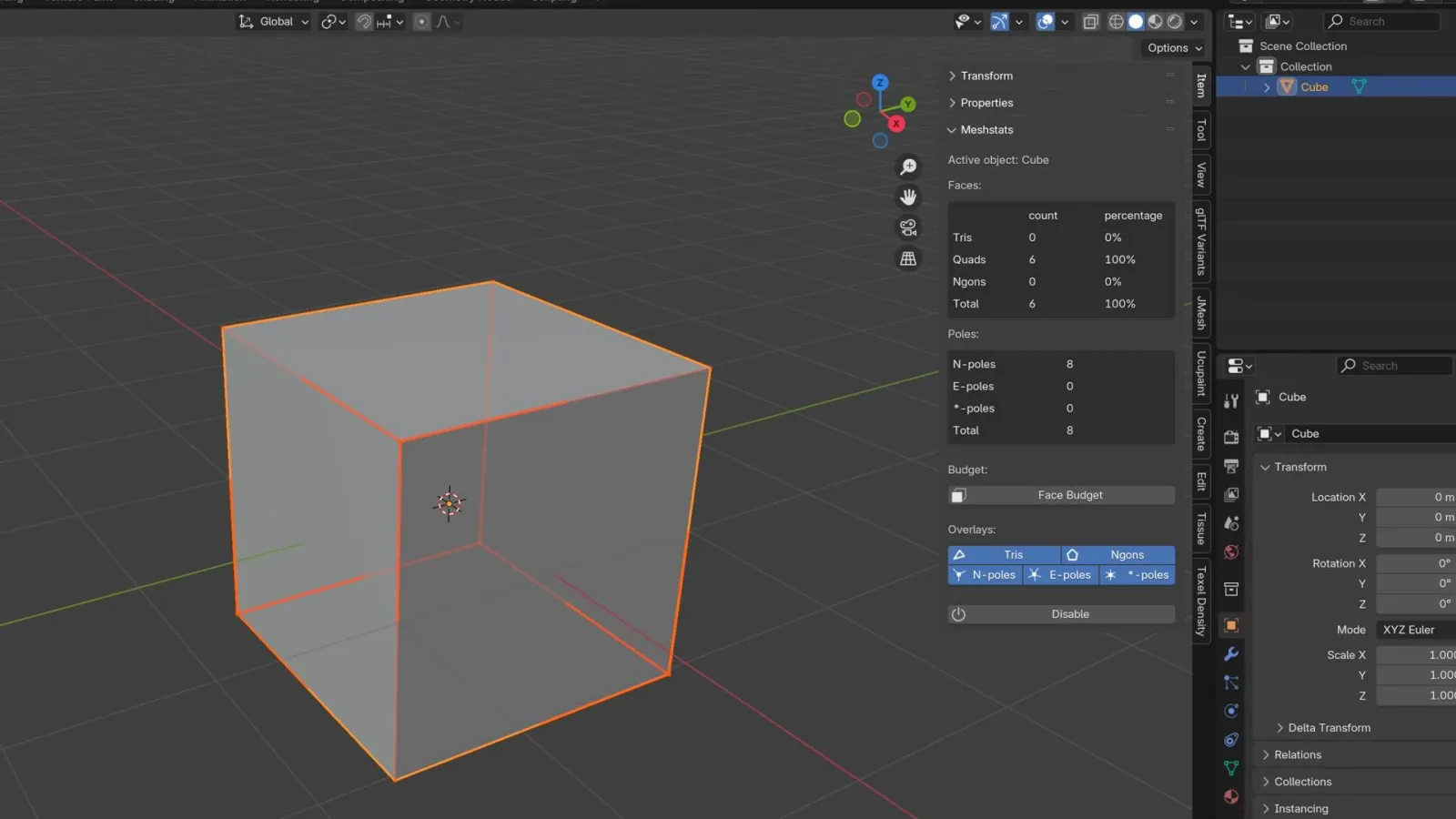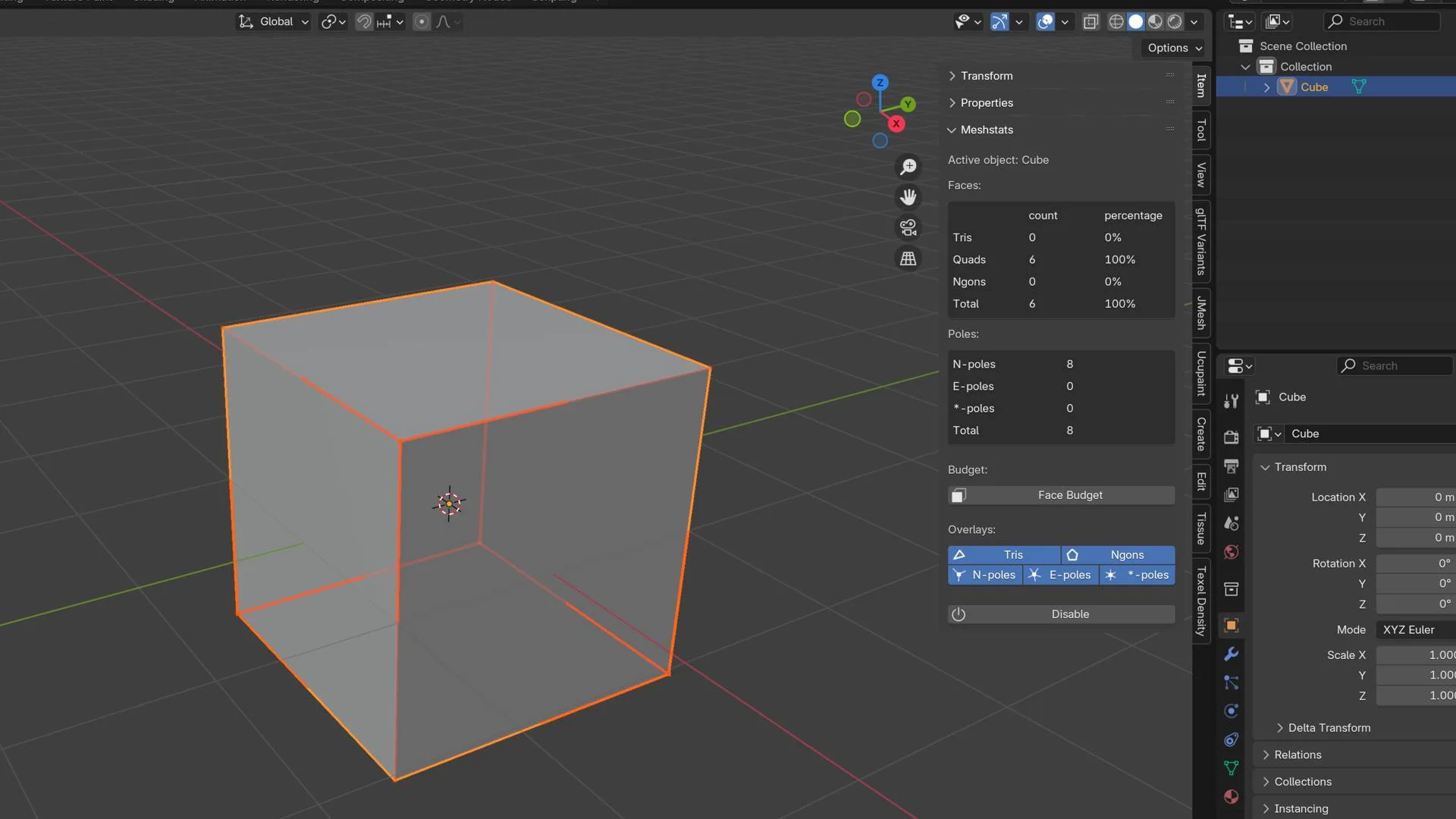
Meshstats is a Blender add-on for reviewing a selected mesh's topology in Object Mode, with face and pole counts, per-object polygon budgets, and viewport highlights.
What Meshstats shows
- Counts for triangles, quads, and n-gons.
- E-poles, where a vertex connects to five edges; n-poles, with three edges; and *-poles, with six or more edges at a fan center.
- A per-object polygon budget and its current usage.
- Viewport highlights for triangles, n-gons, and pole types.
These counts give you a summary of a mesh, while the overlays help locate the listed geometry in the viewport. Both the statistics and overlays are available in Object Mode.
Find the panel in Blender
After installing and enabling Meshstats, select a mesh object and open the 3D Viewport sidebar with the default N shortcut. The panel is under the Item tab. If the disabled by default option is active in the add-on preferences, click Enable in the Meshstats panel before checking the statistics.
Limits to know
Meshstats skips statistics and overlays when a mesh exceeds the face-count threshold set in its preferences or when topology-changing modifiers are active on the object. If information is missing, check those conditions and confirm that a mesh object is selected in Object Mode.
Edit Mode is not supported. The Blender Extensions listing notes that the add-on iterates over the entire mesh to calculate panel statistics and overlay data. The developer's ticket explores an optional Edit Mode overlay and how to avoid repeated statistics collection slowing editing.
Version and license
The Blender Extensions catalog lists Meshstats version 1.3.2 with Blender 4.2.2 as its minimum version and a GNU GPL-3.0-or-later license. Check the catalog record and official listing for package details before installing.