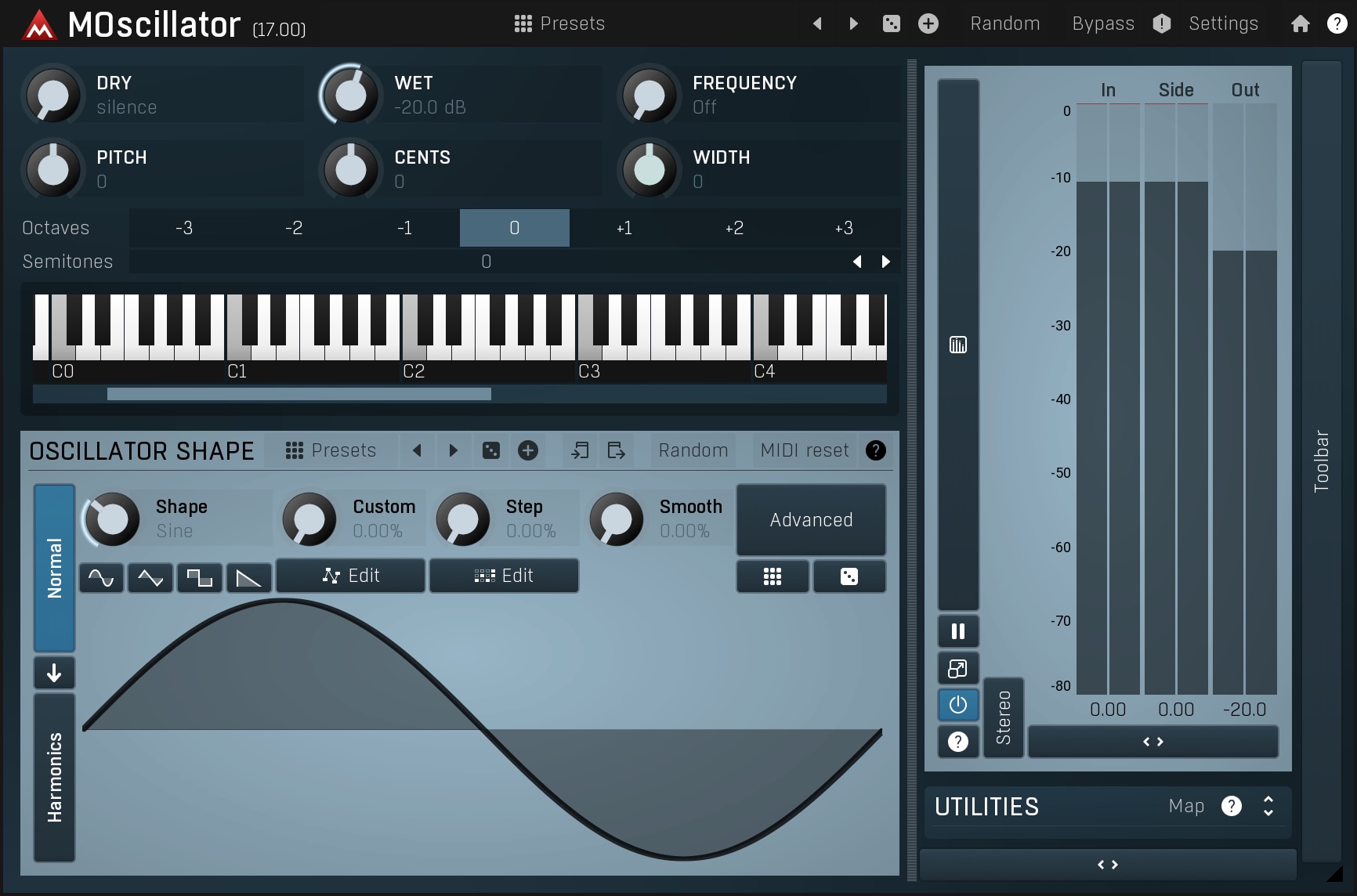
MOscillator is MeldaProduction’s anti-aliased signal generator effect. Use it to create test signals for audio analysis, shape custom tones, or build effects such as sub-bass enhancement. Its oscillator can also act as a modulation source, with two modulators that can respond to the input or sidechain.
Shape a waveform or edit its harmonics
In Normal mode, choose a preset waveform or blend adjacent shapes. You can add a custom shape drawn in MeldaProduction’s Envelope System, mix in a step sequence, and smooth sharp edges. This mode suits low-frequency modulation, where the shape of the control signal affects how a parameter moves.
Harmonics mode is designed for higher-frequency tones. Edit the level and phase of individual harmonics, or use the harmonic generator to create a spectrum and extract harmonics from a sample. It can handle up to 256 harmonics. That limit means converting a waveform into Harmonics mode may change its sound; the manual recommends Normal mode when you need to work with basic shapes such as a square wave. The product features page also lists adjustable upsampling from 1x to 1024x, with minimum-phase and linear-phase algorithms.
The MOscillator quick start guide explains the two modes and their controls.
Use modulation and MIDI control
Each of MOscillator’s two modulators can work as an LFO, level follower, MIDI- or audio-triggered ADSR envelope, randomizer, or pitch detector. A modulator can listen to the sidechain and control plugin parameters, including other modulators. This lets you make a sound change with time, input level, pitch, or a trigger.
The piano editor sets the oscillator note, and MIDI input can change the selected note. MIDI Learn can map controllers to plugin parameters. Multiparameters can group several controls under one parameter and morph between settings, which is useful when you want one control to change several parts of a sound together. Each modulator can combine the listed modes.
Compatibility and access
The publisher lists MOscillator as a free effect and points to the MFreeFXBundle. It supports 64-bit VST, VST3 and AAX hosts on Windows 10 or 11. On macOS 10.14 Mojave or newer, it supports VST, VST3, AU and AAX. Linux is not directly supported; MeldaProduction says running the plugins through Wine may be possible, provided the .wine/drive_c/windows/Fonts/ directory contains Microsoft True Type Fonts before installation.
Check the publisher’s support page for current system requirements and installation details.