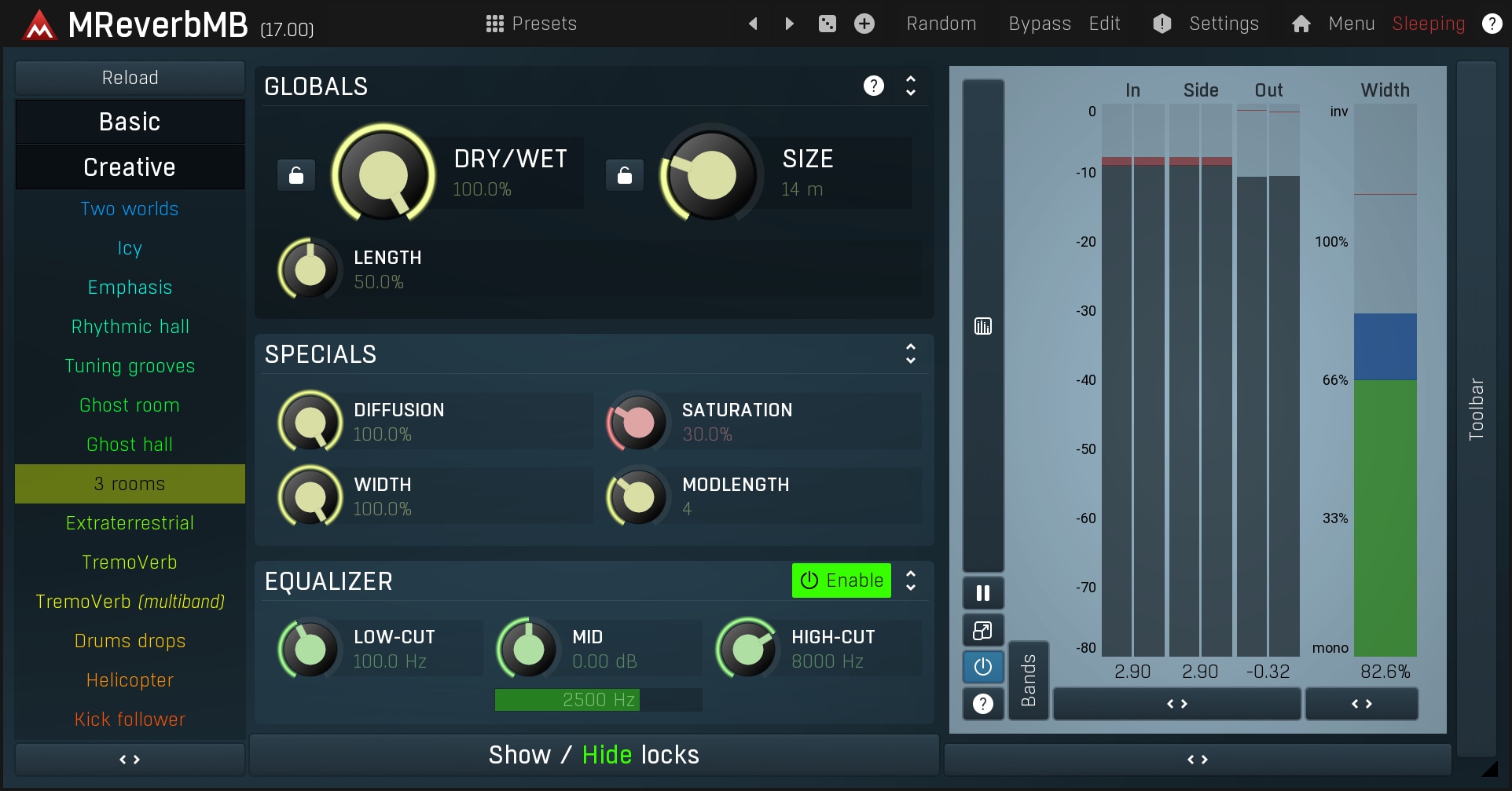
MReverbMB is a true-stereo algorithmic reverb from MeldaProduction. It uses one reverb algorithm with controls for shaping room character, rather than separate room, hall and plate algorithms. The manual lists room sizes from 1.1 to 50 meters and reverb times from 100 milliseconds to 30 seconds. A 2D positioning view lets you place a sound source in a room and adjusts the reverb settings for that position. These controls suit producers who need conventional room or hall ambience as well as more effect-focused reverbs. The MReverbMB features are explained in the quick start guide.
Six-band reverb and crossover choices
MReverbMB can split audio into up to six bands for separate processing. Its crossovers include frequency splits, level, panorama, mid/side, spectral and transient-focused options. Parallel mode sends the full input to each band, allowing multiple reverb paths; it can also increase the output level, so check the gain after enabling it.
Analog crossovers generally add no latency but shift phase. The 6 dB/octave mode is an exception: it has zero latency and zero phase shift, but can produce much higher levels in each band. Linear-phase and hybrid crossovers add latency without phase shift; Analog LP is the linear-phase counterpart to the Analog crossover. These tradeoffs matter in latency-sensitive sessions and when phase behavior or band levels are a concern.
Shape the reverb signal
A three-band parametric EQ and a gate can process the reverberated signal while leaving the dry signal untouched. The EQ can also work before the reverb, which lets you filter the signal sent into the effect. An integrated tube-saturation simulator provides another way to color the reverb.
Four modulators can act as LFOs, level followers, MIDI or audio-triggered ADSR envelopes, randomizers or pitch detectors. They can control plugin parameters, including other modulators, and can respond to a side-chain input. The oscillators and modulators can synchronize to the host tempo, making them useful for moving or level-responsive reverb effects.
Start with presets or edit the details
The Easy screen presents task-oriented controls, while the Edit screen exposes the full set of parameters. You can start with a preset, adjust its macro controls, then move to Edit for finer changes. Smart randomization can produce variations based on existing presets. A-to-H switching lets you compare up to eight plugin instances, and an X-Y pad morphs among the first four.
Compatibility, trial and licensing
MeldaProduction lists support for 64-bit Windows 10 or 11 with VST, VST3 or AAX hosts and an Intel or AMD processor with SSE2. On macOS 10.14 Mojave or newer, it lists 64-bit VST, VST3, AU and AAX support on Intel, AMD or Apple Silicon CPUs. Linux is not directly supported; MeldaProduction says running through Wine may be possible and requires Microsoft TrueType fonts in Wine's Windows Fonts directory. Check the current system requirements for host details.
The product page offers a trial. MeldaProduction says activation uses personal license files and does not require a dongle or internet connection; the license can be used on the license holder's computers. The product page also states that purchases include free updates for life. The downloads page provides access to the trial, and the PDF manual covers the controls in detail.