MSoundFactory is a modular MIDI instrument for building and editing sounds from synthesizers, samples, drum generators and effects. The Full, LE and Player editions differ in editing access: Full provides the edit screen, LE allows limited customization, and Player has none.
Build a voice, then route its effects
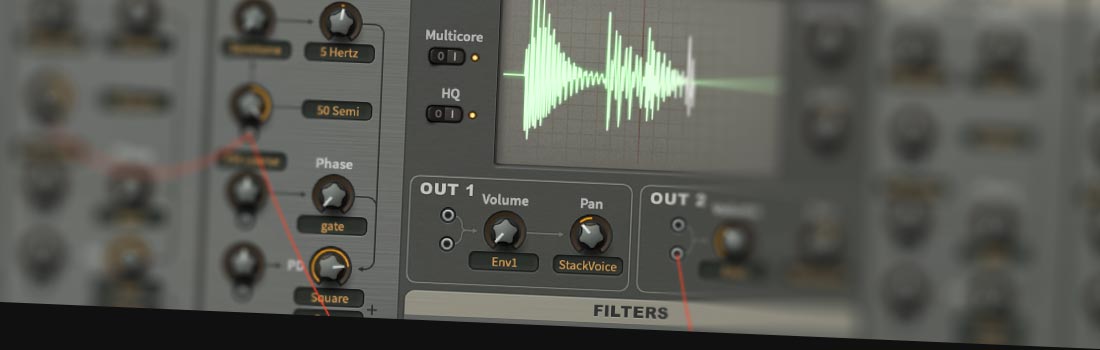
The Generator creates each played note as a separate voice. Add oscillators, wavetables, samplers, filters, drum generators or per-voice effects to shape it. Modules connect automatically in most cases; some processors may need routing adjustments. Depending on routing, the Generator can send one to six separate audio streams to matching FX inputs, where you can process them by lane before they are mixed.
Per-voice distortion processes each note separately, which can keep a chord from producing extra frequencies distortion may create after notes are mixed. With multiple voices playing, shared processing in the FX section uses less CPU than the same effect placed per voice. For equalizers and static filters, the MSoundFactory manual says shared and per-voice placement may produce the same result.
In the Full edition, start with a preset or instrument, then open the edit screen to change Generator modules, modulation and routing. The FX section includes effects such as reverbs, delays, filters, equalizers, compressors and distortions. MDrummer drum samplers and synthesizers can also be used in the Generator.
Shape sound with modulation and sampling
Global modulators can control parameters across the instrument, while per-voice modulation changes supported Generator parameters separately for each note. Each supported parameter can use a 4-by-4 modulation grid. Sources include envelopes, LFOs, random signals, note properties and MIDI controllers. With an MPE controller, per-note controls such as pressure and timbre can add expressive movement.
The sound sources cover wavetable and FM synthesis, oscillators, sampling and physical-modeling tools. For sampled instruments, the sampler supports regions, alternating hits, looping and crossfades. It can also synchronize samplers for multi-microphone instruments. Analog drift can vary supported Generator parameters over time; it can be disabled to reduce CPU use. Smart randomization can suggest changes based on existing presets, with controls to lock parameters you want to keep.
Choose an edition by how much you want to edit
- MSoundFactory Full: Includes the sounds and instruments and provides access to the edit screen for extensive customization.
- MSoundFactory LE: Includes the same sounds and instruments, with limited customization. It does not provide access to the edit screen.
- MSoundFactory Player: Free, with a small selection of sounds and no customization. It can also play some third-party sounds.
Choose Full to build or substantially change instruments. LE suits preset users who want the included sound library with fewer editing controls. Player suits users who want its small included selection or some third-party sounds.
Check host support and licensing
MeldaProduction lists Windows 10 or 11 (64-bit), a VST, VST3 or AAX-compatible 64-bit host, and an Intel or AMD processor with SSE2 support. On macOS, it lists version 10.14 or newer, a 64-bit VST, VST3, AU or AAX host, and Intel, AMD or Apple Silicon CPUs. Linux is not directly supported; Melda notes that running through Wine may work when Microsoft TrueType fonts are installed in Wine's Fonts folder. Review the current system requirements and MSoundFactory support information for your setup.
The software uses license files for activation; no dongle or internet access is required. The license is assigned to one person, who may use it on all of their computers as long as they remain the user.