What MSuperLooper does
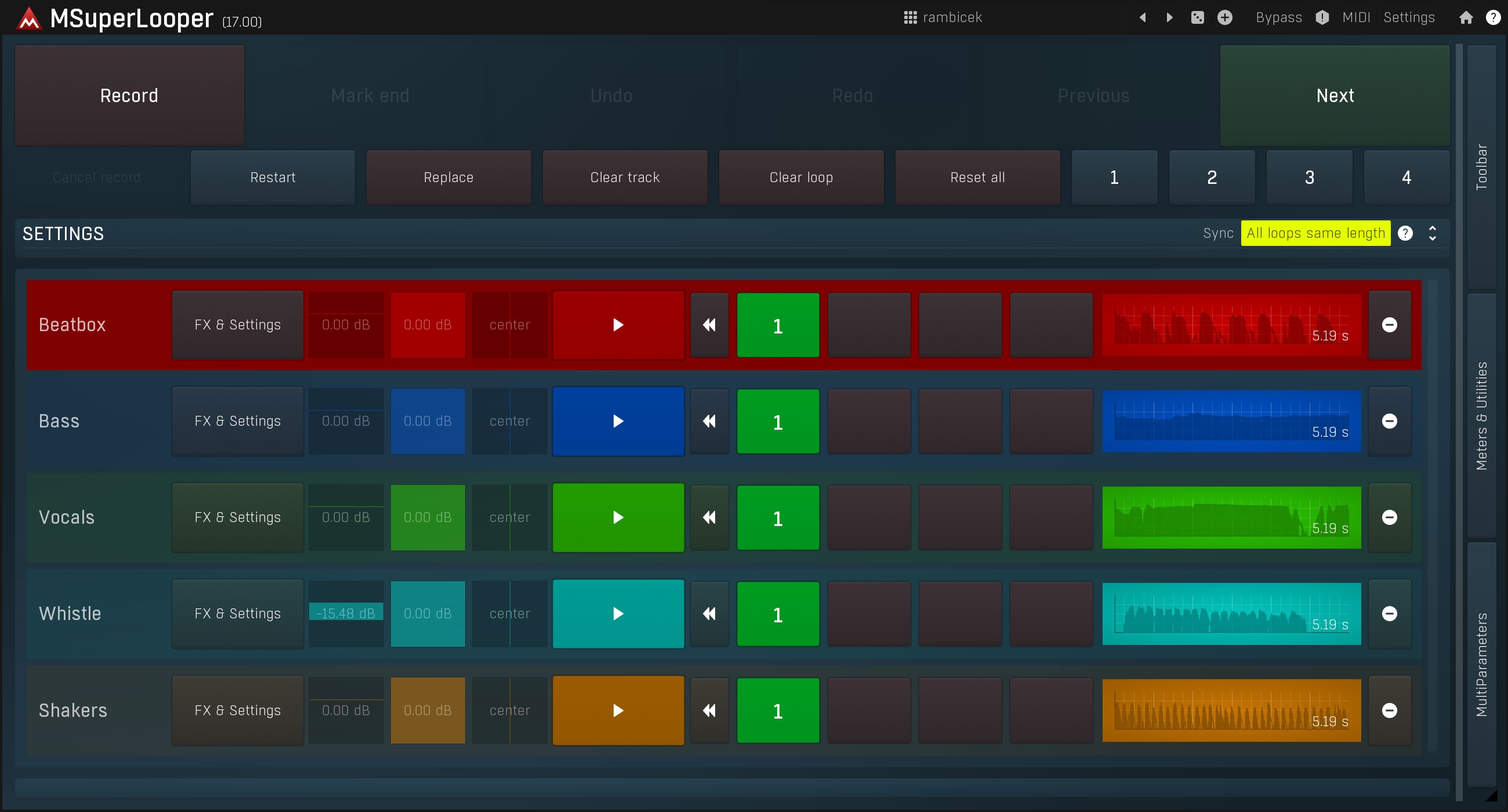
MSuperLooper is a MeldaProduction plugin for capturing and layering loops during live performance or creative sessions. It supports up to 16 tracks, with up to four loops per track. Each track has its own effect pipeline, so separate parts can be processed independently.
How loop timing works
The first recording becomes the main loop. By default, later loops match its length. Turn off the All loops same length setting to record longer loops in multiples of the main loop length.
With Sync enabled, MSuperLooper follows the DAW tempo and time signature. With Sync enabled and the Immediate record and Immediate track switch options off, recording and track changes wait for a checkpoint, such as the next bar or loop boundary, so you can trigger them without clicking on the exact beat. The manual cautions that changing the DAW tempo or time signature requires the loop lengths to change as well.
With Sync off, the plugin runs independently of DAW timing. AutoStart can begin the first recording when the input passes a chosen level. The quick-start guide covers both synced and free-running workflows.
Recording and moving loop audio
You can overdub a selected track, undo or redo overdubs, replace a loop with new input, reverse playback, or clear a loop or track. MSuperLooper can import WAV files into a selected loop, including by dragging a file onto its loop button. You can export all loops as WAV files to a folder, or drag an individual loop from its waveform view into a DAW.
Hands-free control
The large controls can be mapped to a MIDI controller using MIDI learn, which is useful when operating the looper while playing an instrument. The quick-start guide notes that the default Record mapping uses separate MIDI controls to start and stop recording. Remap it to a single momentary pedal if you want to hold the pedal while recording and release it to stop.
Effects and licensing
Each track's modular effects pipeline is based on MXXX. The MSuperLooper licence does not unlock every possible effect module: some require a separate MeldaProduction product licence. Check the licence table on the features page before relying on a particular processor.
Compatibility and activation
- Windows: Windows 10 or 11, 64-bit, with a 64-bit VST, VST3, or AAX host and an Intel or AMD processor with SSE2 support.
- macOS: macOS 10.14 Mojave or later, 64-bit, with a 64-bit VST, VST3, AU, or AAX host. The requirements page lists Intel, AMD, and Apple Silicon CPUs.
- Linux is not directly supported. MeldaProduction says running the plugins through Wine may be possible and notes that Microsoft TrueType fonts need to be present in Wine's Windows Fonts directory.
MeldaProduction describes its licences as personal to the user and usable on all of that user's computers. Activation uses licence files and does not require a dongle or internet access. The company also says purchases include free updates for life. See the support page for requirements and documentation. A free trial is linked from the product page.