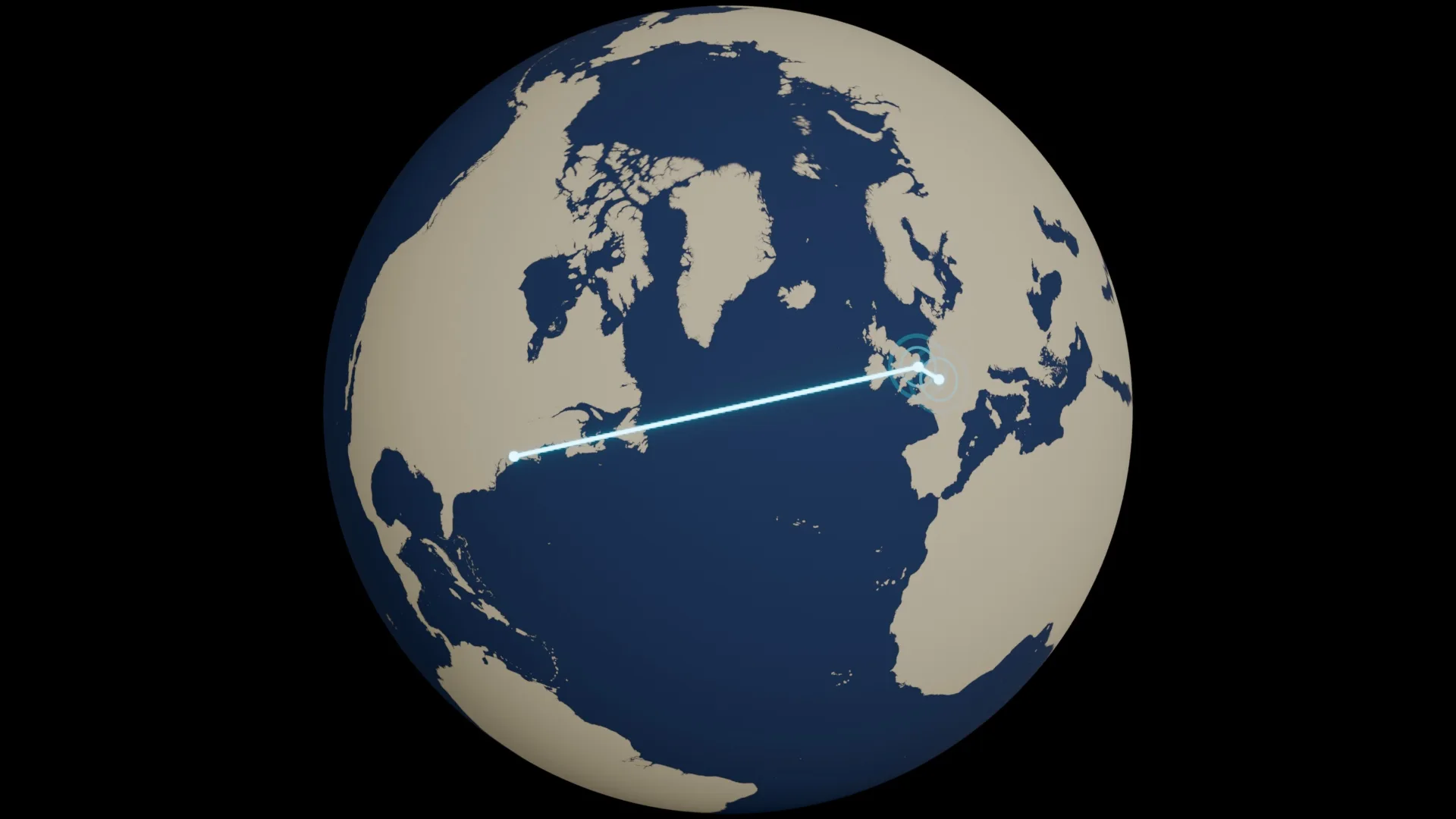
The rileyb3d globe tools add-on creates animated globe routes in Blender from latitude and longitude points. Enter at least two destinations in travel order, choose a shot duration and colors, then generate a new scene with an editable globe, animated route, destination markers and camera.
Create a route from coordinates
Add, remove or reorder points in the 3D View sidebar. Enter each location as latitude and longitude in decimal degrees. The route line reveals with easing; a traveling tip follows it, and destination markers settle into place. The animation runs at 30 fps.
Customize the globe animation
Choose colors for the route line, sea and land. You can also enable a glowing line or faint destination ripples. The generated scene includes a route-facing camera with a gentle push and depth of field. The add-on inherits the current scene’s world, light rig, color management and transparency settings.
The globe uses a WGS84 shape and a packed 16,384 x 8,192 land mask. Its generalized coastlines come from public-domain Natural Earth data. Geometry, curves, materials and animation remain editable, and the add-on works offline.
Playback and route limits
Press Space to play the animation and Numpad 0 to view through the camera. Colors and effect switches update live. If you change the route points or duration, generate a new scene to apply those edits; existing scenes remain available.
Waypoint connections are illustrative great-circle legs. A route that crosses the far side of the globe can pass behind it, so adjust the camera for those shots.
Compatibility and license
rileyb3d globe tools requires Blender 5.2 or newer. The extension listing reports testing with Blender 5.2.2 LTS. The add-on is licensed under GPL-3.0-or-later, and its generated land mask is CC0-1.0. The extension does not require special permissions.