Sheffield Softworks Movie Color is a color grading plugin for applying stylized, cinematic looks inside an editing or motion graphics application. It includes more than 50 presets, lets editors design and save custom looks, and provides controls for adjusting how tinted images mix with the original footage.
Start with a preset or create a custom look
Movie Color's presets can be adjusted for small scene-to-scene changes or used as a starting point for a new look. Editors can also design and save custom looks of their own. This gives you a choice between working from an included treatment and shaping a saved look to suit your footage.
Mix tinted images with masks
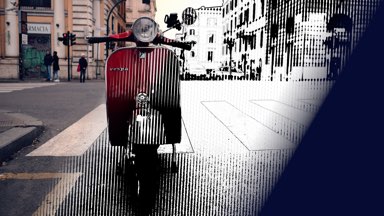
Movie Color builds two tinted images and mixes them back into the original image at varying strengths. A mask acts like an adjustable stencil: it controls where the tinted image appears and how much of it is applied.
A Pre-Processing section provides saturation, brightness and contrast adjustments. The plugin also includes a Bleach Bypass setting. Together, these controls give editors ways to adjust the image and the masked tint mix alongside the preset or custom look.
Supported apps and FxFactory requirements
Movie Color works in Final Cut Pro X, Motion, After Effects, Premiere Pro and DaVinci Resolve on Apple Silicon and Intel processors. It requires Noise Industries FxFactory to run; the standard FxFactory download is free. FxFactory Pro is paid and has the same system requirements as the free version.
Movie Color is listed as free to download and use. Confirm current availability and licensing with the developer before downloading. The product information directs users to the FxFactory page for updated system requirements, so check those requirements before installing.