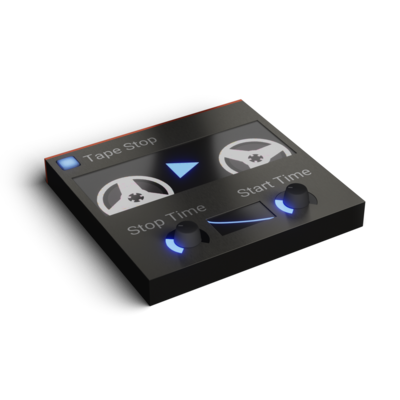
What Tape Stop does
Kilohearts Tape Stop simulates tape slowing to a stop and starting again. It is designed for spindown and speedup sounds. The Play control switches the simulated tape motor between running and stopped states.
Shape the stop and restart
Stop Time sets how long the motor takes to reach a full stop. Start Time sets how long it takes to return to full speed. Curve changes the speed curve during starting and stopping, so you can set the two transition times independently and adjust their shape.
Insert Tape Stop on an audio track in your DAW, set the stop and start times, choose a curve, then use Play to start or stop the simulated motor.
Use it as a plugin or Snapin
Tape Stop can run as a regular VST, AAX, or AU plugin, or as a Snapin inside Phase Plant, Multipass, or Snap Heap. In a Snapin host, you can combine and modulate it with other Kilohearts effects. The hosts are sold separately.
Access and system fit
Tape Stop is included in Kilohearts Essentials, which is free with an account. Kilohearts' general plugin requirements specify an x86 64-bit processor with SSE3, or an Apple M processor on macOS, and a DAW that supports VST2, VST3, AAX, or Audio Unit. The company recommends using an operating system still supported by its manufacturer and notes that meeting the minimum requirements does not guarantee flawless operation in every setup.