Transform Panel is a Blender add-on by shigeru ozawa that groups object transform controls, origin tools and transform animation in the 3D Viewport sidebar. Its documentation for version 2.0.0 describes quick controls alongside more detailed tools for selected objects.
Adjust transforms and add keyframes
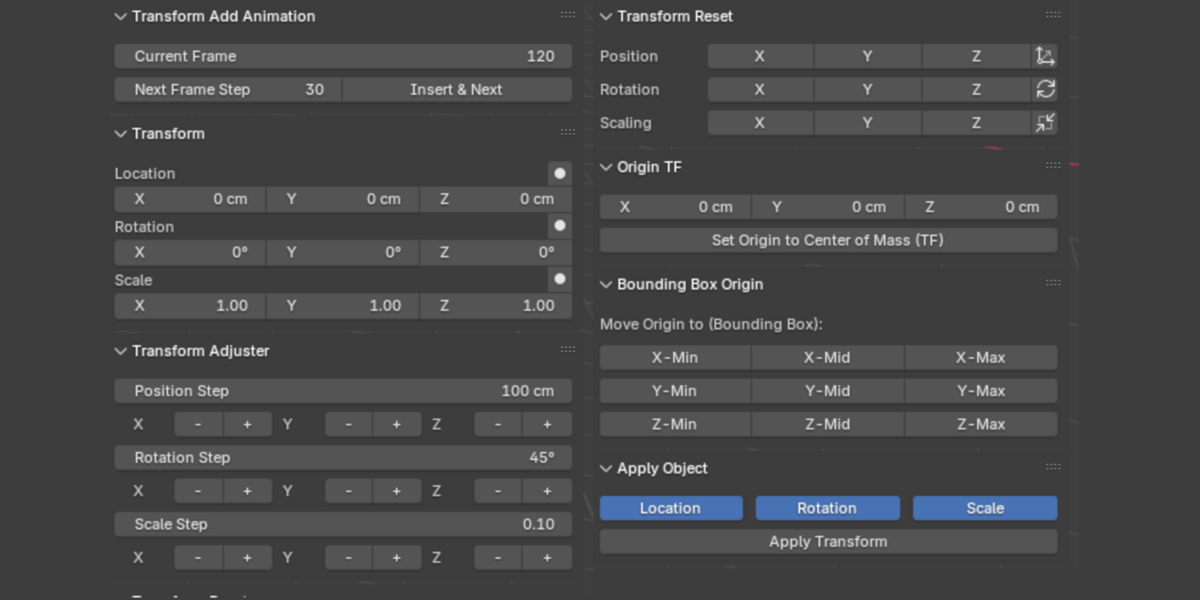
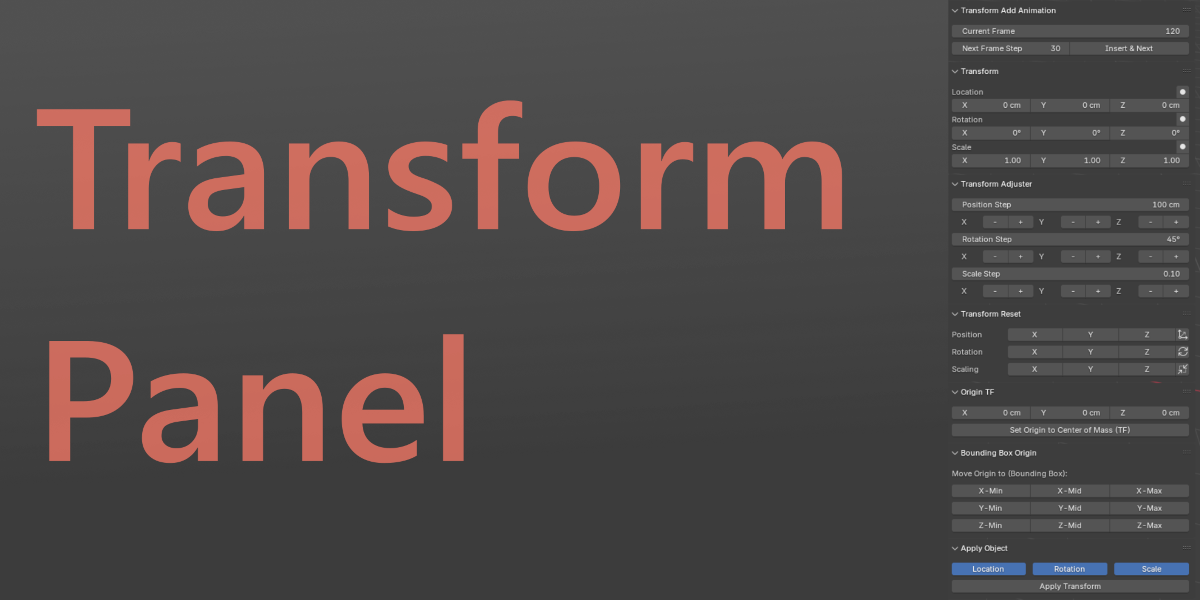
Quick Transform edits the active object's location, rotation and scale through Blender's native transform properties. Each channel can be reset or keyframed. Reset All returns location and rotation to 0 and scale to 1; Key All inserts keyframes for all three channels on selected objects at the current frame.
Quick Animation includes current-frame and step controls. Insert & Next keys location, rotation and scale for selected objects, then advances the timeline by the chosen step, which defaults to 30 frames. Advanced Increment applies separate location, rotation and scale steps along the X, Y and Z axes. Its documented defaults are 1.0 for location, 45° for rotation and 0.1 for scale. Detailed Reset can reset individual axes without changing the other axes.
Position origins and apply changes
Origin tools can move an origin to specified world-space coordinates, the center of mass or a bounding-box position. Bounding Box Origin includes axis-only Min, Center and Max choices, plus presets such as center and bottom center. The documented coordinate and bounding-box operations keep visible geometry in place. Bounding Box Origin needs editable geometry data; some controls are unavailable for unsupported object types.
Apply Object lets you choose whether to apply location, rotation or scale to supported selected objects. The documentation lists Mesh, Curve, Surface, Text and Lattice. For armatures, Apply Pose makes the current pose the new rest pose. Many reset, keyframe, incremental transform, animation and apply operations can work across multiple selected objects. Rotation controls use Euler rotation values.
Install and check compatibility
The documented installation is to install the ZIP through Blender's add-on preferences, enable Transform Panel, then open the 3D Viewport sidebar with N and choose the Transform tab. The full panel path is 3D Viewport > Sidebar > Transform > Transform Panel. The documentation identifies version 2.0.0 as requiring Blender 4.3.2 or later and being compatible with Blender 5.x. The product listing separately displays Blender 4.1–5.2, so check the developer's current details for your Blender release before installing. The listing identifies the add-on as GPL licensed. Save your project before major changes to transforms, origins, rest poses or animation data.