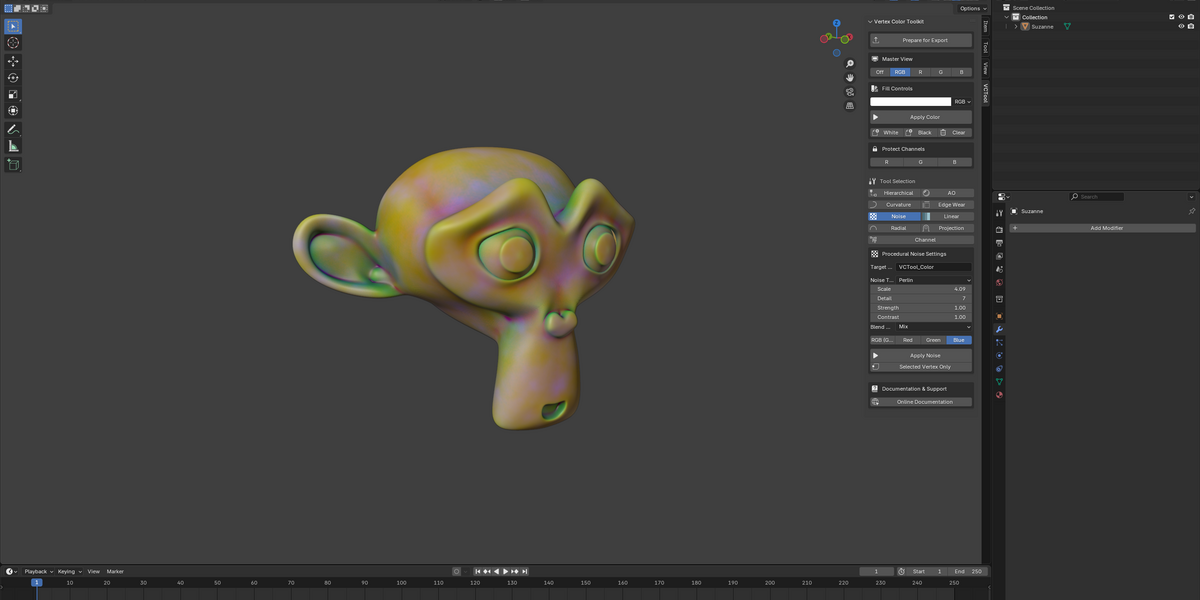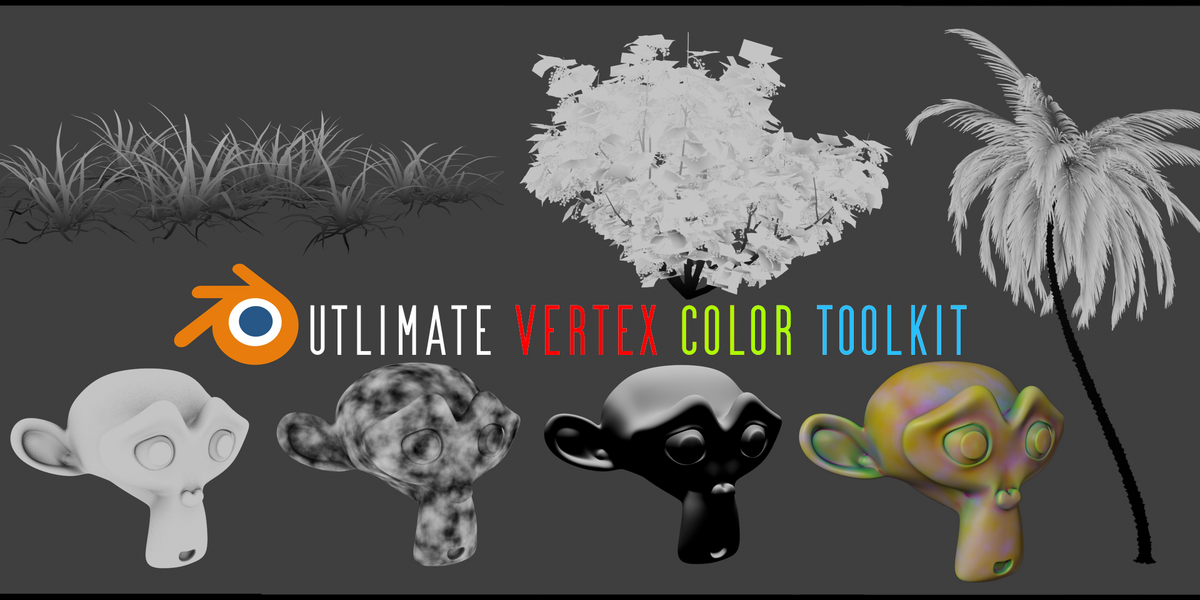
Ultimate Vertex Color Toolkit - Advanced Gradient Tools is a Blender add-on by Gatyh Interactive for creating vertex-color masks used by foliage wind, wear, dirt and blending shaders. Each operation writes to one R, G, B or A channel and can be limited to selected vertices. Pack up to four masks into one color attribute, then prepare the mesh for export to a game engine.
The toolkit suits foliage, retro game assets, hard-surface props and larger vertex-painted environments. Its tools build masks from material hierarchy, mesh position, facing direction or surface detail.
Make gradients and procedural masks
The Hierarchical Gradient follows material assignments through a structure such as trunk, branches and leaves. It has per-material controls and supports any number of levels, making it useful for building foliage wind masks.
Linear gradients run along an axis with start and end controls. Radial gradients use an origin and falloff, while projection masks respond to upward, downward or custom facing directions. Procedural noise has controls for type, scale, detail, strength and contrast, with blend modes for mixing it into existing channel data. The noise tools add variation without requiring UVs.
Bake surface detail with Cycles
Ambient occlusion writes directly to vertex colors without a texture bake. Distance, samples and strength control the result, and an invert option can produce a cavity or dirt mask. Curvature detects edges, cracks and cavities with threshold and strength controls. Edge Wear creates edge damage and weathering effects with strength and contrast controls.
Ambient occlusion, Curvature and Edge Wear use Cycles' bake engine. The panel has a Use Cycles button for these operations; the other tools work in any render engine.
Inspect and manage RGBA channels
Master View previews RGB or an individual R, G, B or A channel in the viewport. The Channel Manager can copy, swap, adjust intensity, multiply and invert channel data. Fill sets a channel to a chosen value, and selected-vertices-only mode limits an operation to the current selection.
Protect Channels locks data against changes from both the toolkit and Blender's Vertex Paint and Sculpt brushes. Since version 1.3.0, the channel preview does not write to material slots. For a practical painting pass, view the channel you plan to edit, lock the channels you want to preserve, and paint on the remaining channel.
Prepare a mesh for export
Prepare for Export sets up the mesh with a color attribute for use in Unreal, Unity or Godot. A useful packing workflow is to assign each mask to its intended channel, inspect the channels in Master View, and protect finished channels before continuing. Check that the destination shader reads the same channel assignments.
The product supports Blender 4.0 to 5.2 . Use the Extension for Blender 4.2 to 5.2 and the classic add-on ZIP for Blender 4.0 and 4.1.