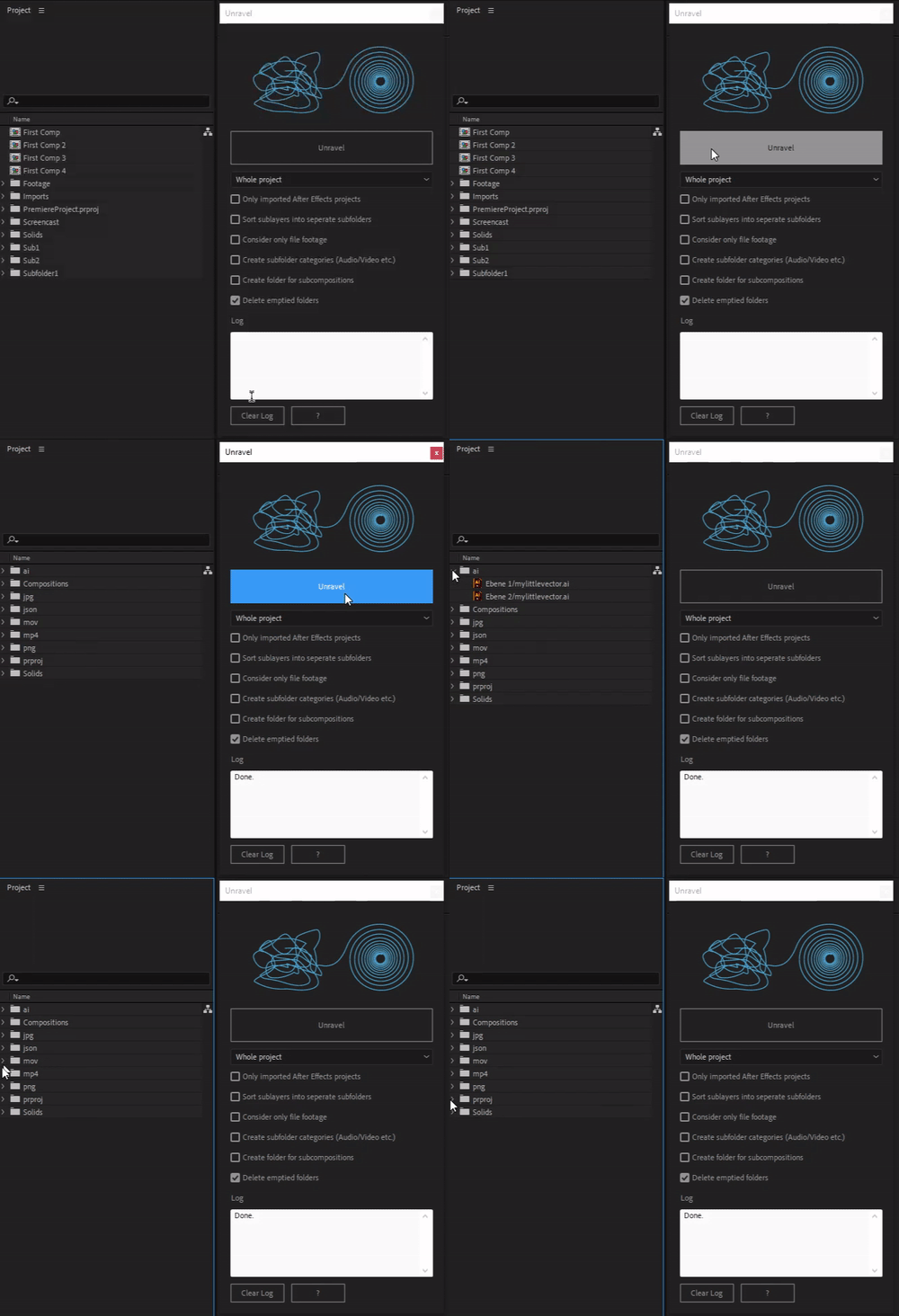
Unravel's developer listing describes a script for organizing items in the After Effects Project panel. You can sort the whole project, selected folders, imported After Effects project folders ending in .aep or .aepx, or file footage. Unravel can also organize layers imported from .AI and .PSD files.
Choose the scope of a sort
For selected folders, version 1.2 adds a "Keep content inside selected folders" option, which sorts their contents while keeping them in place. Unravel can also put layers imported from Illustrator or Photoshop into individual subfolders. Other controls include subfolder categories, subcomposition folders, and deleting emptied folders.
Collect compositions with expression checks
Unravel can collect selected compositions while checking expressions for referenced project items. The developer gives a JSON file referenced by an expression as an example of a file that After Effects' built-in Reduce Project function may miss. The expression check does not work with obfuscated expressions.
Sort footage before collecting
The file-footage-only option organizes footage while leaving other project items where they are. The developer says this can shorten file paths when collecting a project. Deep folder structures in the Project panel can produce long paths that may cause data loss on some systems.
Panel setup and project safety
Unravel runs in a floating panel. Version 1.2 added a responsive interface that reduces to the main button when the panel is shorter than 200 pixels. To save settings, enable "Allow scripts to write file and access network" in After Effects preferences. Unravel rearranges parts of the Project panel, and its action can be undone; the developer recommends saving a backup before running it.
Check the product listing for compatibility, the free trial, and support options.